
Dell Thunderbolt Dock WD22TB4 Review
Dell’s current-generation Thunderbolt 4 dock, well documented directly from Dell’s own spec sheet, with power delivery, port list and security-slot detail confirmed — though its full 130W charging tier is reserved for Dell’s own laptops.
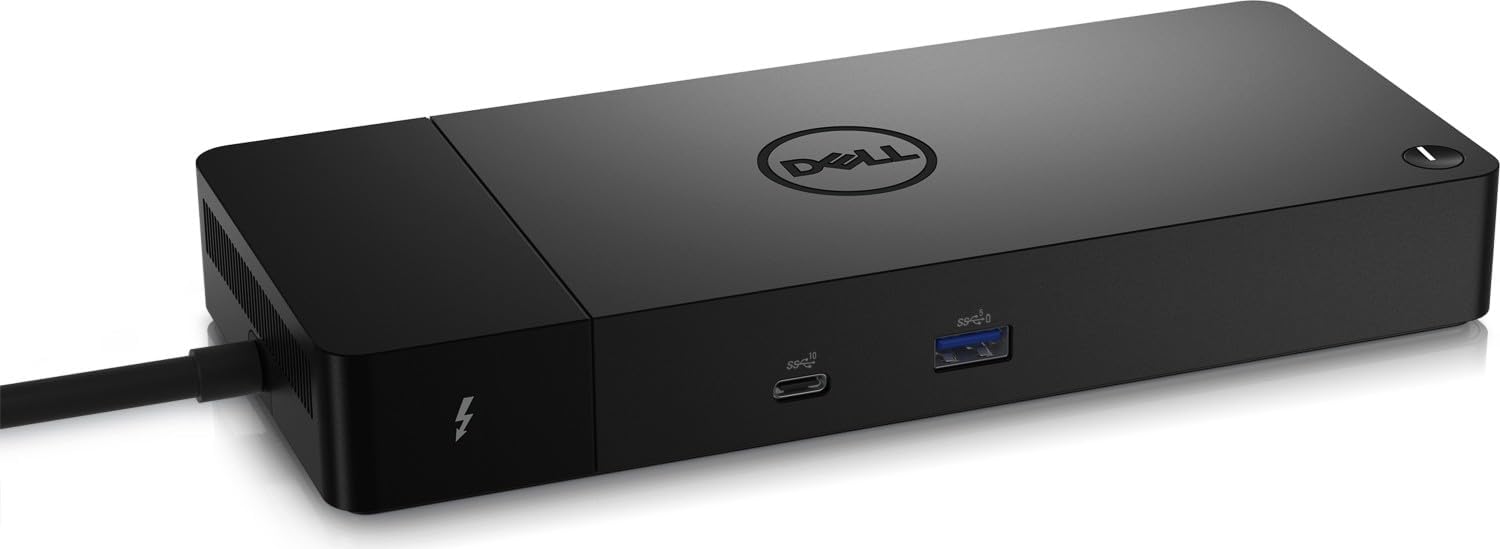
At a Glance
This model is best suited to dell laptop owners in office or hybrid deployments who want official Dell hardware with full-rated 130W charging and physical security-slot support. Its strongest buying points are broad official port list: dual TB4, dual DisplayPort, HDMI, dual USB-A, front-panel PowerShare and Ethernet, both Noble Wedge and Kensington physical security-lock slots for office deployment, and one detailed owner account reports stable mixed Mac M1/Windows daily use with no USB dropouts.
Technical Assessment
Like the Plugable dock, the WD22TB4 sticks to Gigabit Ethernet rather than the 2.5GbE found on most competitors here, a common trade-off on enterprise-focused docks aimed at broad fleet compatibility over cutting-edge networking speed.
Performance
Dell’s own product page quotes PCMag on the 130W ExpressCharge power delivery and Laptop Mag’s 4/5 rating for ‘excellent performance and unrivaled power delivery.’ Dell’s own documentation confirms support for up to four external screens, including two 4K@60Hz or three FHD displays.
Reliability and Ownership
Dell provides official firmware-update and troubleshooting documentation. One retailer-page owner account specifically reports stable mixed-platform daily use without USB dropouts, contrasted against a prior negative experience with an unnamed other-brand hub, though no formal aggregate rating was found.
Buyer Fit and Trade-Offs
Best For & Key Strengths
Best For
- Dell laptop owners in office or hybrid deployments who want official Dell hardware with full-rated 130W charging and physical security-slot support.
Key Strengths
- Broad official port list: dual TB4, dual DisplayPort, HDMI, dual USB-A, front-panel PowerShare and Ethernet
- Both Noble Wedge and Kensington physical security-lock slots for office deployment
- One detailed owner account reports stable mixed Mac M1/Windows daily use with no USB dropouts
Not Ideal For & Key Trade-Offs
Not Ideal For
- Non-Dell laptop owners who want maximum charging wattage, since they’re capped at 90W on this dock regardless of their laptop’s actual charging capability.
Key Trade-Offs
- Full 130W charging is Dell-laptop-specific; non-Dell laptops are capped at 90W
- Current Dell.com list price not captured verbatim this pass
- No numeric owner-review aggregate found on Dell.com or a mainstream retailer
Technical Specifications
| Connection Standard | Thunderbolt 4 (Type-C) |
| Power Delivery To Host | 130W to Dell systems (ExpressCharge/ExpressCharge Boost), 90W to non-Dell systems |
| Port Count And Mix | 2x Thunderbolt 4, 2x DisplayPort 1.4, 1x HDMI, 1x USB-C 3.2 Gen2 with DP Alt Mode, 2x USB-A 3.2, front USB-C 3.2 Gen2 + USB-A 3.2 Gen1 with PowerShare, RJ-45 Ethernet, Noble Wedge + Kensington security slots |
| Max Display Support | Up to four external screens including two 4K@60Hz or three FHD displays |
| Os Support | Windows 10, Windows 11, Ubuntu 20.04+ |