
Best Home Office Printers 2026
A category-specific approach to ranking Home Office Printers
Most general product roundups are built around broad buyer priorities. Flickthru evaluates home office printers for remote workers, prioritising document output quality, running cost and yield, speed and responsiveness, scan copy and workflow, and paper handling and duplex.
Epson EcoTank ET-4950
Balanced high-volume home-office contender with strong workflow depth and low running cost.
- Extremely low ink cost for frequent printing
- Duplex ADF, fax and Ethernet cover serious office workflows
- Strong text and color-document output
- High purchase price
- Needs regular use to reduce inkjet clogging risk
- Large for a casual home printer
It wins the three-way 83-point tie by combining 89-rated running costs with the strongest overall mix of duplex printing, ADF, fax, Ethernet and color-document capability. That breadth makes it more versatile than the mono Brother and slightly better supported for general home-office use than the Canon tank model. High upfront cost and regular-use maintenance remain the main compromises.
Refillable-tank all-in-one with ADF, fax, Ethernet and automatic duplex printing; positioned for frequent mixed document work. Independent testing evidence supports the principal output and workflow strengths represented in the scoring, with confidence reduced where the second source was qualitative rather than laboratory-based.
Refillable ink lowers consumable cost, but regular use remains relevant to inkjet nozzle health.
- Occasional users who print only a few pages each month
| Official Summary | Refillable-tank all-in-one with ADF, fax, Ethernet and automatic duplex printing; positioned for frequent mixed document work. |
|---|---|
| Technology | inkjet |
| Functions | print, scan and copy; see official summary for fax and workflow details |
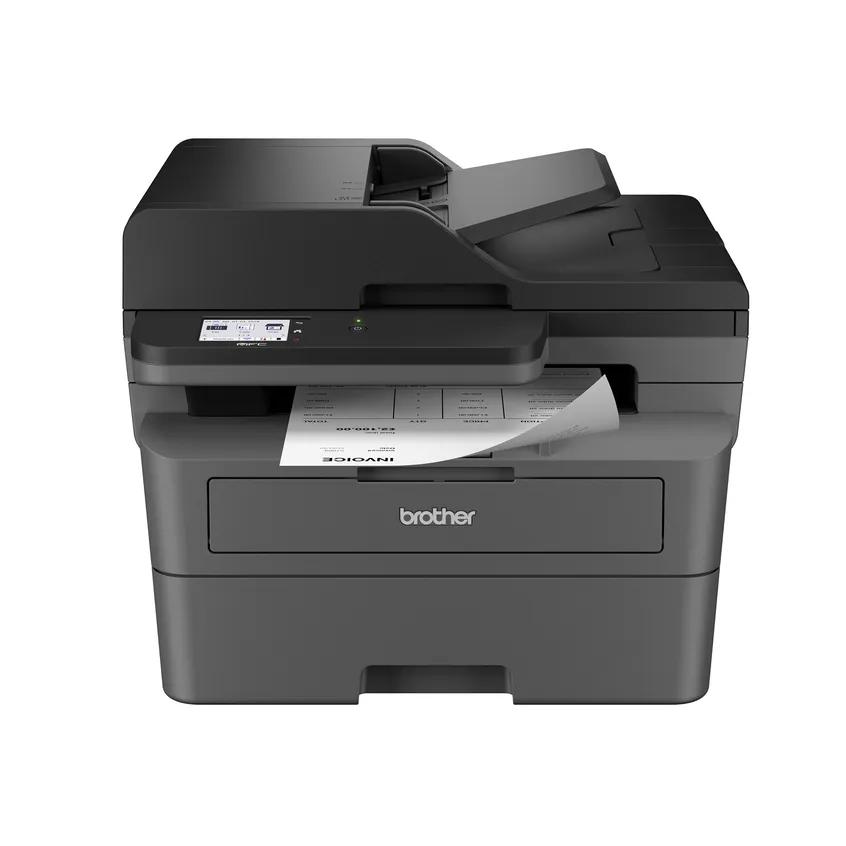
Brother MFC-L2820DW
High-confidence mono all-in-one for offices that primarily print text.
- Fast, sharp monochrome documents
- Low-maintenance laser design
- ADF, fax and automatic duplex printing
- No color printing
- No automatic duplex scanning
- Toner replacement is a meaningful ongoing cost
Second place is driven by the fastest response, best reliability and strongest value-and-support scores in the leading group. Sharp mono output and a low-maintenance laser engine make it the safest choice for text-heavy work. It loses the 83-point tie because it cannot print color and lacks automatic duplex scanning, limiting its usefulness for mixed home-office workflows.
Monochrome laser all-in-one with ADF, fax, duplex printing and compact-office positioning. Independent testing evidence supports the principal output and workflow strengths represented in the scoring, with confidence reduced where the second source was qualitative rather than laboratory-based.
Laser/LED consumables avoid ink drying but replacement toner cost and device size must be considered.
- Photo, craft or color-document users
| Official Summary | Monochrome laser all-in-one with ADF, fax, duplex printing and compact-office positioning. |
|---|---|
| Technology | laser |
| Functions | print, scan and copy; see official summary for fax and workflow details |

Canon MAXIFY MegaTank GX4020
Serious tank-based office workflow candidate with a well-matched feature set.
- Very low refillable-ink running cost
- Flexible three-route paper handling
- Fax, ADF and duplex printing suit office work
- Slower than many cartridge office inkjets
- High initial price
- ADF does not duplex-scan automatically
It finishes the 83-point group with the same excellent running-cost and workflow scores as the winner, plus slightly more flexible paper handling. The tie breaks against it on connectivity, reliability, home-office fit and value, where the Epson holds small but consistent advantages. Slower output and no automatic duplex scanning also make the high initial price harder to justify.
Business-oriented MegaTank all-in-one with fax, ADF and automatic duplex printing. Independent testing evidence supports the principal output and workflow strengths represented in the scoring, with confidence reduced where the second source was qualitative rather than laboratory-based.
Refillable ink lowers consumable cost, but regular use remains relevant to inkjet nozzle health.
- Users needing fast automatic two-sided scanning
| Official Summary | Business-oriented MegaTank all-in-one with fax, ADF and automatic duplex printing. |
|---|---|
| Technology | inkjet |
| Functions | print, scan and copy; see official summary for fax and workflow details |
Epson EcoTank ET-3950
Lower-cost EcoTank alternative with useful office functions and strong consensus.
- Very low running cost
- Compact office-oriented design
- ADF, fax and automatic duplex printing
- Modest control interface
- Regular use is advisable for nozzle health
- Not built for heavy workgroup volumes
It leads the 81-point group as the most accessible tank-based all-rounder, pairing very low ink costs with ADF, fax, duplex printing and a compact office-oriented design. An 80 home-office-fit score helps it edge more specialized rivals. It stays below the top three because speed, reliability and workflow depth are more modest, and it is not intended for heavy workgroup volume.
Compact refillable-tank all-in-one with automatic duplex printing, ADF and fax for home-office documents. Independent testing evidence supports the principal output and workflow strengths represented in the scoring, with confidence reduced where the second source was qualitative rather than laboratory-based.
Refillable ink lowers consumable cost, but regular use remains relevant to inkjet nozzle health.
- Large teams or very occasional printers
| Official Summary | Compact refillable-tank all-in-one with automatic duplex printing, ADF and fax for home-office documents. |
|---|---|
| Technology | inkjet |
| Functions | print, scan and copy; see official summary for fax and workflow details |
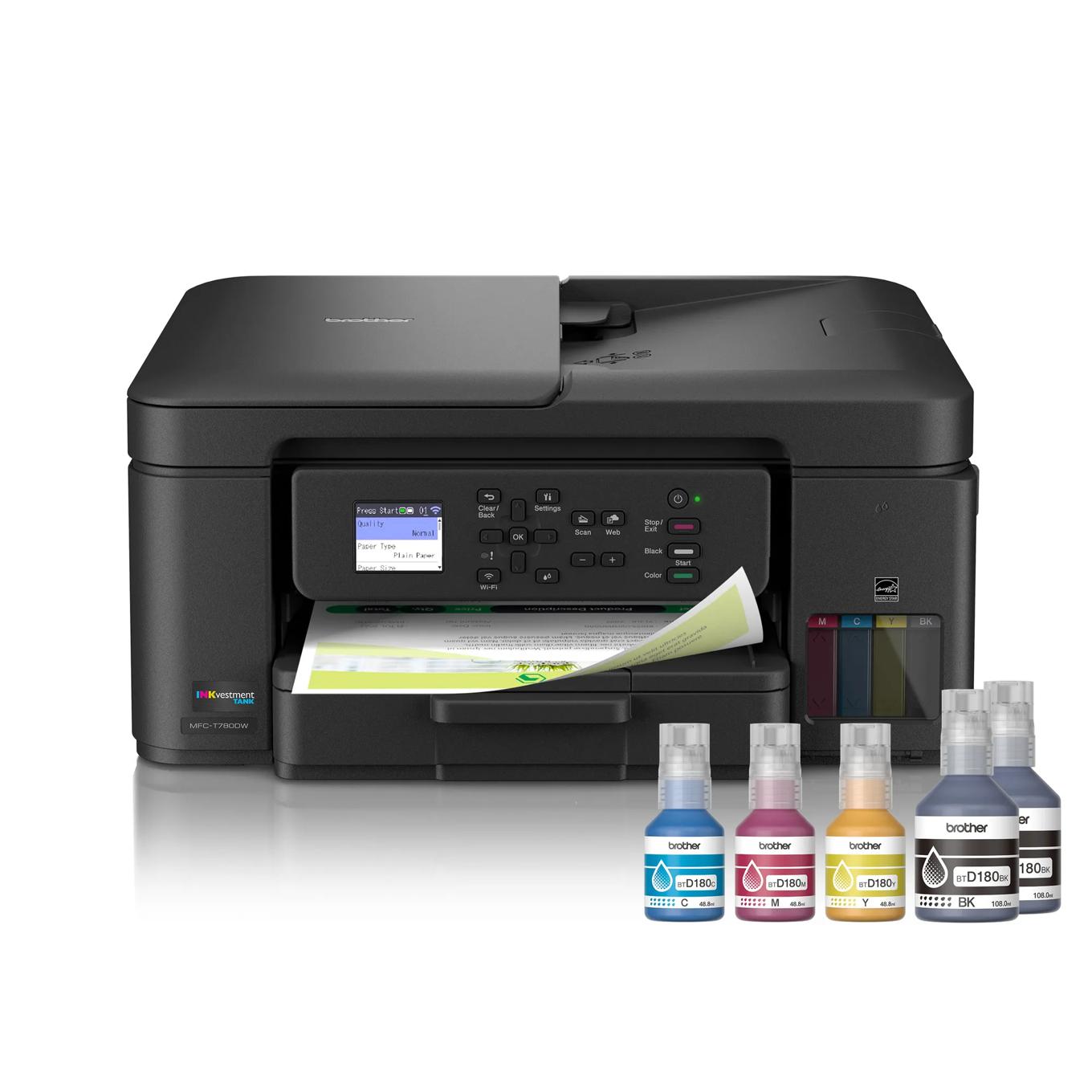
Brother MFC-T780DW
Well-supported low-cost office all-in-one with strong measured economics.
- Exceptionally low measured ink cost
- Strong text, graphics and photo output
- Fast copying and scanning for its class
- Small non-touch display
- 20-sheet ADF is limited
- Initial software setup can be awkward
Fifth place reflects the group’s best running-cost, reliability and value-support combination, backed by strong text, graphics and photo output. It trails the Epson in the 81-point tie because its small simplex ADF, weaker connectivity and awkward setup reduce daily workflow quality. For buyers prioritizing ink economics and warranty support, it may be the better long-term value.
INKvestment Tank all-in-one with fax, 20-sheet simplex ADF, duplex printing and three-year limited warranty. Independent testing evidence supports the principal output and workflow strengths represented in the scoring, with confidence reduced where the second source was qualitative rather than laboratory-based.
Cartridge availability, cleaning cycles and subscription terms should be checked in focused enrichment.
- Users who need a large touchscreen or heavy ADF capacity
| Official Summary | INKvestment Tank all-in-one with fax, 20-sheet simplex ADF, duplex printing and three-year limited warranty. |
|---|---|
| Technology | inkjet |
| Functions | print, scan and copy; see official summary for fax and workflow details |
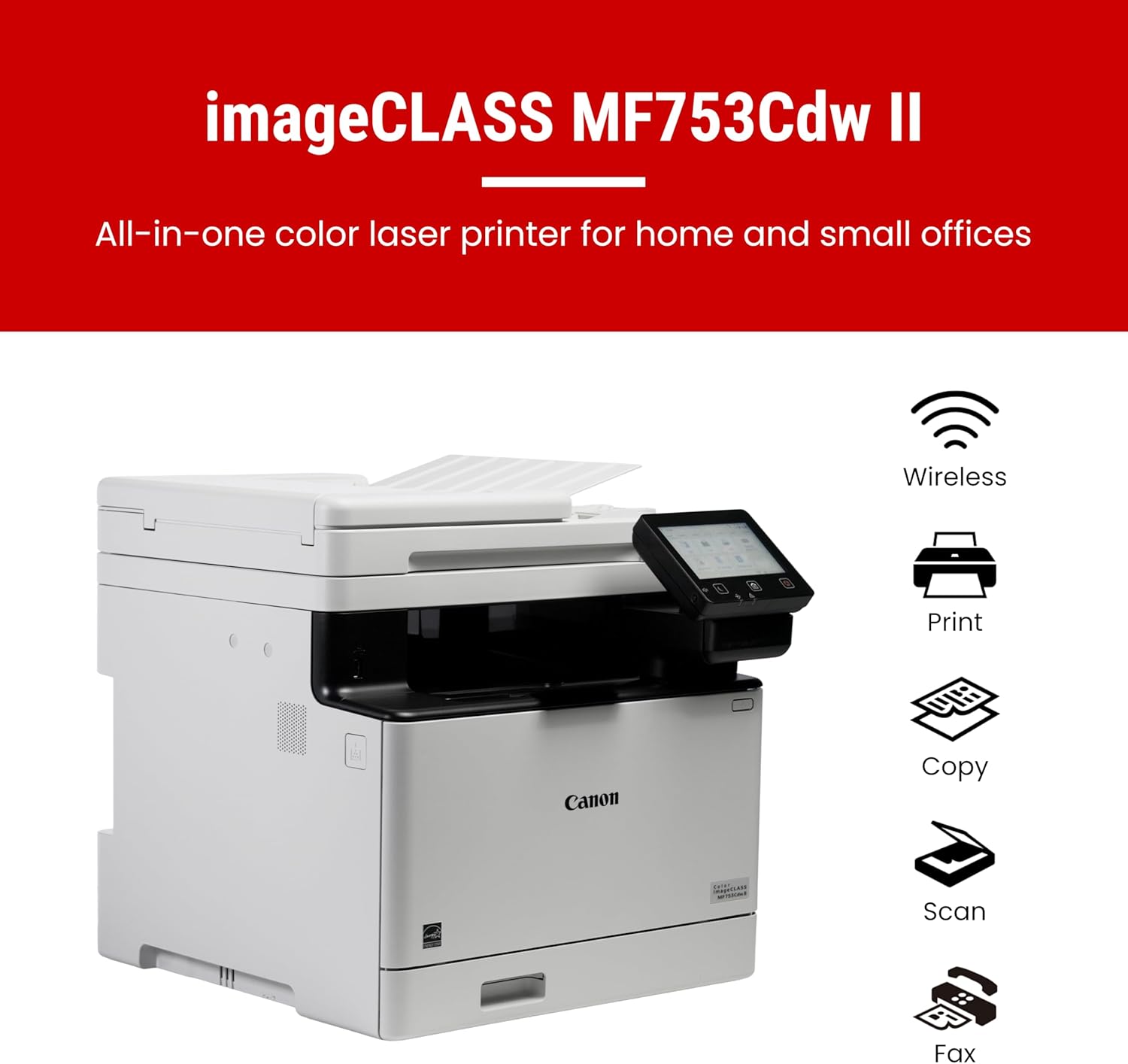
Canon Color imageCLASS MF753Cdw II
Fast, capable color laser for heavier home offices that can accept size and consumable cost.
- Very fast document printing
- Excellent color and monochrome office output
- Single-pass duplex scanning and a large touchscreen
- Expensive replacement toner
- Large and heavy
- Photo output is secondary to documents
It finishes the 81-point group despite leading the page for speed and posting excellent output, duplex workflow and connectivity scores. The ranking heavily penalizes its poor home-office fit: it is large, heavy and expensive to feed with color toner. It is the strongest high-volume performer here, but only for buyers with the space and workload to justify it.
Large color laser all-in-one with fax, 50-sheet ADF and strong duplex workflow. Independent testing evidence supports the principal output and workflow strengths represented in the scoring, with confidence reduced where the second source was qualitative rather than laboratory-based.
Laser/LED consumables avoid ink drying but replacement toner cost and device size must be considered.
- Small desks or photo-first buyers
| Official Summary | Large color laser all-in-one with fax, 50-sheet ADF and strong duplex workflow. |
|---|---|
| Technology | laser |
| Functions | print, scan and copy; see official summary for fax and workflow details |
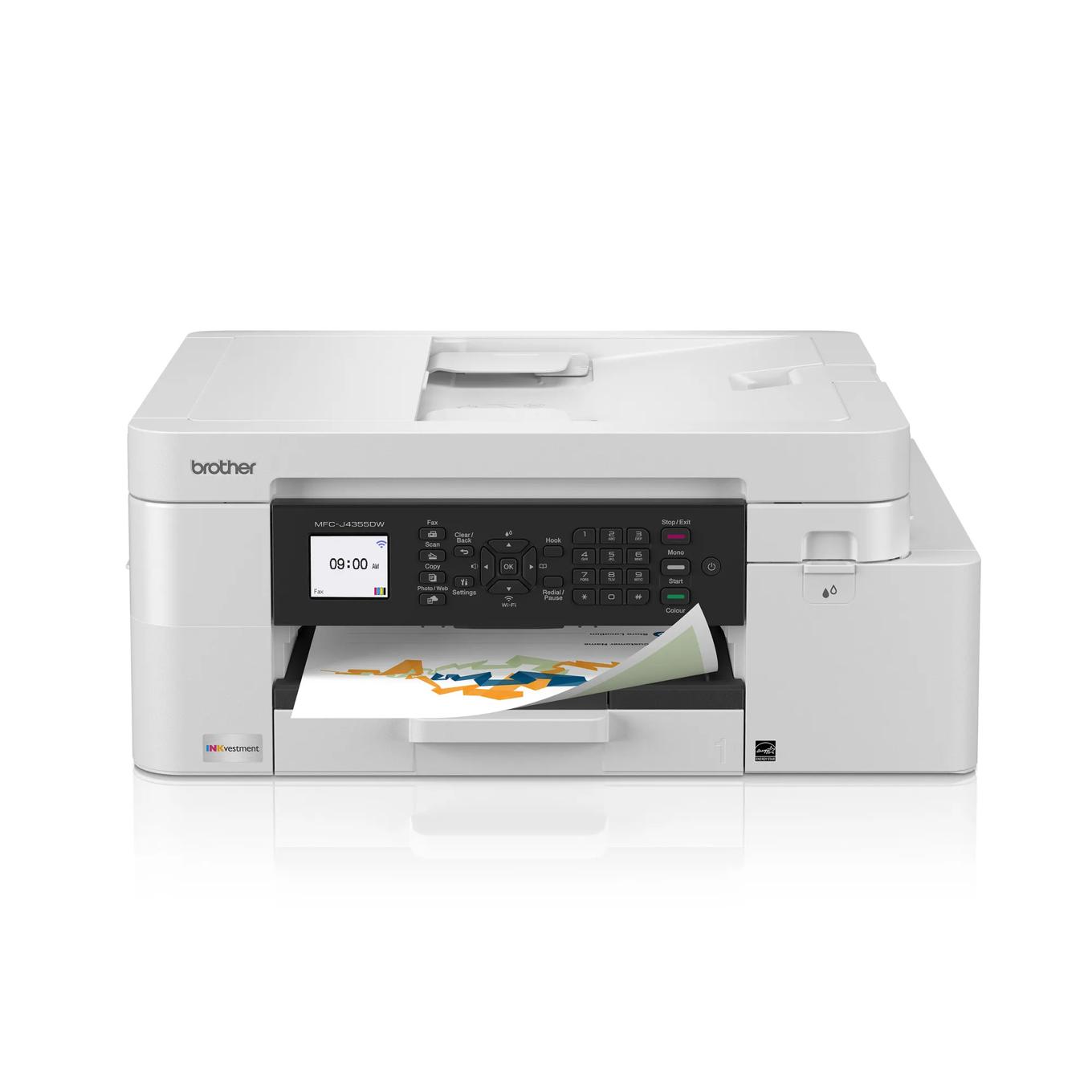
Brother MFC-J4355DW
A compact INKvestment cartridge all-in-one with ADF, fax, duplex printing and broad connectivity, built for hybrid and mobile professionals who want balanced print and scan features in a small footprint.
- Sharp documents and excellent scan quality
- High cartridge yields for its class
- Compact with ADF and broad connectivity
- No duplex scanning
- Color accuracy is only moderate for photos
- Inkjet printheads can clog after long inactivity
It leads the 80-point group through the best home-office-fit, running-cost and value scores of the three, while remaining compact and well connected. Sharp documents, excellent scans and useful cartridge yields make it a balanced everyday choice. It ranks below the 81-point models because speed, duplex handling and maintenance confidence are more ordinary.
Compact INKvestment cartridge all-in-one with ADF, fax, duplex printing and mobile connectivity. Independent testing evidence supports the principal output and workflow strengths represented in the scoring, with confidence reduced where the second source was qualitative rather than laboratory-based.
Cartridge availability, cleaning cycles and subscription terms should be checked in focused enrichment.
- High-volume duplex scanning or color-critical photos
| Official Summary | Compact INKvestment cartridge all-in-one with ADF, fax, duplex printing and mobile connectivity. |
|---|---|
| Technology | inkjet |
| Functions | print, scan and copy; see official summary for fax and workflow details |

Canon Color imageCLASS MF665Cdw
A color laser all-in-one with fax, a 50-sheet ADF and automatic duplex printing, aimed at home offices that want dependable, lower-maintenance document work over inkjet cartridge economics.
- Sharp color and black documents
- Single-pass duplex ADF workflow
- High toner yields and low routine maintenance
- Bulky for a small desk
- Color toner is expensive upfront
- Not intended for glossy photo output
Eighth place rewards strong color-document quality, fast output, a single-pass duplex ADF and the lower-maintenance behavior of a laser engine. It outranks the equally scored Xerox on output quality, home-office fit and value, albeit narrowly. Bulky dimensions and costly color toner keep both laser systems below the more economical, compact Brother.
Color laser all-in-one with fax, 50-sheet ADF and automatic duplex printing for document-heavy work. Independent testing evidence supports the principal output and workflow strengths represented in the scoring, with confidence reduced where the second source was qualitative rather than laboratory-based.
Laser/LED consumables avoid ink drying but replacement toner cost and device size must be considered.
- Photo printing or ultra-compact workspaces
| Official Summary | Color laser all-in-one with fax, 50-sheet ADF and automatic duplex printing for document-heavy work. |
|---|---|
| Technology | laser |
| Functions | print, scan and copy; see official summary for fax and workflow details |
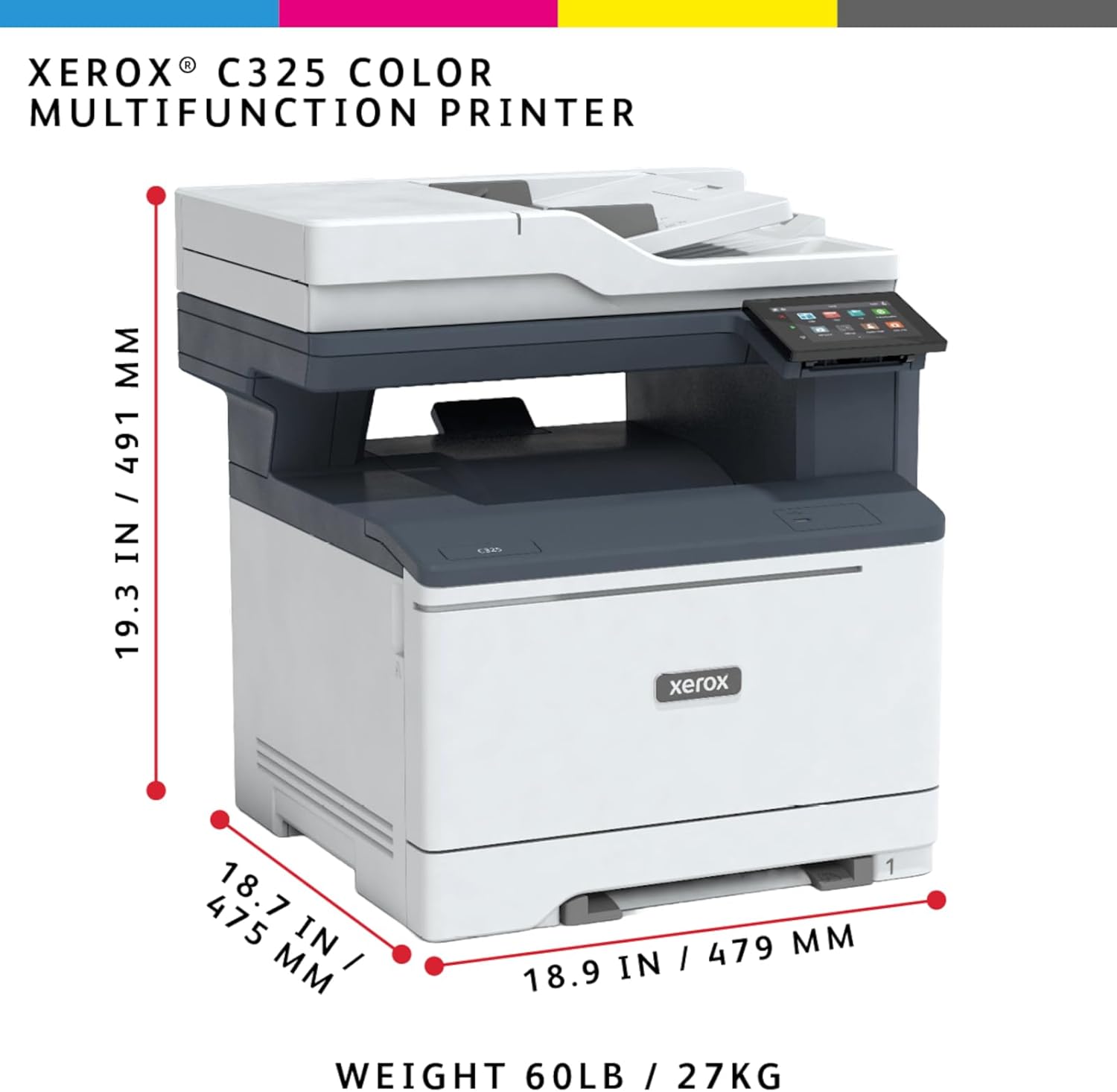
Xerox C325
Fast color laser alternative with current US retail and owner evidence.
- Fast 33 ppm class output
- Duplex printing and scanning
- Expandable paper capacity and intuitive touchscreen
- Heavy and bulky
- Higher toner cost than tank inkjets
- No NFC workflow
It finishes the 80-point group with near-leading speed, strong duplex workflow and expandable paper capacity, making it capable for a busy shared office. The tie breaks against it because running cost, desk-friendly usability and value are the weakest of the three. Its weight, toner expense and lack of NFC further reduce its appeal in smaller home workspaces.
Color multifunction laser rated up to 35 ppm with duplex print, copy, scan and fax. Independent testing evidence supports the principal output and workflow strengths represented in the scoring, with confidence reduced where the second source was qualitative rather than laboratory-based.
Laser/LED consumables avoid ink drying but replacement toner cost and device size must be considered.
- Low-volume buyers prioritizing minimum running cost
| Official Summary | Color multifunction laser rated up to 35 ppm with duplex print, copy, scan and fax. |
|---|---|
| Technology | laser |
| Functions | print, scan and copy; see official summary for fax and workflow details |

HP OfficeJet Pro 9125e
Feature-rich mainstream office inkjet with exceptional owner-data depth.
- Sharp documents and useful color output
- Large touchscreen, ADF and duplex printing
- Deep exact-model owner-review sample
- Cartridge costs exceed tank printers
- Can be noisy
- Scanner lid and VPN setup can frustrate
Tenth place reflects a solid feature set rather than a poor printer: sharp documents, touchscreen control, ADF, Ethernet and duplex printing cover mainstream home-office needs well. It falls behind the field on running cost and reliability, with cartridge expense, noise and setup friction weakening ownership quality. Its strong value-support score helps, but tank models offer better long-term economics.
Office inkjet all-in-one with fax, 35-sheet ADF, 250-sheet tray, Ethernet, Wi-Fi and automatic duplex printing. Independent testing evidence supports the principal output and workflow strengths represented in the scoring, with confidence reduced where the second source was qualitative rather than laboratory-based.
Cartridge availability, cleaning cycles and subscription terms should be checked in focused enrichment.
- Very high-volume users focused on the lowest cost per page
| Official Summary | Office inkjet all-in-one with fax, 35-sheet ADF, 250-sheet tray, Ethernet, Wi-Fi and automatic duplex printing. |
|---|---|
| Technology | inkjet |
| Functions | print, scan and copy; see official summary for fax and workflow details |
How We Evaluate Home Office Printers
Our rankings are built through the Flickthru CORE™ Market Research Engine, which first analyses the category, its intended buyers, and the current US market. Products are then assessed using category-specific evidence, performance indicators, availability, ownership signals, and long-term reliability considerations.
Recommendations reflect overall suitability for the intended buyer – not simply the highest specification, lowest price, or strongest result in a single test. When product-level customer feedback is limited, we prioritize official validation, credible technical evidence, and demonstrated category suitability rather than estimating or inflating review counts. Read the full Flickthru product ranking methodology.
- Category Specific Analysis: Defining buyers’ needs, primary uses, business priorities, acceptable compromises, and category-specific requirements before products are compared.
- Long-Term Reliability: Tracking recurring failure patterns, component durability, warranty trends, and long-term ownership outcomes from verified market data.
- Performance: Evaluating category-specific real-world performance, efficiency, consistency, and practical usability rather than relying on marketing claims alone.
- Features: Assessing functionality, usability, build quality, safety, ergonomics, and category-specific capabilities important to long-term ownership.
- Value: Measuring total cost of ownership, lifecycle longevity, support quality, lifecycle suitability, and overall return on investment.
- Evidence Review: Combining verified purchaser feedback where available with professional testing, official product validation, technical evidence, and market suitability signals.
- Market Coverage: Mapping the current US market, credible product families, availability, price positioning, and relevant competitors within the category.
Products demonstrating recurring reliability concerns, inconsistent performance behavior, poor ownership outcomes, or widespread negative sentiment are algorithmically suppressed from our rankings regardless of marketing claims, sponsorship relationships, or short-term popularity trends.
This methodology is designed to identify products that deliver genuine long-term value, reliability, and real-world usefulness rather than simply matching short-term hype, advertising claims, or isolated test results.