
Best 4K Monitors 2026
A category-specific approach to ranking 4K Monitors
Most general product roundups are built around broad buyer priorities. Flickthru evaluates 4k monitors for US office professionals and hybrid workers, prioritising office productivity and text clarity, connectivity and docking, image quality and color accuracy, ergonomics and eye comfort, and workspace fit and usability.

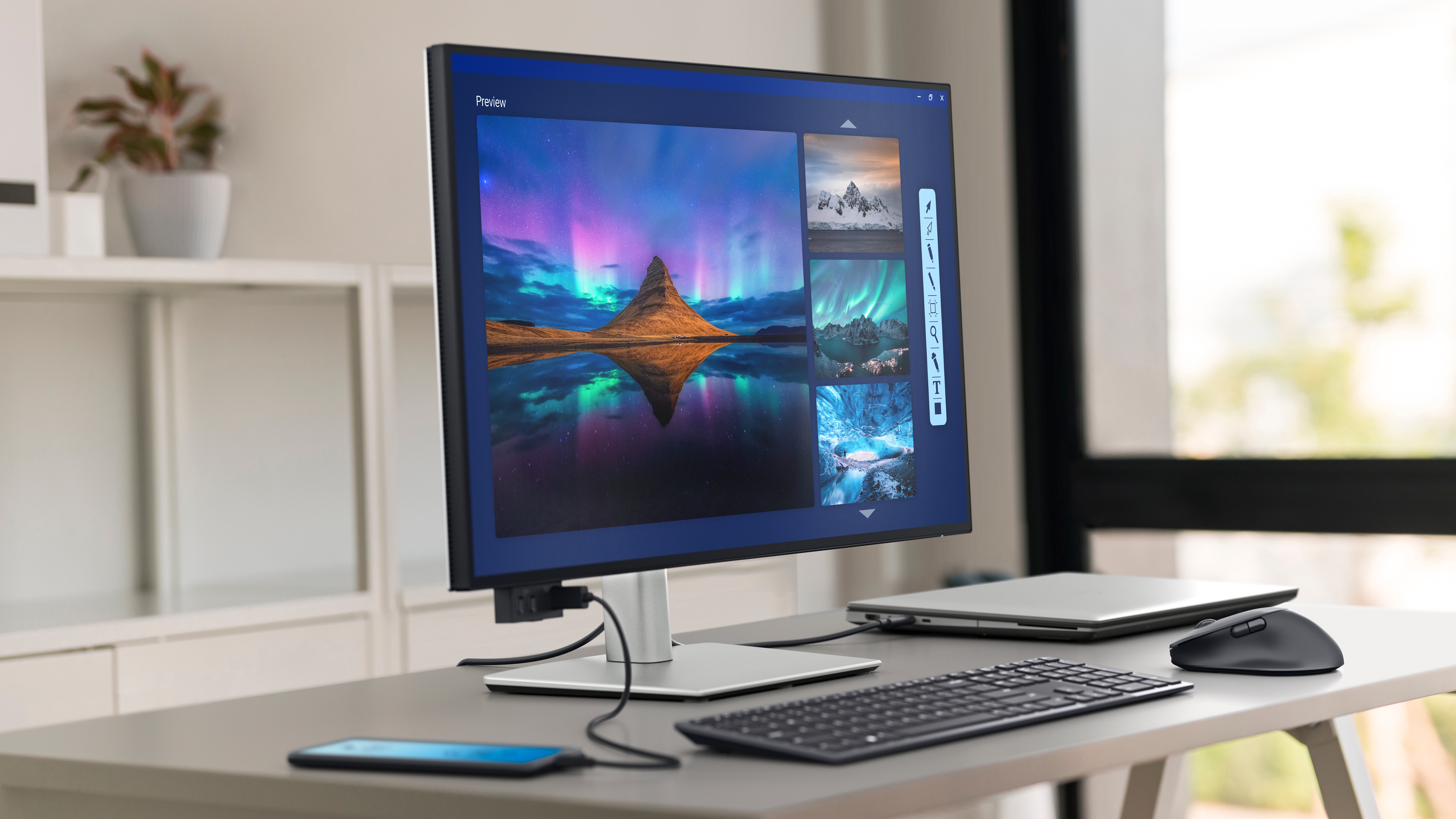
Dell UltraSharp 27 4K Thunderbolt Hub Monitor U2725QE
The most complete 27-inch office monitor in this group, combining crisp text, excellent ergonomics, 120Hz smoothness and unusually capable docking.
- Exceptionally sharp 27-inch 4K text
- Class-leading Thunderbolt 4 hub with up to 140W charging
- 120Hz makes scrolling and cursor movement noticeably smoother
- Excellent stand adjustment
- Premium price
- Reflections can remain distracting in very bright rooms
- Pixel response is slow for a 120Hz display
- Professionals who want a premium 27-inch display to replace a separate laptop dock.
- Buyers who only need basic video inputs or prioritize fast gaming motion.
It takes first place because it offers the strongest overall office package without demanding an oversized desk: exceptionally sharp 4K text, 120Hz smoothness, excellent ergonomics and a class-leading Thunderbolt 4 hub with up to 140W charging. Its premium price and imperfect motion response matter, but neither outweighs its unusually broad productivity strengths.
Independent testing indicates fantastic text clarity and ergonomics, sufficient SDR brightness for most glare, strong calibrated accuracy, mediocre reflection handling and slow motion response.
| Size Resolution | 27-inch, 3840×2160 |
|---|---|
| Panel Refresh | IPS Black, up to 120Hz |
| Connectivity | Thunderbolt 4/USB-C hub, up to 140W power delivery, Ethernet and KVM-class multi-device connectivity |
| Ergonomics | Height, tilt, swivel and pivot stand |
Dell UltraSharp 32 4K Thunderbolt Hub Monitor U3225QE
The strongest large-screen office hub here, with a premium price justified mainly by excellent connectivity, 120Hz operation and a high-contrast IPS Black panel.
- Roomy 31.5-inch 4K workspace
- 120Hz IPS Black panel
- Outstanding Thunderbolt 4, KVM and 2.5GbE connectivity
- Strong pre-calibration accuracy
- Expensive
- Large stand footprint
- No integrated speakers
- Power users who want a large display and full desk-dock functionality in one device.
- Small desks, value-first buyers or fast-motion gaming.
It ranks second by delivering the winner’s premium docking and 120Hz experience on a roomier 31.5-inch 4K IPS Black panel. The larger workspace, strong calibration and extensive connectivity are excellent for desk-based multitasking, but its higher cost, larger footprint and missing speakers make the 27-inch model the more universally practical choice.
Independent testing indicates fantastic text clarity and ergonomics, strong accuracy before calibration, vivid wide-gamut color and premium connectivity.
| Size Resolution | 31.5-inch, 3840×2160 |
|---|---|
| Panel Refresh | IPS Black, up to 120Hz |
| Connectivity | Thunderbolt/USB-C hub with Ethernet and extensive downstream ports |
| Ergonomics | Height, tilt, swivel and pivot stand |

Dell Pro 27 Plus 4K USB-C Hub Monitor P2725QE
Dell Pro 27 Plus 4K USB-C Hub Monitor P2725QE is a strong small-business office deployments choice for businesses wanting a dependable, manageable one-cable 4K monitor without UltraSharp pricing, combining strong workplace usability with practical long-term value.
- Crisp 27-inch 4K panel with accurate color
- 100Hz refresh is smoother than standard 60Hz office displays
- 90W USB-C hub with Ethernet
- Excellent ergonomics and business management features
- Costs more than basic 4K monitors
- Average motion clarity
- Not designed for demanding HDR work
- Businesses wanting a dependable, manageable one-cable 4K monitor without UltraSharp pricing.
- Buyers seeking the cheapest 4K screen or high-end HDR.
It earns third place as the strongest value-oriented business alternative to Dell’s UltraSharp leaders. The crisp 27-inch 4K panel, smoother-than-standard 100Hz refresh, 90W USB-C hub, Ethernet and fleet-management features cover the essentials well, while average motion clarity and limited HDR ambitions are reasonable compromises at its lower positioning.
Independent testing measured 358 cd/m² brightness, 1399:1 contrast, 99.7% sRGB coverage and average Delta E 1.7; found strong ergonomics and office connectivity.
| Size Resolution | 27-inch, 3840×2160 |
|---|---|
| Panel Refresh | IPS, up to 100Hz |
| Connectivity | USB-C hub with 90W power delivery and Ethernet |
| Ergonomics | Height, tilt, swivel and pivot stand |
ASUS ProArt Display PA279CRV
A strong creator-office crossover with excellent color accuracy, crisp text, full ergonomics and 96W USB-C, held back mainly by contrast and 60Hz operation.
- Very sharp 163-ppi text
- Excellent factory sRGB accuracy and wide color modes
- 96W USB-C with DisplayPort daisy-chain
- Superb stand adjustment
- 60Hz only
- Weak dark-room contrast
- HDR local dimming is ineffective
- Office users and creators who need accurate color plus one-cable laptop connectivity.
- Dark-room HDR work or buyers who value high-refresh motion.
It ranks fourth because it combines excellent factory color accuracy and sharp 4K text with the practical connectivity and ergonomics needed for everyday office use. Its 96W USB-C connection and DisplayPort daisy chaining strengthen the crossover appeal, but 60Hz operation, weak dark-room contrast and ineffective HDR prevent it from matching the top productivity models.
Independent testing indicates excellent office text clarity, incredible ergonomics and remarkable sRGB accuracy, but low contrast, distracting reflections and poor HDR local dimming.
- Measured result: 163 ppi 4K text was judged sharp; sRGB mode measured highly accurate without calibration.
| Size Resolution | 27-inch, 3840×2160 |
|---|---|
| Panel Refresh | IPS, 60Hz |
| Connectivity | USB-C 96W, USB hub, HDMI, DisplayPort input and MST output |
| Ergonomics | Height, tilt, swivel and pivot stand |

BenQ PD3225U
A high-quality creator monitor with excellent color and Mac workflow tools, but the similarly priced Dell U3225QE is the stronger general office choice.
- Excellent SDR color accuracy and wide gamut
- IPS Black improves contrast
- Thunderbolt workflow and KVM
- Useful HotKey Puck and creator software
- Expensive
- 60Hz and slow motion response
- Lower brightness and weaker connectivity than the Dell U3225QE
- Mac-based creators who value color controls, dual-view modes and the HotKey Puck.
- General office buyers seeking maximum docking value or smooth 120Hz motion.
It takes fifth place as the strongest specialist 32-inch creator option in this group, thanks to accurate wide-gamut color, improved IPS Black contrast, Mac-oriented tools, Thunderbolt, KVM and the useful HotKey Puck. It ranks below the leading office monitors because its 60Hz panel, modest brightness and older connectivity package offer less versatility at a similarly premium price.
Independent testing indicates good SDR picture quality and wide color, but 60Hz, slow motion response, muted HDR and less brightness/connectivity than the Dell U3225QE.
| Size Resolution | 31.5-inch, 3840×2160 |
|---|---|
| Panel Refresh | IPS Black, 60Hz |
| Connectivity | Thunderbolt 3 with 85W power, USB hub and KVM |
| Ergonomics | Height, tilt, swivel and pivot stand; Hotkey Puck |

BenQ PD2706U
A strong value creator-office monitor with measured color accuracy, 90W USB-C and KVM functionality.
- Accurate wide-gamut 4K image
- 90W USB-C and KVM
- Useful creator presets and HotKey Puck
- Full ergonomics
- 60Hz only
- HDR is modest
- Less mainstream office management than Dell Pro
- Creative professionals wanting accurate 27-inch 4K color and a one-cable Mac or PC setup.
- High-refresh users or fleet buyers prioritizing remote management.
It ranks sixth by providing much of the creator-focused functionality of more expensive displays at a more approachable level. Accurate wide-gamut 4K output, 90W USB-C, KVM support, useful presets and full ergonomics form a convincing package, although 60Hz operation, modest HDR and less developed fleet management keep it out of the top five.
BenQ PD2706U is a strong everyday business productivity choice for creative professionals wanting accurate 27-inch 4K color and a one-cable Mac or PC setup, combining strong workplace usability with practical long-term value.
| Size Resolution | 27-inch, 3840×2160 |
|---|---|
| Panel Refresh | IPS, 60Hz |
| Connectivity | USB-C 90W, USB hub and KVM |
| Ergonomics | Height, tilt, swivel and pivot stand; Hotkey Puck |

BenQ MA320U
The strongest Mac-focused value in the group, with good image quality and integration, though 60Hz and only average uniformity limit broader appeal.
- Large, sharp 4K canvas
- Strong macOS integration and 90W USB-C
- Good color coverage
- Useful current US pricing
- 60Hz only
- Stand lacks pivot
- Measured brightness uniformity varies toward lower edges
- MacBook users wanting a large 4K screen, keyboard brightness control and one-cable charging.
- High-refresh users or Windows fleets that do not benefit from Mac-specific software.
It earns seventh place as the best-value large-screen choice for Mac users who prioritize simple integration over advanced motion or enterprise management. The 31.5-inch 4K canvas, 90W USB-C, strong macOS controls and useful current pricing are persuasive, but 60Hz refresh, no pivot adjustment and uneven brightness limit its appeal beyond that specific audience.
BenQ MA320U is a strong everyday business productivity choice for MacBook users wanting a large 4K screen, keyboard brightness control and one-cable charging, combining strong workplace usability with practical long-term value.
- Measured result: Brightness uniformity measured across 25 points; lower left and right areas fell by as much as 12% from center.
| Size Resolution | 31.5-inch, 3840×2160 |
|---|---|
| Panel Refresh | IPS, 60Hz |
| Connectivity | USB-C 90W plus HDMI and downstream USB-C |
| Ergonomics | Height, tilt and swivel stand; integrated speakers |

Lenovo ThinkVision P27u-20
A well-equipped professional monitor with strong Thunderbolt connectivity, but aging design and thinner current evidence reduce its position.
- Sharp 27-inch 4K panel
- Thunderbolt 4, Ethernet and broad ports
- Strong color-gamut specification
- Full ergonomic stand
- 60Hz only
- Older model than leading Dell alternatives
- Lenovo ThinkVision P27u-20 is a strong small-business office deployments choice for lenovo-oriented fleets needing Thunderbolt 4, Ethernet and color-capable 4K, combining strong workplace usability with practical long-term value
- Lenovo-oriented fleets needing Thunderbolt 4, Ethernet and color-capable 4K.
- Value shoppers or users wanting 100–120Hz.
It ranks eighth because its 4K panel, Thunderbolt 4 connection, Ethernet, broad port selection and full ergonomic stand still form a capable professional workstation. Strong color-gamut specifications also help, but the 60Hz panel, older design and thinner current independent evidence make newer Dell and BenQ alternatives safer recommendations.
Lenovo ThinkVision P27u-20 is a strong small-business office deployments choice for lenovo-oriented fleets needing Thunderbolt 4, Ethernet and color-capable 4K, combining strong workplace usability with practical long-term value.
| Size Resolution | 27-inch, 3840×2160 |
|---|---|
| Panel Refresh | IPS, 60Hz |
| Connectivity | Thunderbolt 4, USB hub and 1Gb Ethernet |
| Ergonomics | Full ergonomic stand |
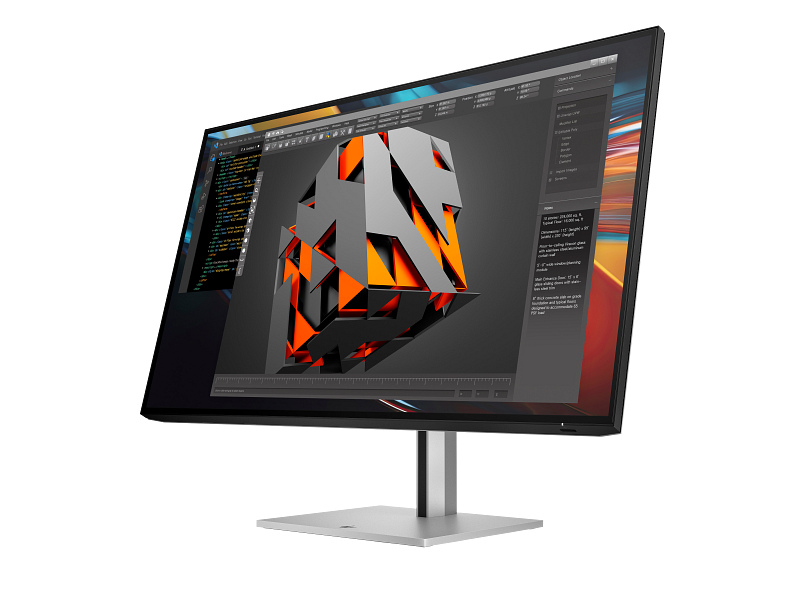
HP Series 7 Pro 31.5 inch 4K Thunderbolt 4 Monitor 732pk
A promising enterprise-grade hub monitor, but configuration ambiguity in available reviews requires lower confidence and a Package 3 identity check.
- 31.5-inch 4K IPS Black workspace
- Thunderbolt 4 with 100W charging and Ethernet
- Strong business positioning and ergonomics
- Exact-model owner feedback is positive
- 60Hz rather than 120Hz
- High price
- Independent review pages inconsistently identify 732pk versus 732xk
- HP-oriented business environments needing a large Thunderbolt dock monitor.
- HP Series 7 Pro 31.5 inch 4K Thunderbolt 4 Monitor 732pk is a strong small-business office deployments choice for HP-oriented business environments needing a large Thunderbolt dock monitor, combining strong workplace usability with practical long-term value.
It takes ninth place on the strength of its large 4K IPS Black workspace, Thunderbolt 4 docking, 100W charging, Ethernet and enterprise-friendly ergonomics. However, its 60Hz refresh and high price already reduce value, while inconsistent identification of the 732pk and 732xk in available reviews lowers confidence enough to prevent a higher ranking.
| Size Resolution | 31.5-inch, 3840×2160 |
|---|---|
| Panel Refresh | IPS Black, 60Hz |
| Connectivity | Thunderbolt 4, up to 100W charging, Ethernet and daisy-chain support |
| Ergonomics | Business ergonomic stand |
ASUS ProArt Display PA329CRV
ASUS ProArt Display PA329CRV is a strong everyday business productivity choice for creators and office users who want the PA279CRV feature set on a larger screen, combining strong workplace usability with practical long-term value.
- Large 31.5-inch 4K workspace
- Factory-calibrated wide-gamut positioning
- 96W USB-C and daisy-chain support
- Fully adjustable stand
- 60Hz only
- ASUS ProArt Display PA329CRV is a strong everyday business productivity choice for creators and office users who want the PA279CRV feature set on a larger screen, combining strong workplace usability with practical long-term value
- Large desk footprint
- Creators and office users who want the PA279CRV feature set on a larger screen.
- Buyers who need independently verified performance depth or high refresh rates.
It completes the top ten by extending the useful ProArt formula to a spacious 31.5-inch 4K canvas with factory-calibrated color, 96W USB-C, daisy chaining and full ergonomic adjustment. Those features suit creator-office workflows, but 60Hz operation, a large desk footprint and weaker overall value than the smaller PA279CRV hold it to tenth place.
ASUS ProArt Display PA329CRV is a strong everyday business productivity choice for creators and office users who want the PA279CRV feature set on a larger screen, combining strong workplace usability with practical long-term value.
| Size Resolution | 31.5-inch, 3840×2160 |
|---|---|
| Panel Refresh | IPS, 60Hz |
| Connectivity | USB-C 96W, USB hub, HDMI and DisplayPort with daisy-chain support |
| Ergonomics | Ergonomic height, tilt, swivel and pivot stand |
How We Evaluate 4K Monitors
Our rankings are built through the Flickthru CORE™ Market Research Engine, which first analyses the category, its intended buyers, and the current US market. Products are then assessed using category-specific evidence, performance indicators, availability, ownership signals, and long-term reliability considerations.
Recommendations reflect overall suitability for the intended buyer – not simply the highest specification, lowest price, or strongest result in a single test. When product-level customer feedback is limited, we prioritize official validation, credible technical evidence, and demonstrated category suitability rather than estimating or inflating review counts. Read the full Flickthru product ranking methodology.
- Category Specific Analysis: Defining buyers’ needs, primary uses, business priorities, acceptable compromises, and category-specific requirements before products are compared.
- Long-Term Reliability: Tracking recurring failure patterns, component durability, warranty trends, and long-term ownership outcomes from verified market data.
- Performance: Evaluating category-specific real-world performance, efficiency, consistency, and practical usability rather than relying on marketing claims alone.
- Features: Assessing functionality, usability, build quality, safety, ergonomics, and category-specific capabilities important to long-term ownership.
- Value: Measuring total cost of ownership, lifecycle longevity, support quality, lifecycle suitability, and overall return on investment.
- Evidence Review: Combining verified purchaser feedback where available with professional testing, official product validation, technical evidence, and market suitability signals.
- Market Coverage: Mapping the current US market, credible product families, availability, price positioning, and relevant competitors within the category.
Products demonstrating recurring reliability concerns, inconsistent performance behavior, poor ownership outcomes, or widespread negative sentiment are algorithmically suppressed from our rankings regardless of marketing claims, sponsorship relationships, or short-term popularity trends.
This methodology is designed to identify products that deliver genuine long-term value, reliability, and real-world usefulness rather than simply matching short-term hype, advertising claims, or isolated test results.