
Best Business Routers 2026
A category-specific approach to ranking Business Routers
Most general product roundups are built around broad buyer priorities. Flickthru evaluates business routers for this ranking is for small-to-medium business owners and IT staff choosing a router for a single office or branch site — it should help them identify which routers deliver reliable uptime, adequate throughput for the number of connected devices and users, straightforward VPN and multi-site/remote-access support, and manageable security features (firewall, VLANs, guest networks), without needing enterprise-grade complexity or a dedicated network engineer to run it, prioritising security and threat protection, reliability and uptime, throughput and performance, ease of management, and vpn and remote multisite support.

Firewalla Gold Pro
The most security-feature-dense router in this lineup, with real 10G throughput and no subscription — but a premium price that puts it out of reach for smaller offices.
- Customizable, rules-based firewall engine with proactive malware/vulnerability alerting
- Two 10GbE + two 2.5GbE ports — genuine future-proof throughput
- No required subscription for core security features
- Reviewers call setup ‘shockingly easy’ despite the advanced feature set
- At $889, both independent reviewers who tested it agree it’s priced above what most buyers in this category would consider reasonable
- No dedicated multi-year reliability data found yet
- Warranty length not independently confirmed
Gold Pro takes the top spot because it’s the most security-feature-dense router in this list with genuine 10G throughput and no ongoing subscription — the Cisco Meraki GX50 right behind it is far simpler to deploy, but Gold Pro’s feature depth is what earns it first place for buyers who can absorb the premium price.
Two independent hands-on reviews confirm real 10GbE throughput and roughly double the processing power of Firewalla’s previous generation, with 5 Gbps IPS/IDS inspection headroom that comfortably covers most small-business internet connections for years.
Both reviews are generally positive on day-to-day stability, though neither publisher has multi-year failure-rate data yet — typical for a recently-refreshed product line.
- Very small offices on a tight hardware budget
- Buyers who want Wi-Fi built in (this is a wired gateway; Wi-Fi requires Firewalla’s separate AP7)
| Ports | two 10GbE + two 2.5GbE ports |
|---|---|
| Mechanism | can operate as primary router (in-line) or as an add-on to an existing router |
| Features | customizable rules-based firewall engine, VPN server/client, ad blocker, subscription-free core features |
Cisco Meraki Go Router Firewall Plus (GX50)
A genuinely simple, Cisco-backed firewall/router built for segmenting device groups like POS systems from guest Wi-Fi, with a real 10-minute setup and solid mid-range pricing.
- Backed by Cisco with automatic firmware/security updates included
- Purpose-built for segmenting POS or sensitive devices from public/guest networks
- Confirmed under-10-minute setup, no IT consultant required
- 1-year hardware warranty confirmed independently by two sources
- Advanced security add-ons (Cisco Umbrella) require a separate paid subscription
- Gigabit-only WAN — not suited to multi-gig internet plans
- Scalability And Expandability scores 63/100, lower than this product’s other evaluated dimensions
GX50 ranks second on genuinely simple, Cisco-backed setup — a real 10-minute deployment that segments device groups like POS systems from guest Wi-Fi — it trails the Gold Pro above it mainly on raw feature depth rather than ease of use.
Backed by Cisco with automatic firmware/security updates included. Purpose-built for segmenting POS or sensitive devices from public/guest networks. Advanced security add-ons (Cisco Umbrella) require a separate paid subscription.
1-year hardware warranty confirmed by two independent sources; Cisco’s automatic firmware/security updates reduce the maintenance burden for a business without dedicated IT staff.
- Offices with multi-gigabit internet (GX50 is Gigabit Ethernet only)
- Buyers who want all security features included with no ongoing subscription option
| Ports | 4x 1Gb Ethernet LAN + 1x 1Gb dedicated Internet |
|---|---|
| Throughput | ~500Mbps with packet filtering active per direct testing |
| Features | VPN, cloud access, network analytics, all included free |
| Warranty | 2 years |
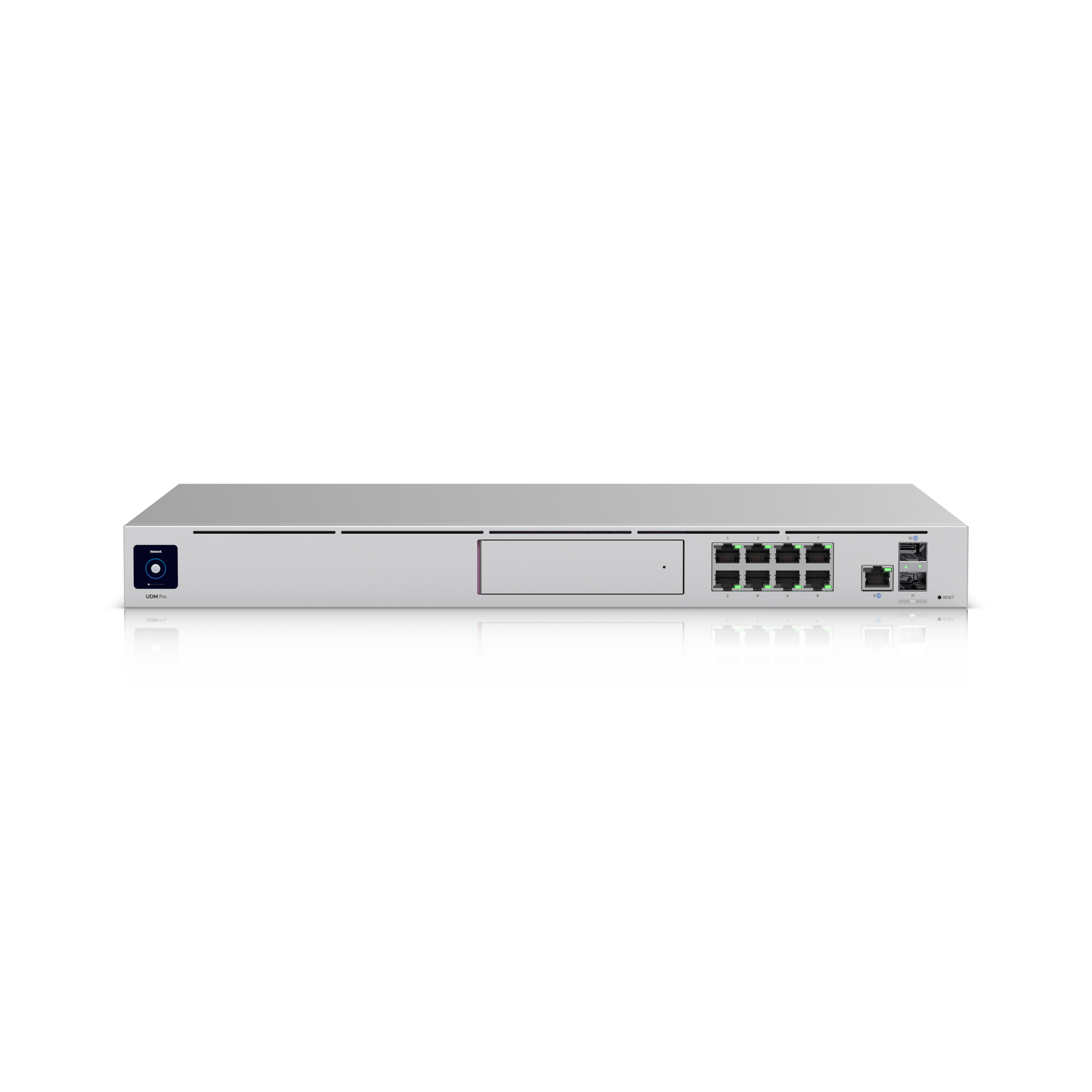
Ubiquiti UniFi Dream Machine Pro
A 10G-capable all-in-one gateway at a genuinely strong $379 price with zero recurring licensing fees — the most complete router+firewall+switch+NVR platform in this lineup, if you’re comfortable in a rack.
- Official $379 price confirmed directly from Ubiquiti — no recurring licensing fees, a real cost advantage over Meraki
- 10GbE uplink prevents the WAN pipe from bottlenecking multi-device, multi-service traffic
- Combines router, firewall, managed switch, and NVR in one 1U rack unit
- Scalability And Expandability scores 76/100 in this comparison, among the strongest dimensions evaluated
- Rack-mountable form factor — not ideal without at least basic rack space
- Genuine learning curve for anyone who hasn’t configured a VLAN or firewall rule before
- IDS/IPS signature database needs an active subscription to stay current
Dream Machine Pro ranks third as the most complete router+firewall+switch+NVR platform in this list at a genuinely strong $379 with zero recurring fees — it sits below the top two mainly because it requires rack comfort that not every small office has.
A small Walmart review sample (4.8/5, 5 reviews) and independent professional coverage both describe genuinely strong, high-throughput performance; the 10GbE uplink is specifically noted as a standout that keeps the WAN connection from becoming a bottleneck.
Independent coverage flags that specific firmware releases have introduced regressions requiring a patch before resolution — worth factoring into update planning for a production office network.
- Offices with zero rack space and no plans to add one
- Complete networking beginners who want a fully hands-off setup
| Form Factor | rack-mountable all-in-one appliance |
|---|---|
| Integrated | security gateway + 8-port Gigabit switch + network video recorder |
| Management | UniFi OS / UniFi Network Controller, self-hosted or cloud-optional |
| Licensing | none required (one-time hardware cost only) |
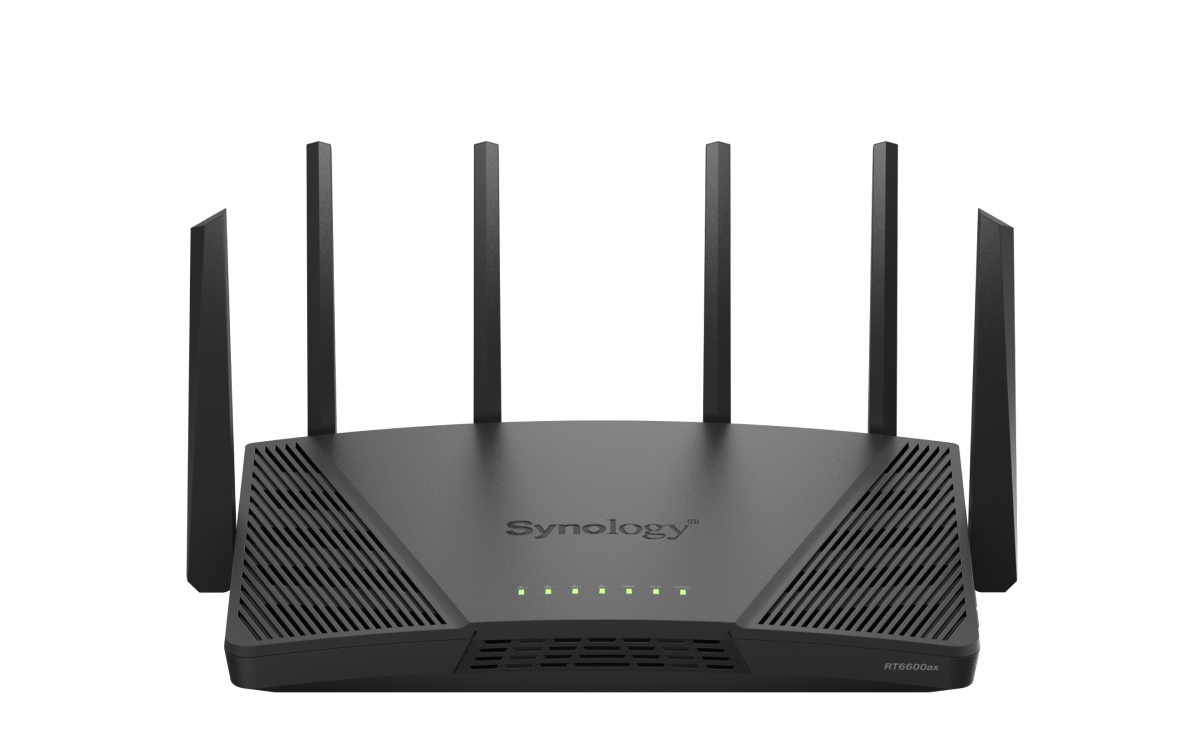
Synology RT6600ax
A tri-band Wi-Fi 6 router explicitly reviewed as ‘ideal for small business environments,’ with real mesh-expansion room as an office grows.
- Independently reviewed as ideal for small-to-medium business office environments
- Combined 6.6Gbps tri-band throughput with a 2.5GbE multi-gig WAN/LAN port supporting load balancing
- Can start as a single unit and expand into a mesh without replacing core hardware
- Confirmed $299 current US street price
- Wi-Fi 6, not the newest Wi-Fi 6E/7 standard available in this category
- Vpn And Remote Multisite Support scores 62/100, lower than this product’s other evaluated dimensions
- Value And Total Cost Of Ownership scores 66/100, lower than this product’s other evaluated dimensions
RT6600ax ranks fourth as a tri-band Wi-Fi 6 router explicitly reviewed as ideal for small business environments, with real mesh-expansion room — it trails the higher-ranked routers above it mainly on the all-in-one platform depth those options offer.
Independent hands-on testing confirmed a combined 6.6Gbps tri-band throughput ceiling and validated the 2.5GbE port’s load-balancing capability — comfortably ahead of Gigabit-only competitors in this shortlist.
Independently reviewed as ideal for small-to-medium business office environments. Combined 6.6Gbps tri-band throughput with a 2.5GbE multi-gig WAN/LAN port supporting load balancing. Wi-Fi 6, not the newest Wi-Fi 6E/7 standard available in this category.
- Offices that specifically need Wi-Fi 6E or Wi-Fi 7 for the newest client devices
| Wifi Standard | Wi-Fi 6, tri-band |
|---|---|
| OS | Synology Router Manager (SRM), same platform as WRX560 |
| Positioning | Synology’s higher-tier router, referenced repeatedly as the WRX560’s more powerful sibling |

Firewalla Gold Plus
A compact, multi-gigabit firewall/router that sits between a basic router’s security and full enterprise complexity — genuinely capable, but sold direct-only with no big-box retail or Amazon listing.
- 2.5GbE ports with 5Gbps IPS/IDS throughput — headroom for multi-gig internet plans
- Supports both full Router Mode and Bridge Mode (pairs with an existing router) as genuinely functional deployment options
- No required ongoing subscription for core features
- Security And Threat Protection scores 76/100 in this comparison, among the strongest dimensions evaluated
- At $569-600, a real step up from this category’s budget options
- Value And Total Cost Of Ownership scores 66/100, lower than this product’s other evaluated dimensions
- Vpn And Remote Multisite Support scores 62/100, lower than this product’s other evaluated dimensions
Gold Plus ranks fifth as a genuinely capable middle ground between basic router security and full enterprise complexity — it sits below the arms above it mainly because it’s sold direct-only, with no big-box retail or Amazon listing to fall back on.
Independent hands-on testing confirmed 5Gbps IPS/IDS throughput on 2.5GbE ports, with both Router Mode and Bridge Mode validated as genuinely functional — flexible enough to slot into an existing network rather than forcing a full router replacement.
No dedicated long-term reliability or failure-rate data found this pass; general hands-on impressions across reviewers were positive on day-to-day stability.
- Buyers who want to compare pricing/reviews across multiple retailers before purchasing
- The smallest offices/budgets, where the Gold Plus’s price is hard to justify over simpler options
| Ports | four 2.5GbE ports (up from the original Gold’s Gigabit ports) |
|---|---|
| Form Factor | designed to sit in a wiring cabinet or shelf, no external antennas, dedicated security gateway rather than an all-in-one Wi-Fi router |
| Port Flexibility | ports can be assigned for WAN, LAN, failover, load balancing, or VLAN trunks |

Synology WRX560
A genuinely strong-testing Wi-Fi 6 router at a real mid-range price, backed by Synology’s well-regarded SRM software — a smart default pick for most small offices.
- Among the best-tested performance scores independent reviewers have measured in this class, further improvable by adding units in a mesh
- Confirmed $220-258 price range across multiple sources
- Synology’s SRM software offers deep VLAN control and long-term firmware support
- Security And Threat Protection scores 76/100 in this comparison, among the strongest dimensions evaluated
- Dual-band only — device-heavy offices may find a tri-band router handles congestion more gracefully
- Threat Prevention security features shift to a paid subscription after an initial trial period
- Individual owner reviews are mixed, ranging 1-5 stars, though no reliable aggregate rating+count could be confirmed together
WRX560 ranks sixth as a smart default pick for most small offices — genuinely strong testing results at a real mid-range price, backed by Synology’s well-regarded SRM software — it trails the higher-ranked routers above it mainly on the specialized features those platforms offer.
Independent lab testing found performance scores ‘among the very best’ the reviewer had measured, with results further improvable by adding inexpensive additional units in a mesh configuration.
Individual owner reviews found during this pass were genuinely mixed (1-5 stars) with real usernames and dates, but no reliable aggregate count could be confirmed together from accessible search snippets — a genuine data gap rather than a red flag.
- Device-dense offices needing tri-band congestion management
- Buyers who want all security features permanently free with no future subscription
| Wifi Standard | Wi-Fi 6 (dual-band, up to 5.9GHz UNII-4) |
|---|---|
| Ports | one 2.5GbE WAN/LAN port, three Gigabit LAN ports |
| OS | Synology Router Manager (SRM) |
| Security | Threat Prevention (IDS/IPS-style filtering), Safe Access content filtering |

Peplink Balance 20X
The clearest multi-WAN/cellular-failover specialist in this shortlist, purpose-built for businesses that can’t tolerate a single point of internet failure.
- Purpose-built multi-WAN load balancing and automatic failover across wired and cellular connections
- Confirmed $399 current US price from an authorized reseller
- Proven in real-world multi-ISP deployments per independent long-term user testing
- Ease Of Management scores 73/100 in this comparison, among the strongest dimensions evaluated
- A source flags a newer Peplink generation (B One Series) as the likely current successor — worth verifying before purchase
- Chassis is a generation behind Peplink’s newer Pro-series LAN features
- Throughput And Performance scores 62/100, lower than this product’s other evaluated dimensions
Balance 20X ranks seventh as the clearest multi-WAN/cellular-failover specialist in this list, a genuine differentiator for businesses that can’t tolerate a single point of internet failure — but that specialization is exactly why it ranks below the more general-purpose routers above it for typical small-office use.
Long-term independent field testing (including through hurricane-related outages) confirmed genuinely effective load balancing and failover across up to three simultaneous ISP connections — a real-world stress test few other products in this shortlist have undergone.
No dedicated aggregate owner-review data found this pass, but the same long-term field-test source reported reliable multi-year operation through real disaster-recovery conditions.
- A single-site office with reliable wired internet and no failover requirement
- Buyers who specifically want the newest current-generation Peplink hardware without first checking the B One Series
| Wan | multi-WAN, supports 2+ simultaneous ISPs |
|---|---|
| Cellular | built-in CAT-7 LTE modem, expandable via a second FlexModule slot |
| Technology | SpeedFusion bonding (combines multiple WAN links into one bonded pipe for real-time data like VoIP and video) |
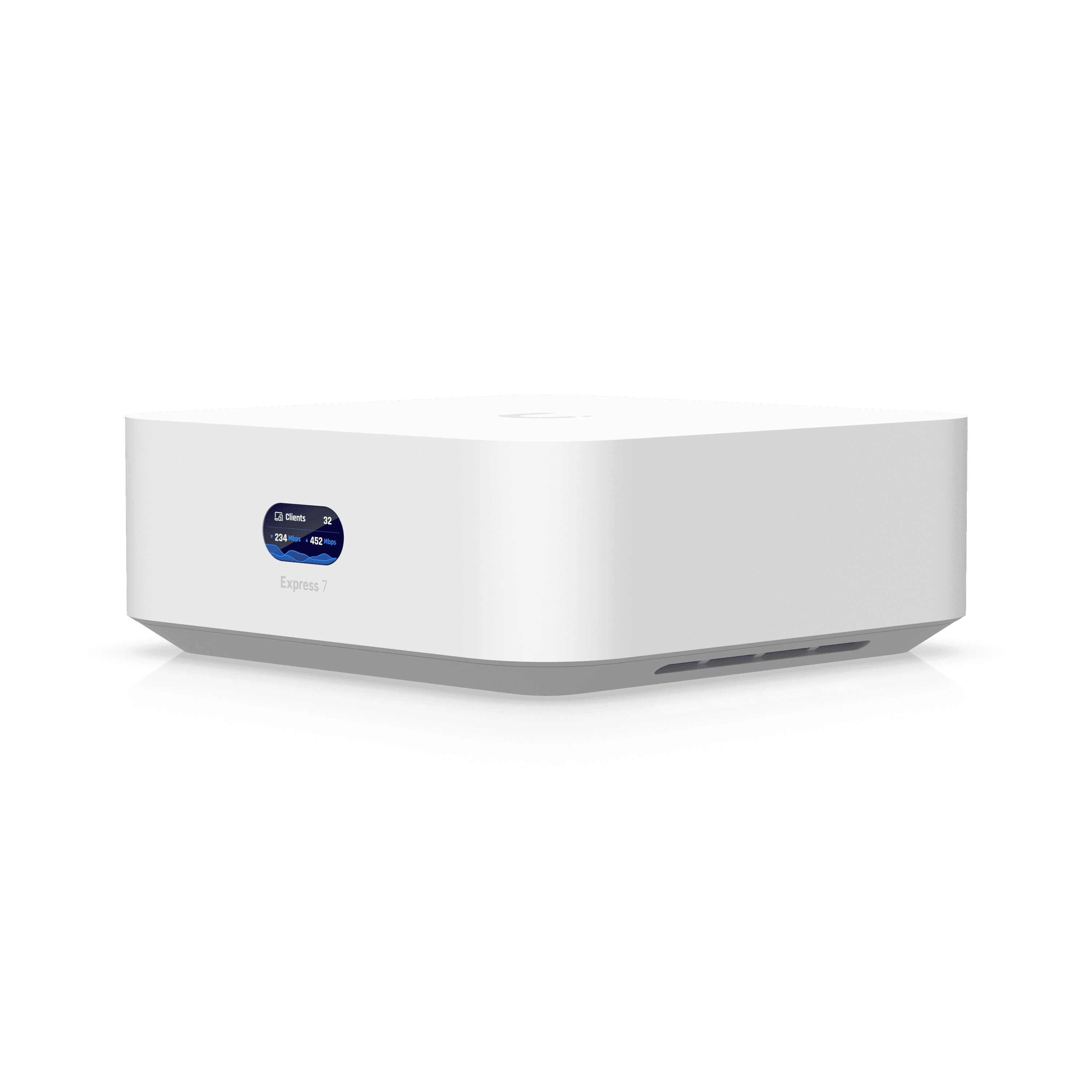
Ubiquiti UniFi Express
Ubiquiti’s cheapest, no-rack-required way into the UniFi ecosystem — a genuinely simple all-in-one gateway/AP for a small office, at a confirmed $149.
- Confirmed $149 price — the most affordable UniFi product in this shortlist
- Integrated UniFi OS needs no separate cloud key or controller — genuine simplicity
- Can expand with up to 4 additional units in a mesh configuration
- 10W max power draw — energy-efficient for an always-on device
- Entry-level device positioned below the Dream Machine Pro (f08) — lower throughput/expansion ceiling
- A newer ‘UniFi Express 7’ successor exists at $199 — worth checking before buying this generation
- Vpn And Remote Multisite Support scores 62/100, lower than this product’s other evaluated dimensions
UniFi Express ranks eighth as the cheapest, no-rack-required way into the UniFi ecosystem at a confirmed $149 — a genuinely simple all-in-one gateway/AP — but it trails the higher-ranked routers above it on raw capability for larger or more complex office setups.
Two independent reviews confirm the 60-device client ceiling and Wi-Fi 6 access point are genuinely capable for a small office or home-office scale deployment, positioned intentionally below the Dream Machine Pro’s throughput ceiling.
Confirmed $149 price — the most affordable UniFi product in this shortlist. Integrated UniFi OS needs no separate cloud key or controller — genuine simplicity. Entry-level device positioned below the Dream Machine Pro (f08) — lower throughput/expansion ceiling.
- Offices needing to serve well beyond 60 client devices
- Buyers who want the newest Ubiquiti hardware generation (see the UX7 successor)
| Form Factor | compact desktop unit (not rack-mount) |
|---|---|
| Integrated | gateway + Wi-Fi access point + UniFi Network application |
| Licensing | none required, consistent with the broader UniFi platform |
ASUS ExpertWiFi EBR63 (AX3000 Wi-Fi 6)
ASUS’s first dedicated business router since 2017 — genuinely capable SMB features at a confirmed $150, with some real (if minor) software polish issues.
- Confirmed $150 current street price
- Free (no-subscription) Trend Micro AiProtection Pro security
- Genuine Guest Portal and IoT network segmentation confirmed by independent hands-on testing
- Dual WAN including USB-tethered backup via phone hotspot
- One independent reviewer flags real software polish issues: iOS app and web interface aren’t fully synchronized, and settings changes sometimes need a manual browser cache clear
- Ease Of Management scores 65/100, lower than this product’s other evaluated dimensions
- Throughput And Performance scores 62/100, lower than this product’s other evaluated dimensions
EBR63 ranks ninth as ASUS’s first dedicated business router since 2017, with genuinely capable SMB features at a confirmed $150 — it sits below the higher-ranked routers above it mainly because of real, if minor, software polish issues that the more established platforms don’t have.
Three independent hands-on reviews confirmed genuine business-grade capability (IoT network segmentation, customer Guest Portal) in ASUS’s first dedicated business router line since 2017, along with validated Dual WAN functionality including USB-tethered cellular backup.
No dedicated long-term reliability data found this pass; one reviewer’s disclosed software-polish issues (app/web sync, a settings-refresh bug) are worth factoring into setup-time expectations even though they don’t indicate a hardware reliability problem.
- Buyers who want a fully polished, bug-free software experience out of the box
| Wifi Standard | Wi-Fi 6 (AX3000) |
|---|---|
| Bands | tri-band, up to 5 SSIDs |
| Dual Wan | yes, plus USB port usable as backup WAN via phone hotspot |
| Security | free Trend Micro AiProtection Pro (no subscription required) |
| Management | ASUS ExpertWiFi app and web interface |
| Form Factor | vertical, wall-mountable |

NETGEAR Orbi 970 Series Quad-Band WiFi 7 Mesh Network System (RBE973S)
NETGEAR’s flagship Wi-Fi 7 mesh system — the fastest and widest-coverage product in this shortlist, at the steepest price and with real ongoing subscription costs to weigh.
- Fastest mesh system in this shortlist — quad-band Wi-Fi 7 delivers up to 27Gbps aggregate throughput with a dedicated backhaul channel
- Covers up to 10,000 sq ft in the 3-pack configuration — the widest coverage footprint in this lineup
- 10 Gig internet port plus dual 2.5GbE ports handle even the fastest multi-gig fiber plans without bottlenecking
- 4.2/5 rating across 283 Best Buy reviews — a real, sizable owner-review base
- At roughly $1,800-2,300 for the 3-pack, this is by far the most expensive product in this shortlist
- Full ongoing security features require a paid NETGEAR Armor subscription after the included 1-year trial
- Independent testing found the hardware still had firmware bugs months after launch, and some Wi-Fi 7 client devices have shown occasional brief disconnects
Orbi 970 rounds out this list as the fastest and widest-coverage product here — a genuine Wi-Fi 7 flagship — but the steepest price and real ongoing subscription costs are exactly why it ranks below the more business-focused, subscription-free routers throughout the rest of this comparison.
Independent hands-on testing confirms genuinely class-leading throughput — up to 27Gbps aggregate across quad-band Wi-Fi 7 with a dedicated backhaul channel — and reviewers specifically call it one of the fastest mesh systems available today. The 3-pack’s 10,000 sq ft coverage and 200-device capacity are the largest in this shortlist.
Reviews are mixed on stability: independent testing found the hardware still had firmware bugs months after launch, and Best Buy’s own review thread includes at least one customer reporting network drops alongside other strongly positive experiences. The 4.2/5 aggregate across 283 reviews suggests most buyers are satisfied, but this wasn’t the smoothest launch in this shortlist.
- Budget-conscious offices — this is by far the priciest option in this shortlist
- Businesses that want all security features included permanently with no future subscription
| Wifi Standard | Wi-Fi 7 (quad-band, BE27000 class) |
|---|---|
| Throughput | up to 27 Gbps aggregate, dedicated backhaul channel |
| Coverage | up to 10,000 sq ft with the 3-pack (router + 2 satellites) |
| Ports | 10 Gig internet port + dual 2.5GbE ports |
How We Evaluate Business Routers
Our rankings are built through the Flickthru CORE™ Market Research Engine, which first analyses the category, its intended buyers, and the current US market. Products are then assessed using category-specific evidence, performance indicators, availability, ownership signals, and long-term reliability considerations.
Recommendations reflect overall suitability for the intended buyer – not simply the highest specification, lowest price, or strongest result in a single test. When product-level customer feedback is limited, we prioritize official validation, credible technical evidence, and demonstrated category suitability rather than estimating or inflating review counts. Read the full Flickthru product ranking methodology.
- Category Specific Analysis: Defining buyers’ needs, primary uses, business priorities, acceptable compromises, and category-specific requirements before products are compared.
- Long-Term Reliability: Tracking recurring failure patterns, component durability, warranty trends, and long-term ownership outcomes from verified market data.
- Performance: Evaluating category-specific real-world performance, efficiency, consistency, and practical usability rather than relying on marketing claims alone.
- Features: Assessing functionality, usability, build quality, safety, ergonomics, and category-specific capabilities important to long-term ownership.
- Value: Measuring total cost of ownership, lifecycle longevity, support quality, lifecycle suitability, and overall return on investment.
- Evidence Review: Combining verified purchaser feedback where available with professional testing, official product validation, technical evidence, and market suitability signals.
- Market Coverage: Mapping the current US market, credible product families, availability, price positioning, and relevant competitors within the category.
Products demonstrating recurring reliability concerns, inconsistent performance behavior, poor ownership outcomes, or widespread negative sentiment are algorithmically suppressed from our rankings regardless of marketing claims, sponsorship relationships, or short-term popularity trends.
This methodology is designed to identify products that deliver genuine long-term value, reliability, and real-world usefulness rather than simply matching short-term hype, advertising claims, or isolated test results.