
Best Productivity Keyboards 2026
A category-specific approach to ranking Productivity Keyboards
Most general product roundups are built around broad buyer priorities. Flickthru evaluates productivity keyboards for office workers, prioritising typing comfort accuracy and noise, workflow layout and shortcuts, multi device connectivity and reliability, ergonomics and long session use, and compatibility software and customization.

Logitech MX Keys S
Logitech’s flagship low-profile wireless keyboard swaps mechanical switches for quiet, spherically-dished scissor keys and adds proximity-sensing backlighting that turns on as your hands approach. Easy-Switch pairs it with up to three devices at once, making it a strong fit for anyone juggling a laptop, desktop, and tablet through the workday.
- Quiet, low-travel scissor keys are the least distracting option in this list for calls and shared offices
- Easy-Switch pairs with up to three devices and swaps between them with one keypress
- Logi Options+ adds per-app shortcuts and Smart Actions on top of standard typing
- No mechanical-switch feedback for typists who prefer a tactile or clicky keystroke
- Requires the Logi Options+ install to unlock shortcut customization
MX Keys S takes the top spot in this productivity-focused list because its combination of quiet typing, multi-device Easy-Switch, and Logi Options+ shortcut customization covers the everyday workflow needs most office typists actually have, without the learning curve of a mechanical or split board. It ranks ahead of the Keychron boards below specifically on that day-one usability.
The low-travel, dished scissor keys are tuned for fast, quiet typing rather than tactile feedback, which is exactly why it suits shared workspaces and video calls better than the mechanical boards ranked below it. Logi Options+ adds per-app shortcuts and Smart Actions on top of the standard three-device Easy-Switch pairing, and the proximity sensor genuinely dims the backlight when your hands leave the keys rather than running on a timer.
- Buyers who place the highest priority on value for money
- Buyers who place the highest priority on workflow layout and shortcuts
| Form Factor | low-profile full-size wireless |
|---|---|
| Configuration Note | Specifications vary by switch, color or layout where offered; exact configuration should be confirmed before purchase. |

Keychron K5 Max
A full-size, ultra-slim mechanical keyboard that packs Gateron low-profile switches — 31% thinner than standard mechanical switches — into an aluminum body, with full QMK/VIA remapping and hot-swap sockets for buyers who want mechanical feel without a tall, heavy board.
- Full QMK/VIA remapping and hot-swappable low-profile switches, rare in a genuinely slim full-size board
- IXPE and latex foam damping keep typing quieter than typical hot-swap mechanical keyboards
- Triple-mode connectivity (2.4GHz, Bluetooth 5.1, wired) with three-device pairing
- Full 100% layout takes up more desk space than the 75%/split boards ranked below it
- Remapping via Keychron Launcher requires setup time most pre-configured boards don’t
K5 Max ranks second because it’s the rare board that offers full VIA/QMK remapping and hot-swappable switches in a genuinely slim, full-size 100% layout — a combination none of the other boards in this list match. It sits behind the MX Keys S mainly because that remapping flexibility asks more setup effort than most office typists need day one.
IXPE acoustic foam and latex foam damping keep the low-profile switches quieter than typical hot-swap mechanical boards, and the 1000Hz polling rate over 2.4GHz keeps input lag low even wireless. Triple connectivity (2.4GHz, Bluetooth 5.1, wired) and support for up to three paired devices matches the productivity-focused multi-device needs this category prioritizes.
- Buyers who place the highest priority on value for money
- Buyers who place the highest priority on ergonomics and long session use
| Form Factor | full-size low-profile mechanical wireless |
|---|---|
| Configuration Note | Specifications vary by switch, color or layout where offered; exact configuration should be confirmed before purchase. |

Keychron V6 Max
V6 Max carries the Q-series’ gasket mount, hot-swap sockets, and full QMK/VIA support into a more affordable plastic-cased body, giving buyers the customization depth of a premium custom board without the aluminum price tag.
- Full hot-swap and QMK/VIA remapping at a lower price than aluminum-cased custom boards
- Steel plate construction keeps typing feel closer to premium boards than typical budget keyboards
- Triple-mode wireless (USB-C, Bluetooth, 2.4GHz) matches pricier boards’ connectivity
- Plastic case doesn’t match the rigidity or acoustic depth of aluminum-bodied boards
- Lighter build shifts more on the desk during fast typing than heavier metal boards
V6 Max ranks here on the strength of pairing hot-swap and full key remapping with genuine value — it undercuts the K5 Max on price while keeping comparable customization depth, which is why it edges out boards with less software flexibility despite a plainer case.
Swapping an aluminum case for plastic-and-steel-plate construction keeps the core feature set — gasket mount, hot-swap, VIA remapping — while meaningfully lowering cost, and the steel plate adds enough heft that typing feel stays closer to premium boards than most budget alternatives manage. Triple-mode wireless rounds out a genuinely well-equipped board for the price.
- Buyers who place the highest priority on workflow layout and shortcuts
- Buyers who place the highest priority on multi device connectivity and reliability
| Form Factor | full-size value mechanical |
|---|---|
| Configuration Note | Specifications vary by switch, color or layout where offered; exact configuration should be confirmed before purchase. |
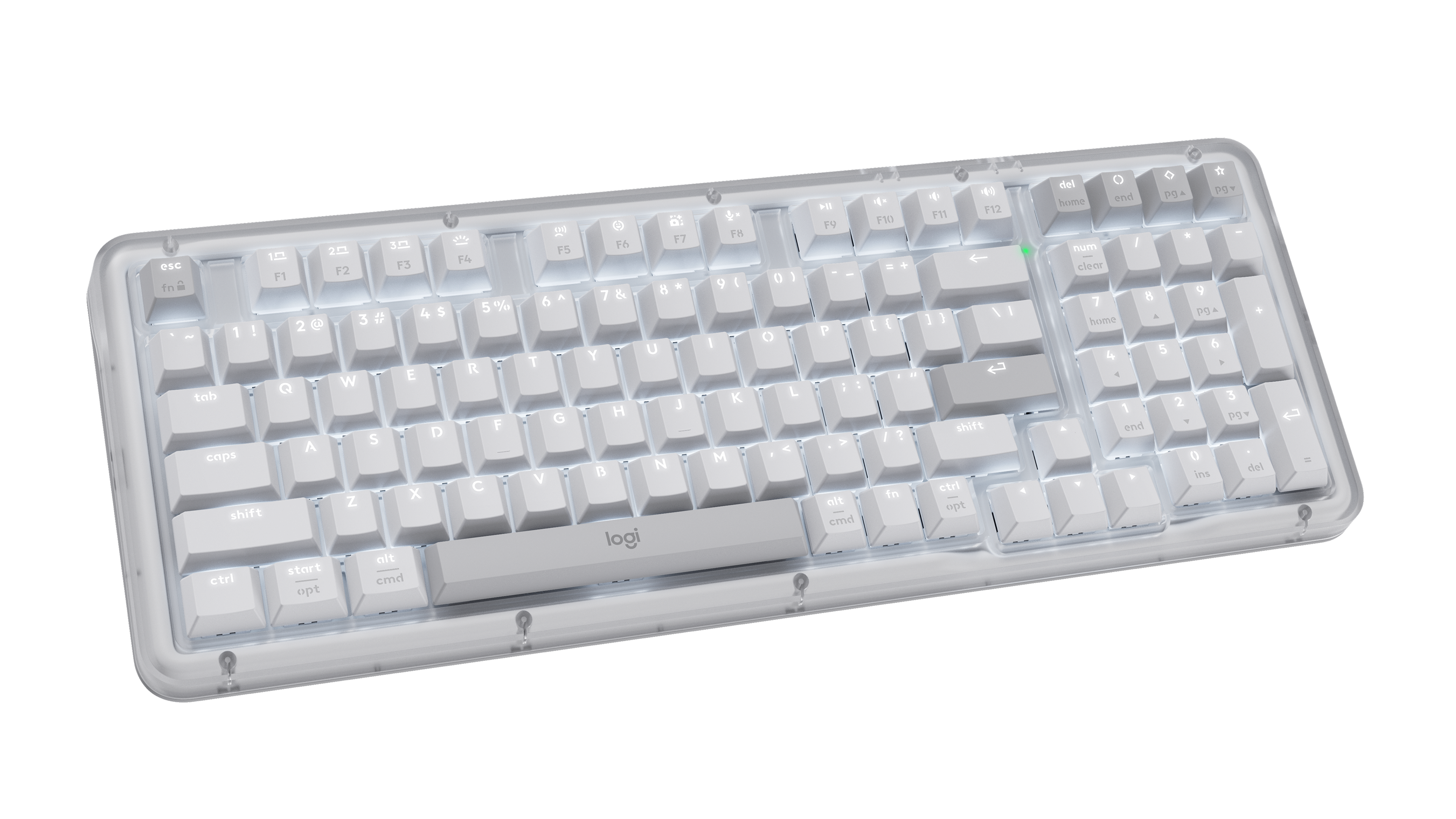
Logitech Alto Keys K98M
Logitech’s return to hot-swappable mechanical keyboards wraps a 98-key layout in a translucent UniCushion gasket-mount case that softens both the sound and feel of every keystroke, shipping with light 40-gram Marble linear switches aimed at typists new to mechanical boards.
- UniCushion gasket mount audibly softens keystroke sound versus Logitech’s earlier mechanical boards
- Hot-swappable switches and PBT keycaps rarely appear at this price from a mainstream office brand
- Up to roughly a year of battery life with backlighting off, per Logitech’s own rating
- Customization is limited to a few programmable action keys, not full VIA/QMK remapping
- 98-key layout is more compact than a traditional full-size board for heavy numpad users
K98M ranks mid-table because it’s a genuinely accessible entry point into mechanical typing from a mainstream, business-familiar brand — a real strength for office IT — but its customization stops at a handful of action keys rather than the full VIA-level remapping the Keychron boards above it offer.
The UniCushion full-frame gasket audibly softens keystroke sound compared to Logitech’s earlier rigid-mount keyboards, and the light, consistent 40-gram Marble switches make for an easy transition for typists coming from membrane keyboards. Battery life runs up to roughly a year with backlighting off, over Bluetooth or the bundled Logi Bolt receiver, with Easy-Switch shortcuts for up to three devices.
- Buyers who place the highest priority on workflow layout and shortcuts
- Buyers who place the highest priority on build quality support and durability
| Form Factor | 96-percent mechanical wireless |
|---|---|
| Configuration Note | Specifications vary by switch, color or layout where offered; exact configuration should be confirmed before purchase. |
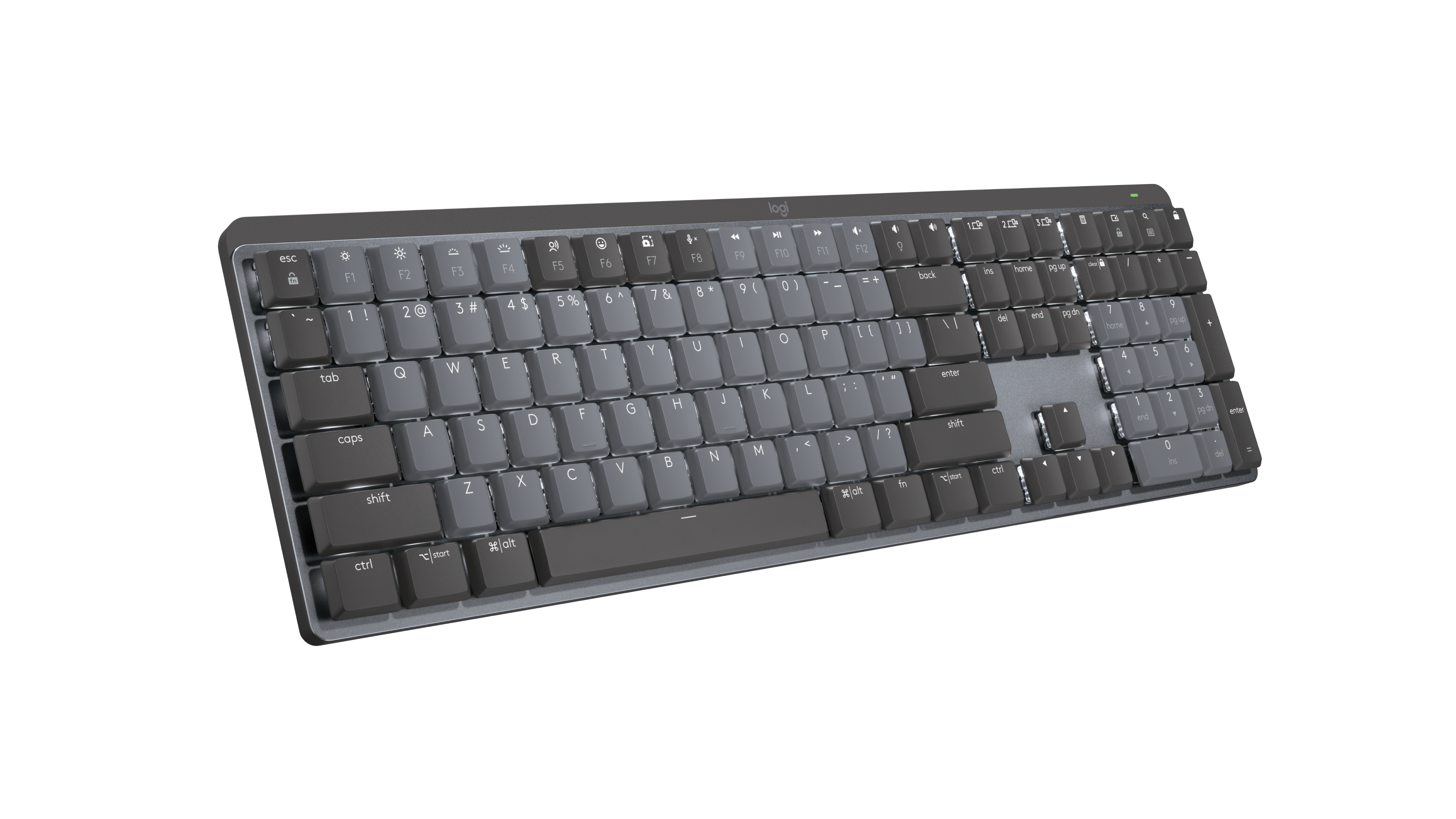
Logitech MX Mechanical
The mechanical sibling to the MX Keys S: the same low-profile body and multi-device Easy-Switch pairing, but with a choice of low-profile tactile, clicky, or linear switches for typists who want genuine mechanical feedback in a slim board.
- Low-profile mechanical switches (tactile, clicky, or linear) give real feedback in a slim body
- Same Easy-Switch multi-device pairing and Logi Options+ shortcuts as the MX Keys S
- Backlit keys with the same proximity-sensing behavior as its scissor-switch sibling
- Switch type is fixed at purchase — no hot-swapping to change feel later
- Costs more than the MX Keys S for buyers who don’t specifically want mechanical feedback
MX Mechanical ranks behind its scissor-switch sibling here mainly on price relative to what most productivity buyers need day-to-day — real mechanical feedback is valuable, but the MX Keys S delivers the multi-device workflow features this category weighs most heavily at a lower cost.
Because the switches are low-profile rather than standard height, the MX Mechanical types with a shorter, snappier stroke than most mechanical keyboards while still giving clear tactile or clicky feedback depending on the switch chosen at purchase. It carries over the MX Keys S’s Easy-Switch pairing and Logi Options+ software, so day-to-day workflow customization is identical across both boards.
- Buyers who place the highest priority on value for money
- Buyers who place the highest priority on workflow layout and shortcuts
| Form Factor | full-size low-profile mechanical wireless |
|---|---|
| Configuration Note | Specifications vary by switch, color or layout where offered; exact configuration should be confirmed before purchase. |

Logitech ERGO K860
A split, curved keyboard built around natural wrist and forearm positioning, with a padded palm rest built in rather than sold separately — aimed at buyers managing or avoiding wrist strain from long typing sessions rather than chasing mechanical-switch feel.
- Split, curved layout with negative tilt is purpose-built to reduce wrist strain versus a flat keyboard
- Integrated padded palm rest, no separate purchase needed
- Easy-Switch multi-device pairing carries over from Logitech’s MX ecosystem
- Scissor-switch keys prioritize ergonomics over the tactile feedback mechanical typists want
- Split layout still requires a real adjustment period versus a traditional keyboard shape
K860 ranks here as the more office-familiar ergonomic option in this list: it delivers real wrist-strain benefits from its split, curved layout while staying closer to a conventional keyboard shape than the fully split ZSA Voyager below it, making the adjustment period shorter for most typists.
The curved, split layout and negative tilt keep wrists in a more neutral position than a flat keyboard allows, and the built-in cushioned palm rest removes the need to buy one separately. It shares Logitech’s Easy-Switch multi-device pairing and Logi Options+ customization with the MX line, though its scissor-switch keys prioritize ergonomics over typing feel.
- Buyers who place the highest priority on value for money
- Buyers who place the highest priority on multi device connectivity and reliability
| Form Factor | full-size split ergonomic wireless |
|---|---|
| Configuration Note | Specifications vary by switch, color or layout where offered; exact configuration should be confirmed before purchase. |

NuPhy Air75 V3
NuPhy’s Air series is built around making low-profile mechanical keyboards genuinely thin, and the Air75 V3 pairs that with a gasket-mounted aluminum frame and hot-swappable switches for buyers who want a slim, portable board without giving up customization.
- Low-profile hot-swappable switches keep the case meaningfully thinner than standard mechanical boards
- Gasket-mounted aluminum frame gives a softer keystroke than most low-profile keyboards at this thickness
- Triple-mode wireless suits both a fixed desk and working on the move
- Lacks the multi-device software ecosystem (Easy-Switch, Logi Options+) the Logitech boards offer
- Low-profile switch selection is more limited than standard-height hot-swap ecosystems
Air75 V3 ranks here specifically for buyers who value portability and desk footprint over the multi-device software ecosystem the Logitech boards above it offer — it’s the thinnest board in this list, which is exactly the trade-off its ranking reflects.
The low-profile switches keep the Air75 V3 meaningfully thinner than every other board in this comparison, while the gasket mount still gives a softer keystroke than the rigid, non-cushioned low-profile boards common at this thickness. Triple-mode wireless connectivity means it works equally well tethered at a desk or paired over Bluetooth on the move.
- Buyers who place the highest priority on value for money
- Buyers who place the highest priority on workflow layout and shortcuts
| Form Factor | 75-percent low-profile mechanical wireless |
|---|---|
| Configuration Note | Specifications vary by switch, color or layout where offered; exact configuration should be confirmed before purchase. |
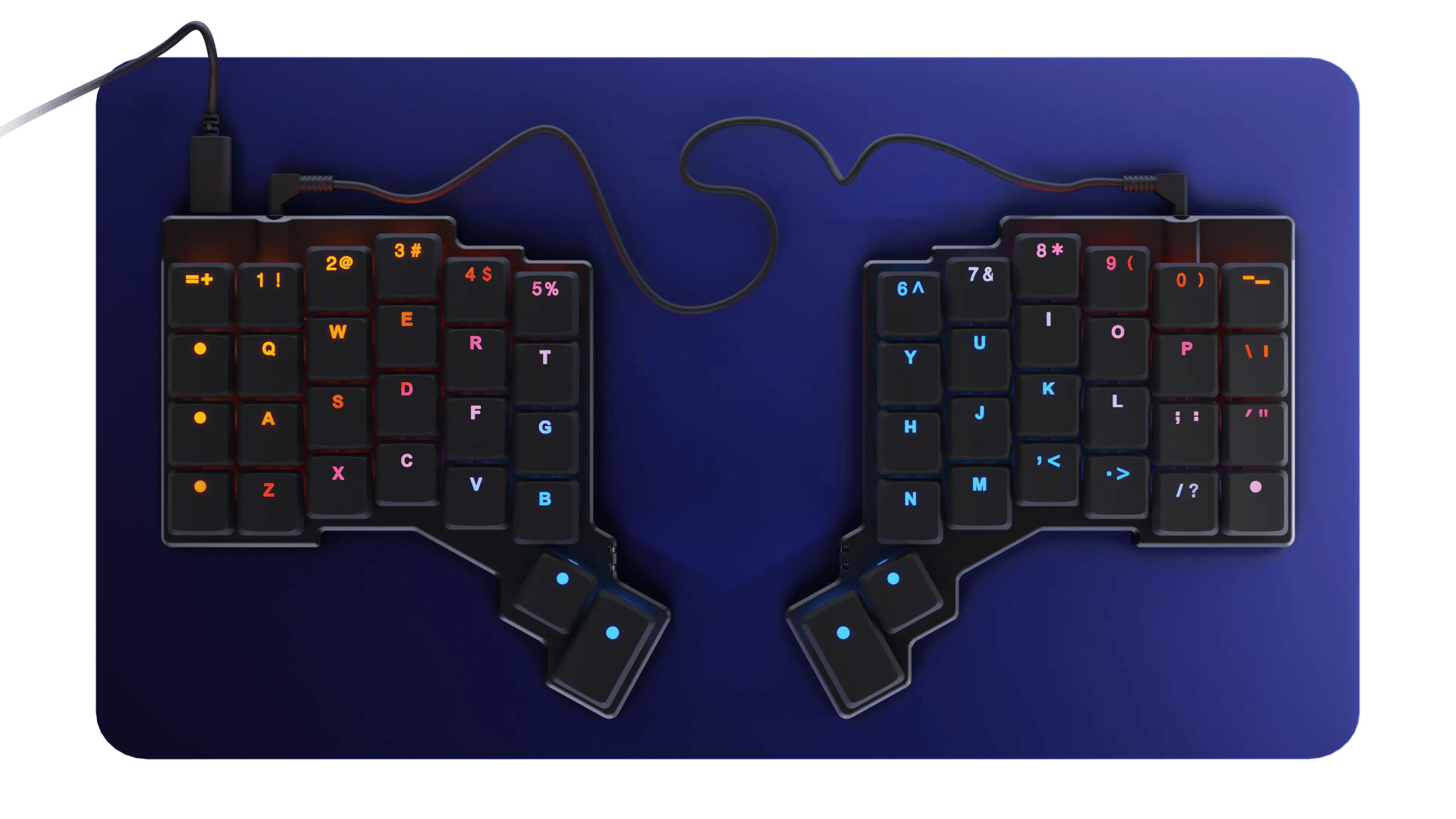
ZSA Voyager
A fully split ergonomic keyboard with a compact 52-key columnar layout, hot-swappable low-profile Kailh Choc switches, and Oryx software that supports up to 32 programmable layers — built for typists who want maximum ergonomic and workflow customization and are willing to relearn their layout to get it.
- Up to 32 programmable layers via Oryx software, unmatched customization depth in this list
- Hot-swappable low-profile switches and a magnetic accessory system for tenting and mounting
- Split, columnar layout is purpose-built to reduce reach and wrist strain
- Wired only — no wireless connectivity at all, unlike every other board in this list
- 52-key columnar layout requires a genuine relearning period versus a standard keyboard
Voyager ranks lower in this particular list mainly because it’s wired-only with no wireless mode at all, a real gap against every other board here, and its fully split, columnar layout demands a genuine relearning period most buyers in a general productivity roundup aren’t looking for. Its unmatched software depth (32 layers via Oryx) is real, but it’s a narrower fit than the boards ranked above it.
Oryx and Keymapp give the Voyager a programming depth nothing else in this list approaches — up to 32 layers, app-specific shortcuts, and tap-hold keys are all configurable in a browser-based editor. That depth comes with real trade-offs for a general productivity buyer: it’s wired only, and the 52-key columnar layout takes real time to adjust to versus a standard row-staggered keyboard.
- Buyers who place the highest priority on value for money
- Buyers who place the highest priority on compatibility software and customization
| Form Factor | compact columnar split mechanical |
|---|---|
| Configuration Note | Specifications vary by switch, color or layout where offered; exact configuration should be confirmed before purchase. |
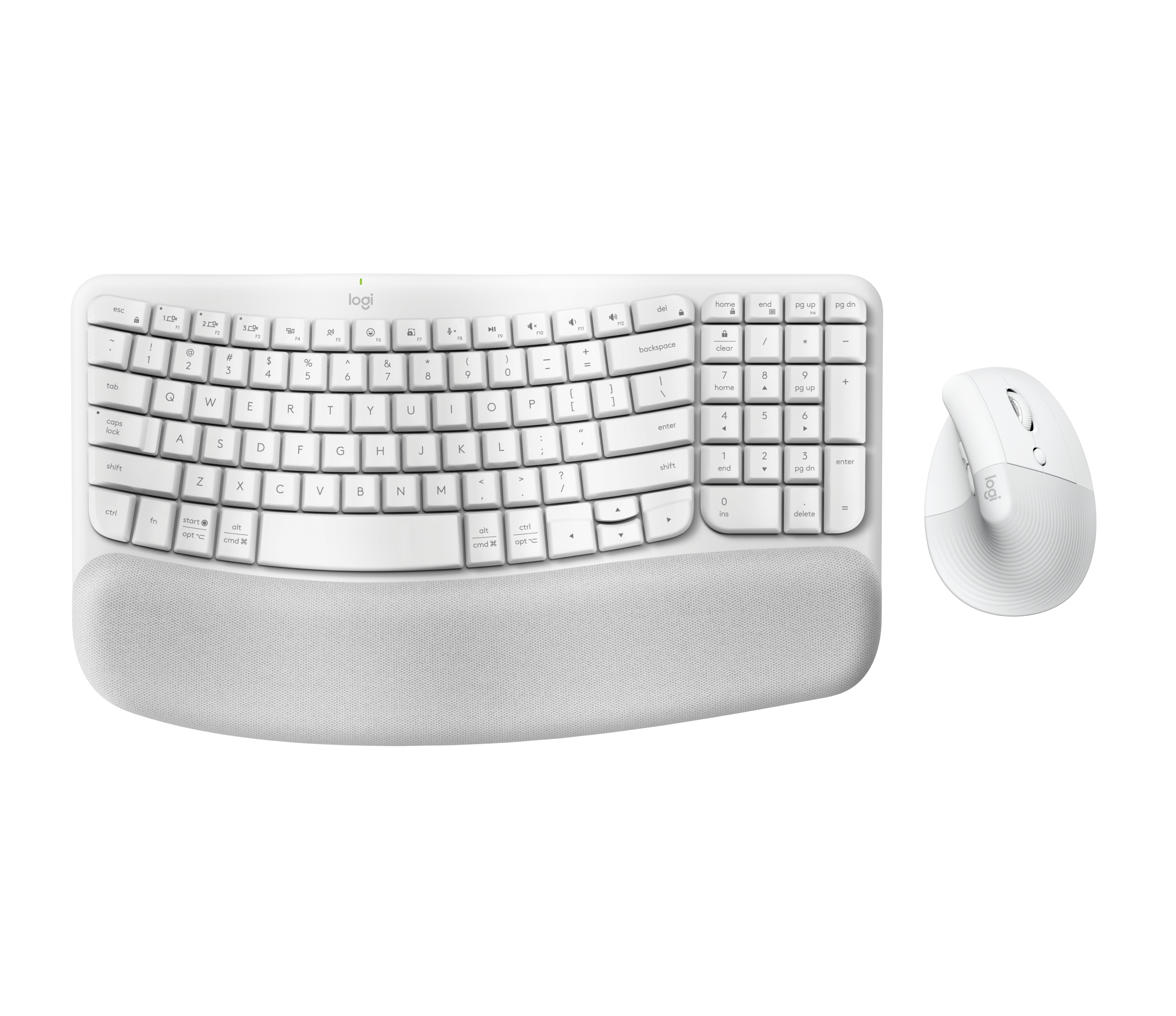
Logitech Wave Keys
A wave-shaped ergonomic keyboard with a built-in cushioned palm rest, designed for natural wrist and forearm positioning without the fully split layout of boards like the ZSA Voyager — certified by United States Ergonomics and aimed at comfort-focused typists who want an easier adjustment than a split board.
- Certified ergonomic design (United States Ergonomics) with a built-in three-layer memory foam palm rest
- Easier adjustment period than a fully split keyboard like the ZSA Voyager
- Easy-Switch pairing and Logi Options+ shortcuts carried over from Logitech’s MX line
- Less ergonomic benefit than a fully split layout for buyers with more significant wrist strain
- Scissor-switch keys offer no mechanical-switch feedback
Wave Keys ranks here as the more affordable, lower-commitment ergonomic option in this list: it delivers a certified ergonomic typing position and built-in palm rest without the split-board relearning curve of the ZSA Voyager or the higher price of the ERGO K860, but its value scoring reflects a more basic feature set than either.
The wave-shaped key layout and three-layer memory foam palm rest are designed to reduce wrist and forearm strain without splitting the keyboard in two, keeping the adjustment period shorter than a fully split board. Easy-Switch and Logi Options+ carry over from Logitech’s MX ecosystem, connecting up to three devices via Bluetooth or the bundled Logi Bolt receiver.
- Buyers who place the highest priority on multi device connectivity and reliability
- Buyers who place the highest priority on typing comfort accuracy and noise
| Form Factor | compact wave-shaped ergonomic wireless |
|---|---|
| Configuration Note | Specifications vary by switch, color or layout where offered; exact configuration should be confirmed before purchase. |
HP 960 Ergonomic Wireless Keyboard
HP’s split-zone ergonomic keyboard pairs a negative-tilt layout with an extra-large foam wrist rest and a detached numeric keypad you can position wherever suits your desk, backed by HP’s own testing showing meaningfully reduced forearm muscle activity and wrist deviation versus a flat keyboard.
- Detached numeric keypad can be positioned independently, useful for heavy data-entry work
- HP’s own testing shows meaningfully reduced forearm activity and wrist deviation versus a flat keyboard
- Up to 24 months of battery life on the keyboard itself, the longest rated in this list
- Membrane scissor switches offer less tactile feedback than the mechanical boards in this list
- Fixed wrist-rest angle isn’t adjustable, unlike some competitors’ modular ergonomic designs
The 960 rounds out this list because its detachable numeric keypad and 20 programmable keys are genuinely useful for data-entry-heavy productivity work, a use case none of the other ergonomic boards here address as directly, but its membrane scissor switches and fixed wrist-rest angle keep it behind the more configurable options above it.
HP’s own testing found the split-zone, negative-tilt layout reduces forearm muscle activity by roughly 19% and lateral wrist deviation by roughly 60% versus a traditional flat keyboard. The detached numeric keypad can be positioned independently of the main board, and battery life runs up to 24 months on the keyboard itself, connecting via Bluetooth or the bundled HP Unifying Dongle to up to three devices.
- Buyers who place the highest priority on multi device connectivity and reliability
- Buyers who place the highest priority on value for money
| Form Factor | split ergonomic wireless |
|---|---|
| Configuration Note | Specifications vary by switch, color or layout where offered; exact configuration should be confirmed before purchase. |
How We Evaluate Productivity Keyboards
Our rankings are built through the Flickthru CORE™ Market Research Engine, which first analyses the category, its intended buyers, and the current US market. Products are then assessed using category-specific evidence, performance indicators, availability, ownership signals, and long-term reliability considerations.
Recommendations reflect overall suitability for the intended buyer – not simply the highest specification, lowest price, or strongest result in a single test. When product-level customer feedback is limited, we prioritize official validation, credible technical evidence, and demonstrated category suitability rather than estimating or inflating review counts. Read the full Flickthru product ranking methodology.
- Category Specific Analysis: Defining buyers’ needs, primary uses, business priorities, acceptable compromises, and category-specific requirements before products are compared.
- Long-Term Reliability: Tracking recurring failure patterns, component durability, warranty trends, and long-term ownership outcomes from verified market data.
- Performance: Evaluating category-specific real-world performance, efficiency, consistency, and practical usability rather than relying on marketing claims alone.
- Features: Assessing functionality, usability, build quality, safety, ergonomics, and category-specific capabilities important to long-term ownership.
- Value: Measuring total cost of ownership, lifecycle longevity, support quality, lifecycle suitability, and overall return on investment.
- Evidence Review: Combining verified purchaser feedback where available with professional testing, official product validation, technical evidence, and market suitability signals.
- Market Coverage: Mapping the current US market, credible product families, availability, price positioning, and relevant competitors within the category.
Products demonstrating recurring reliability concerns, inconsistent performance behavior, poor ownership outcomes, or widespread negative sentiment are algorithmically suppressed from our rankings regardless of marketing claims, sponsorship relationships, or short-term popularity trends.
This methodology is designed to identify products that deliver genuine long-term value, reliability, and real-world usefulness rather than simply matching short-term hype, advertising claims, or isolated test results.