
Best Mobile Workstations 2026
A category-specific approach to ranking Mobile Workstations
Most general product roundups are built around broad buyer priorities. Flickthru evaluates mobile workstations for engineers, architects, designers, developers, data professionals and technical creators needing portable workstation-class performance, prioritising category fit, performance, reliability, support, and long-term value.
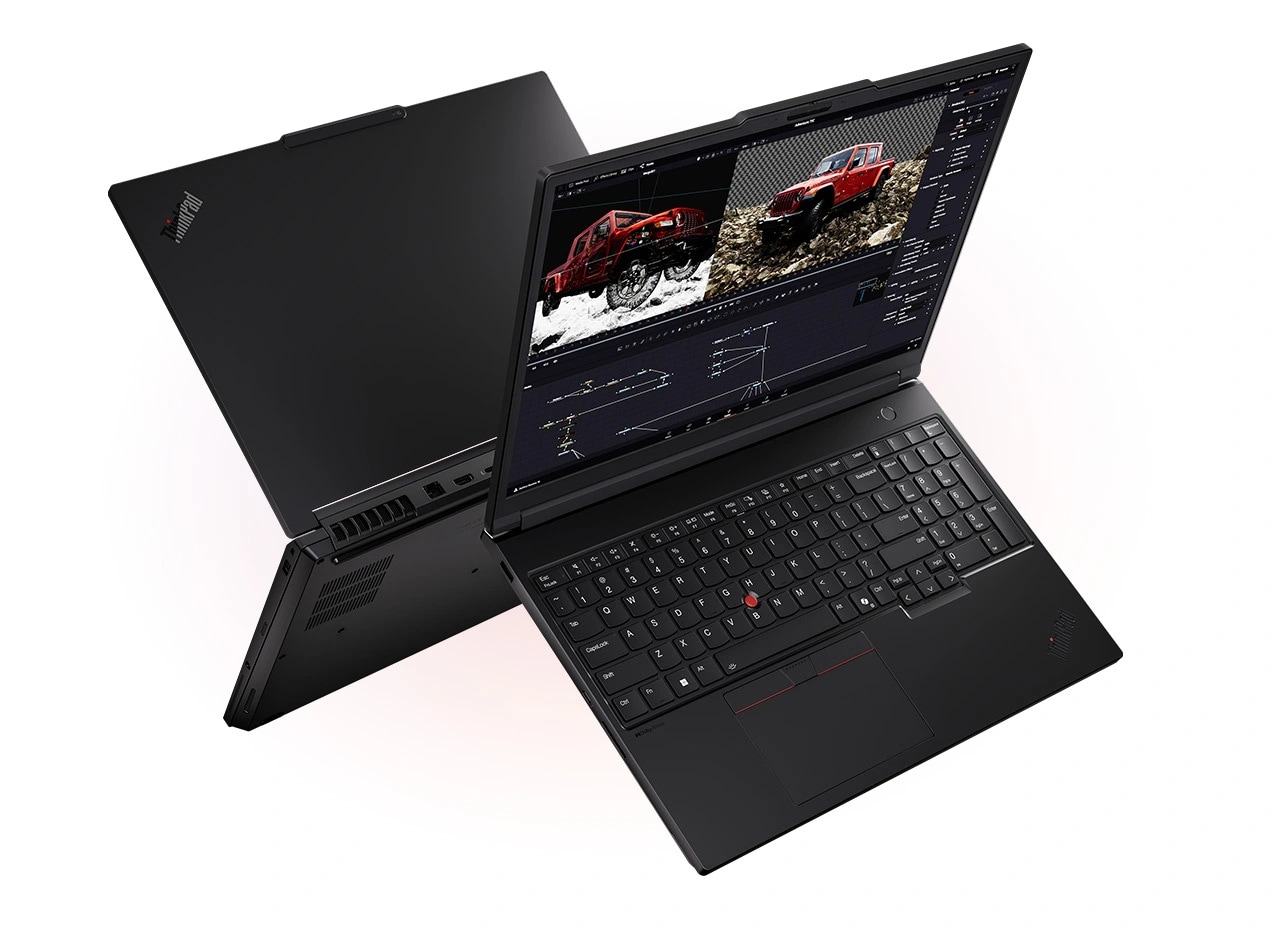
Lenovo ThinkPad P16 Gen 3
Lenovo’s maximum-capability mobile workstation, built for demanding certified workflows and expansion rather than everyday portability.
- Very high sustained CPU and RTX PRO ceiling
- Exceptional memory and multi-drive storage capacity
- Strong enterprise security, keyboard and support ecosystem
- High-quality OLED display option
- Large and heavy
- High-end configurations are extremely expensive
- Battery life is secondary to plugged-in performance
- Engineering, simulation, 3D and local-AI teams needing maximum memory, storage and NVIDIA professional graphics in a ThinkPad platform.
- Travellers who value minimum weight or all-day unplugged use.
It wins the 87-point tie by combining a 96-rated professional GPU fit with the field’s highest expansion score and stronger load stability than the Dell below. That makes it the most complete choice for certified engineering, simulation and local-AI workflows that need large memory and multi-drive capacity. Its weight and poor unplugged mobility are significant, but less damaging in this performance-first category.
Benchmarked the RTX PRO 5000 generation across workstation and AI workloads, finding very strong results with some tests behind the fastest comparator.
- Measured result: A current test recorded a Procyon AI Computer Vision CPU score of 160, with workload-specific wins despite trailing some comparator totals.
| Weight | From about 5.6 lb |
|---|---|
| Display | 16-inch options up to 3.2K OLED touch |
| Processor | Up to Intel Core Ultra 9 285HX |
| Graphics | Up to NVIDIA RTX PRO 5000 Blackwell |
| Memory Storage | Up to 192GB DDR5 and up to 12TB PCIe storage, configuration-dependent |
| Battery Charging | Large workstation battery; high-wattage adapter, configuration-dependent |
| Ports | 2x Thunderbolt 5 plus USB, HDMI, Ethernet, card reader and audio options |
| Operating System | Windows 11 Pro or supported Linux configurations |

Dell Pro Max 16 Plus
A near-maximum 16-inch workstation with exceptional certified performance and expansion, but desktop-replacement weight, endurance and pricing.
- Outstanding top-end CPU and RTX PRO performance
- High memory and storage ceiling
- Excellent 4K OLED option and broad connectivity
- Professional drivers and enterprise support
- Heavy system and large power adapter
- Short battery life under demanding use
- Premium configurations can cost far beyond normal laptop budgets
- Engineers, visualization specialists and AI professionals who need maximum certified performance in a transportable 16-inch system.
- Frequent travellers or professionals who expect to work for long periods away from mains power.
Second place reflects the highest sustained-performance score on the page, matched by RTX PRO 5000 capability, excellent expansion and a strong 4K OLED option. It equals the winner at 87 overall but loses the tie-break on thermals, acoustics and load stability, while its heavy adapter and short battery life further reduce mobility. It remains the faster choice for some desk-bound workloads.
Tested a flagship Core Ultra 9 285HX and RTX PRO 5000 configuration and found desktop-replacement-class workstation capability.
- Measured result: A detailed flagship test recorded Geekbench 6 scores of 3,032 single-core and 20,978 multi-core.
| Weight | From about 5.6 lb; carried weight rises materially with the 280W adapter |
|---|---|
| Display | 16-inch options including 4K 120Hz OLED touch |
| Processor | Up to Intel Core Ultra 9 285HX |
| Graphics | Up to NVIDIA RTX PRO 5000 Blackwell 24GB |
| Memory Storage | Up to 128GB CAMM2-class memory; PCIe 4.0/5.0 SSD options |
| Battery Charging | High-capacity battery configuration; 280W USB-C adapter on flagship systems |
| Ports | Thunderbolt 5, USB-C, USB-A, HDMI, Ethernet and audio, configuration-dependent |
| Operating System | Windows 11 Pro |

HP ZBook Ultra G1a 14
The standout compact workstation: exceptionally powerful and memory-rich for its size, with workflow compatibility and high configuration cost as the key checks.
- Exceptional performance for a compact 14-inch workstation
- Up to 128GB unified memory suits large local AI and visualization workloads
- Excellent OLED display option and practical ports
- Strong enterprise security and support positioning
- Memory is fixed at purchase
- High-end configurations are extremely expensive
- Integrated Radeon workflow support must be checked against required ISV applications
- Mobile AI developers, data professionals and technical creators who need unusually high memory and compute capability in a compact chassis.
- Buyers whose CAD or engineering stack specifically requires NVIDIA RTX PRO drivers or future memory upgrades.
It leads the 86-point group because it delivers unusually high workstation performance, up to 128GB unified memory and the best mobility of any serious high-end contender. A 94 display score also makes the compact 14-inch design attractive for visual work. Fixed memory, high configuration cost and weaker compatibility with some NVIDIA-optimized ISV workflows prevent it from challenging the two full-size leaders.
Independent testing measured the Ryzen AI Max PRO 390 configuration and found unusually high workstation performance for a compact 14-inch chassis.
- Measured result: Independent testing recorded a 4,343 3DMark Time Spy score for a matching product-family configuration.
| Weight | About 3.3–3.5 lb, configuration-dependent |
|---|---|
| Display | 14.2-inch 2880×1800 120Hz OLED touch option; IPS configurations also available |
| Processor | Up to AMD Ryzen AI Max+ PRO 395, 16 cores / 32 threads |
| Graphics | Integrated Radeon 8050S or 8060S, processor-dependent |
| Memory Storage | Up to 128GB LPDDR5x unified memory; one PCIe 4.0 M.2 SSD slot |
| Battery Charging | 74.5Wh battery; USB-C charging |
| Ports | 2x Thunderbolt 4, USB-C, USB-A, HDMI 2.1, 3.5mm audio |
| Operating System | Windows 11 Pro |
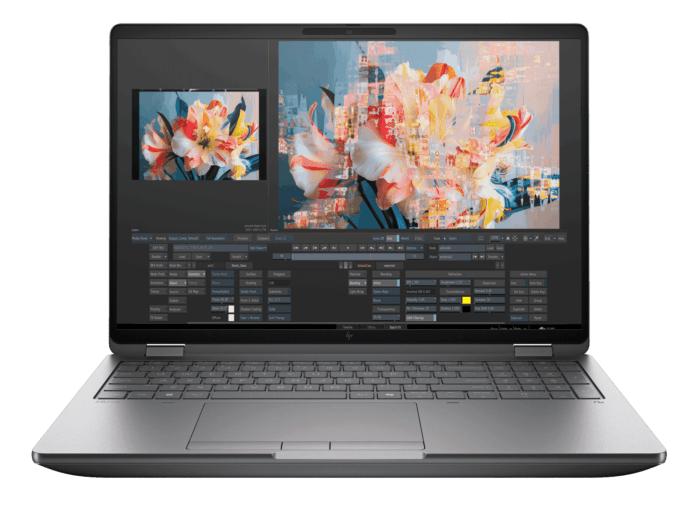
HP ZBook Fury G1i 16
HP ZBook Fury G1i 16 is a strong small-business office deployments choice for studios and engineering teams needing maximum HP-certified performance and memory in a 16-inch transportable system, combining Windows 11 Pro supports mainstream business security and management workflows with a practical port selection supports office accessories and external displays.
- Very high CPU, RTX PRO and memory ceiling
- Triple-fan cooling designed for sustained loads
- Broad professional display and storage choices
- Strong enterprise security and HP support options
- Heavy and expensive once configured
- High-performance use is primarily mains-powered
- Studios and engineering teams needing maximum HP-certified performance and memory in a 16-inch transportable system.
- Heavy and expensive once configured
- High-performance use is primarily mains-powered
Fourth place is earned by a 96 expansion score, strong RTX PRO workflow fit and a 170W triple-fan platform designed for sustained professional loads. It sits behind the compact ZBook Ultra in the 86-point tie because its 57 mobility score makes it a transportable desktop replacement rather than a true travel machine. Exact performance evidence is also less complete than the specification ceiling suggests.
Documented the 16-inch model’s 170W thermal envelope and new triple-fan cooling system for sustained professional loads.
- Measured result: A matched-configuration test recorded 5 hours 4 minutes versus 3 hours 45 minutes for its Dell comparator in an office battery workload.
| Weight | About 5.36 lb before the power adapter |
|---|---|
| Display | 16-inch options from WUXGA to 4K-class professional panels |
| Processor | Up to Intel Core Ultra 9 285HX |
| Graphics | Up to NVIDIA RTX PRO 5000 Blackwell |
| Memory Storage | Up to 192GB DDR5 and very high multi-drive storage capacity |
| Battery Charging | Large workstation battery; high-wattage adapter |
| Ports | Thunderbolt 5, USB-C, USB-A, HDMI, Ethernet, card reader and audio |
| Operating System | Windows 11 Pro |
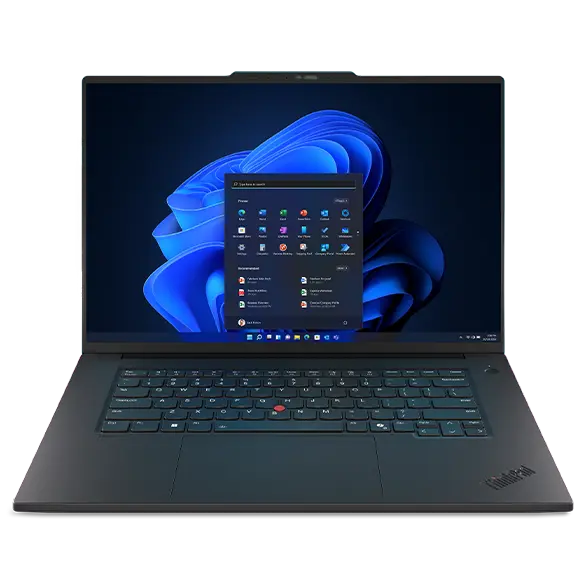
Lenovo ThinkPad P1 Gen 8
The best-balanced traditional mobile workstation in the Top 12, combining professional graphics, display quality and credible portability.
- Strong workstation capability at roughly four pounds
- Excellent tandem OLED display option
- Professional NVIDIA graphics and Thunderbolt 5
- Premium ThinkPad keyboard, security and support
- Lower maximum GPU tier than full desktop replacements
- Premium configurations are expensive
- Thin chassis limits sustained performance compared with larger workstations
- Professionals who need real workstation drivers and premium display quality but carry the laptop regularly.
- Buyers requiring RTX PRO 5000-class rendering performance or the largest memory and storage ceilings.
It finishes the 86-point group as the best-balanced traditional workstation, pairing professional NVIDIA graphics and Thunderbolt 5 with a roughly four-pound chassis and the field’s second-highest display score. It ranks below the more powerful ZBooks because its thin design lowers sustained performance, expansion and thermal headroom. For frequent travelers, that trade can make it the more practical purchase.
Independent testing indicates a balanced thin workstation with improved performance, Thunderbolt 5 and an exceptionally bright tandem OLED display.
| Weight | From about 4.0 lb |
|---|---|
| Display | 16-inch IPS options or 3.2K tandem OLED |
| Processor | Intel Core Ultra 200H-series options |
| Graphics | Up to NVIDIA RTX PRO 2000 Blackwell |
| Memory Storage | High-capacity memory options and dual M.2 storage support, configuration-dependent |
| Battery Charging | Large internal battery with compact USB-C power adapter |
| Ports | 2x Thunderbolt 5, USB-A, HDMI, SD card and audio |
| Operating System | Windows 11 Pro; Linux suitability independently tested |

Dell Pro Max 18 Plus
The most desktop-like workstation here: enormously capable and expansive, but mobile mainly in the sense that it can be moved.
- Extreme RTX PRO and CPU performance
- Huge memory, storage and screen workspace
- Purpose-built professional platform
- Strong connectivity for desk-based workflows
- Very heavy
- Extremely expensive in high-end configurations
- Poor fit for frequent travel or unplugged work
- 3D, engineering, simulation and AI professionals who need a transportable desktop replacement with an 18-inch workspace.
- Commuters, air travellers or anyone seeking meaningful all-day mobility.
Sixth place prioritizes genuine workstation capability: 96-rated sustained performance and professional GPU fit, 97-rated expansion and strong load stability make it one of the fastest systems here. It leads the 85-point tie despite a category-low 27 mobility score because buyers considering an 18-inch platform are chiefly replacing a desktop. Its extreme weight and price prevent broader recommendation.
Independent testing indicates one of the fastest purpose-built mobile workstations, with a 175W RTX PRO 5000, high memory ceiling and 280W USB-C power.
- Measured result: Comparative testing recorded a 240,530 GPU OpenCL score for the reviewed 18-inch flagship configuration.
| Weight | About 7 lb, configuration-dependent |
|---|---|
| Display | 18-inch 2560×1600-class high-refresh professional display options |
| Processor | Up to Intel Core Ultra 9 285HX |
| Graphics | Up to NVIDIA RTX PRO 5000 Blackwell at a high power limit |
| Memory Storage | 128GB to 256GB-class memory options and multiple high-capacity SSDs |
| Battery Charging | Large battery; 280W USB-C adapter |
| Ports | Thunderbolt 5, USB-C, USB-A, HDMI, Ethernet, card reader and audio |
| Operating System | Windows 11 Pro |

HP ZBook X G1i 16
A convincing middleweight workstation with strong exact testing, professional graphics and better mobility than maximum-power rivals.
- Strong RTX PRO 2000-class performance
- Excellent wide-gamut display option
- Good ports and business connectivity
- Better portability and endurance than flagship desktop replacements
- Still heavy for frequent commuting
- High reviewed configuration price
- Less expansion and peak GPU performance than Fury or P16-class systems
- Professionals wanting a balanced 16-inch Windows workstation for CAD, video, visualization and development without flagship bulk.
- Buyers who need the absolute highest GPU tier or a genuinely lightweight travel laptop.
It ranks seventh as the more balanced 85-point option, offering RTX PRO 2000-class performance, a wide-gamut display and substantially better mobility than the 18-inch Dell. It loses the tie-break because peak CPU, GPU and expansion ceilings are lower in this workstation-first ranking. For professionals who commute regularly, its practical ports and improved endurance may matter more than that raw-capability gap.
Independent testing indicates a balanced middle tier with improved battery life, strong performance, practical ports and comfortable input devices.
- Measured result: Independent testing recorded approximately 13 hours of battery life under its test method.
| Weight | About 4.5 lb |
|---|---|
| Display | 16-inch WUXGA or 2560×1600 120Hz wide-gamut options |
| Processor | Intel Core Ultra 200H-series options |
| Graphics | Up to NVIDIA RTX PRO 2000 Blackwell |
| Memory Storage | Up to 64GB-class configurations and multiple SSD options, configuration-dependent |
| Battery Charging | High-capacity battery; reviewed use showed credible workstation endurance |
| Ports | Thunderbolt/USB-C, USB-A, HDMI, Ethernet, audio and optional mobile broadband |
| Operating System | Windows 11 Pro |
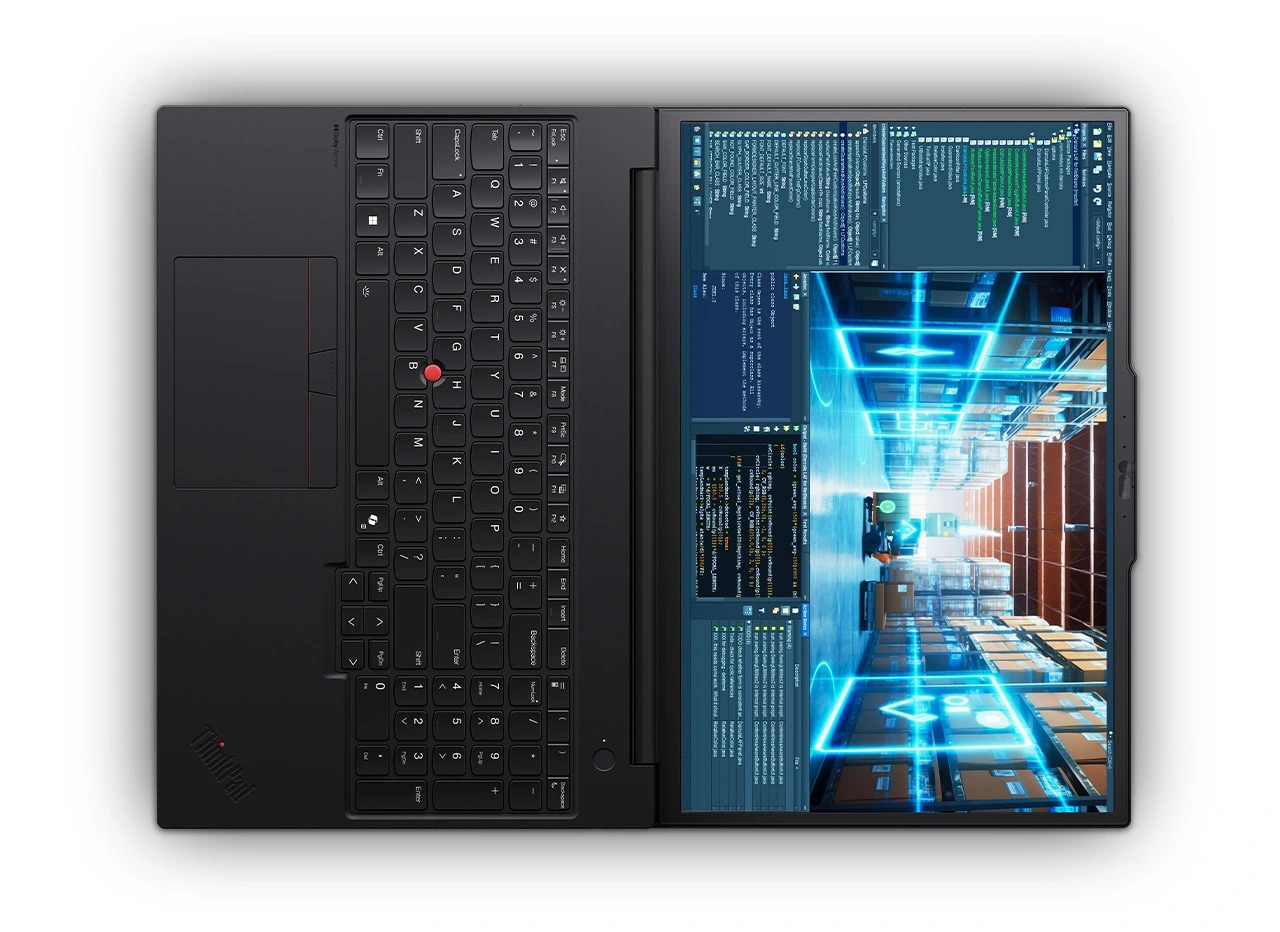
Lenovo ThinkPad P16v Gen 3
The Top 12’s clearest mid-tier sweet spot, combining exact benchmark depth, RTX PRO 2000 capability and a manageable 4.6 lb chassis.
- Strong RTX PRO 2000 rendering performance
- Manageable weight for its capability
- Good battery result for a workstation
- ThinkPad enterprise features and practical ports
- Reviewed configuration is expensive
- Not dramatically faster than every rival in CPU workloads
- Display quality depends heavily on configuration
- Architects, engineers and creators wanting a well-tested mid-tier workstation with professional graphics and realistic portability.
- Buyers who need RTX PRO 5000 performance or the lightest possible 16-inch system.
It leads the 83-point pair through better professional GPU compatibility, useful expansion and unusually deep exact benchmark evidence. RTX PRO 2000 performance, a manageable 4.6 lb chassis and roughly 12-hour measured battery life create the clearest mid-tier balance. Its costly reviewed configuration and display variability keep it below the higher-scoring workstation platforms.
Benchmarked a 4.6 lb RTX PRO 2000 system across rendering, AI and workstation tests and reported roughly 12-hour battery life.
- Measured result: V-Ray 6 testing recorded a score of 3,233, roughly 50% above compared RTX PRO 500-class P14s and P16s systems.
| Weight | About 4.6 lb |
|---|---|
| Display | 16-inch WUXGA through 4K-class options |
| Processor | Up to Intel Core Ultra 9 285H |
| Graphics | Up to NVIDIA RTX PRO 2000 Blackwell 8GB |
| Memory Storage | Up to 96GB-class memory and multi-terabyte SSD configurations |
| Battery Charging | Large internal battery; exact testing showed credible endurance |
| Ports | Thunderbolt/USB-C, USB-A, HDMI, Ethernet, card reader and audio |
| Operating System | Windows 11 Pro |

Apple MacBook Pro 16-inch M5 Max
An exceptional macOS creative and development workstation, but not a universal substitute for a Windows RTX PRO system.
- Exceptional performance and efficiency
- Outstanding XDR display, speakers and input devices
- Up to 128GB unified memory
- Strong battery life for the performance class
- Many Windows-only CAD and engineering workflows are incompatible
- No NVIDIA professional GPU or RTX PRO driver stack
- Very expensive
- Mac-compatible video, audio, 3D, software-development and local-AI professionals who value performance away from mains power.
- Organizations dependent on Windows-only CAD, specialist plug-ins, CUDA or NVIDIA-certified professional drivers.
Ninth place reflects a specialist rather than a quality deficit: its 93 performance score, class-leading display and strong efficiency are exceptional for macOS creative and development work. It trails the equally scored ThinkPad because the 65 professional-GPU workflow score exposes major limits for Windows-only CAD, engineering and RTX PRO software. In a fully Mac-compatible studio, it could rank near the top.
Independent testing indicates exceptional performance, display quality and faster storage, with price as the principal drawback.
| Weight | About 4.7 lb |
|---|---|
| Display | 16.2-inch Liquid Retina XDR, 120Hz ProMotion, up to 1600 nits peak HDR |
| Processor | Apple M5 Max, up to 18-core CPU |
| Graphics | Up to 40-core integrated Apple GPU |
| Memory Storage | Up to 128GB unified memory; 2TB base for M5 Max with larger SSD options |
| Battery Charging | Up to 24 hours claimed video streaming; MagSafe/USB-C charging |
| Ports | Thunderbolt 5, HDMI, SDXC, MagSafe and 3.5mm audio |
| Operating System | macOS |

HP ZBook 8 G1i 14
A compact, display-first professional workstation with excellent mobility, but a clear GPU ceiling.
- Excellent wide-gamut display option
- Compact and relatively light
- Consistent thermals and professional build
- Strong enterprise warranty and support positioning
- RTX 500 with 4GB VRAM limits heavy rendering and local AI
- Expensive for an entry professional GPU
- Not a replacement for full-power 16-inch workstations
- Designers, architects and field professionals running moderate CAD, review and creator workloads who prioritize display quality and mobility.
- Heavy GPU rendering, large local-AI models or buyers seeking maximum performance per dollar.
It finishes tenth because excellent mobility, consistent thermals and a 94-rated wide-gamut display cannot offset the RTX 500’s 4GB VRAM ceiling. Its lower performance, workflow-fit and expansion scores limit heavy rendering, simulation and local-AI use, while pricing remains high for an entry professional GPU. It is best viewed as a field workstation for lighter visual workloads.
Independent testing indicates consistent RTX 500 performance, high build quality and nearly complete professional color-space coverage.
| Weight | About 3.2 lb, configuration-dependent |
|---|---|
| Display | 14-inch WUXGA or 2.5K 120Hz wide-gamut options |
| Processor | Intel Core Ultra 200H-series options |
| Graphics | Integrated graphics or NVIDIA RTX 500 Ada 4GB |
| Memory Storage | Business memory and SSD options, configuration-dependent |
| Battery Charging | Mobile-workstation battery with USB-C charging |
| Ports | Thunderbolt/USB-C, USB-A, HDMI and audio |
| Operating System | Windows 11 Pro |
How We Evaluate Mobile Workstations
Our rankings are built through the Flickthru CORE™ Market Research Engine, which first analyses the category, its intended buyers, and the current US market. Products are then assessed using category-specific evidence, performance indicators, availability, ownership signals, and long-term reliability considerations.
Recommendations reflect overall suitability for the intended buyer—not simply the highest specification, lowest price, or strongest result in a single test. When product-level customer feedback is limited, we prioritize official validation, credible technical evidence, and demonstrated category suitability rather than estimating or inflating review counts. Read the full Flickthru product ranking methodology.
- Category Specific Analysis: Defining buyers’ needs, primary uses, business priorities, acceptable compromises, and category-specific requirements before products are compared.
- Long-Term Reliability: Tracking recurring failure patterns, component durability, warranty trends, and long-term ownership outcomes from verified market data.
- Performance: Evaluating category-specific real-world performance, efficiency, consistency, and practical usability rather than relying on marketing claims alone.
- Features: Assessing functionality, usability, build quality, safety, ergonomics, and category-specific capabilities important to long-term ownership.
- Value: Measuring total cost of ownership, lifecycle longevity, support quality, lifecycle suitability, and overall return on investment.
- Evidence Review: Combining verified purchaser feedback where available with professional testing, official product validation, technical evidence, and market suitability signals.
- Market Coverage: Mapping the current US market, credible product families, availability, price positioning, and relevant competitors within the category.
Products demonstrating recurring reliability concerns, inconsistent performance behavior, poor ownership outcomes, or widespread negative sentiment are algorithmically suppressed from our rankings regardless of marketing claims, sponsorship relationships, or short-term popularity trends.
This methodology is designed to identify products that deliver genuine long-term value, reliability, and real-world usefulness rather than simply matching short-term hype, advertising claims, or isolated test results.