
Best USB C Monitors 2026
A category-specific approach to ranking USB C Monitors
Most general product roundups are built around broad buyer priorities. Flickthru evaluates usb c monitors for professionals and remote workers seeking one-cable laptop charging, video and peripherals, prioritising one cable connectivity and docking, display quality and text clarity, laptop power and compatibility, productivity and workspace fit, and ergonomics and daily usability.

Dell UltraSharp 27 4K Thunderbolt Hub Monitor U2725QE
The strongest all-round 27-inch USB-C monitor for buyers who will use its unusually complete Thunderbolt dock.
- Exceptional 4K text clarity
- 140W Thunderbolt 4 docking with KVM and 2.5GbE
- Smooth 120Hz desktop operation
- Outstanding stand adjustment
- Premium price
- Weak local dimming and limited HDR impact
- Slow pixel response for fast gaming
- Professionals wanting the strongest compact one-cable workstation
- High-power laptops and multi-computer desk setups
- Buyers focused on HDR entertainment or fast competitive gaming
U2725QE takes the top spot because it’s the most complete compact one-cable workstation in this list — fantastic 4K clarity, outstanding ergonomics, and an unusually full Thunderbolt dock all in a 27-inch footprint — beating the larger U3225QE right behind it on all-round usability rather than raw screen size.
Fantastic 4K text and image clarity, outstanding ergonomics and a large multi-purpose hub; motion handling is slow for a 120Hz panel.
Dell’s UltraSharp line typically carries a 3-year Advanced Exchange warranty with Premium Panel Guarantee, and several independent reviews of this exact model support solid confidence. As with other Thunderbolt hub monitors, KVM and daisy-chain behavior can depend on host firmware and cabling.
| Screen Size | 27-inch |
|---|---|
| Aspect Ratio | 16:9 |
| Native Resolution | 3840 x 2160 |
| Maximum Refresh Rate | 120 Hz |
| Panel Technology | IPS Black |
| Connectivity Summary | Thunderbolt 4 with 140W PD, five USB-C ports, 2.5GbE, KVM and display output |
| Specification Scope | exact model |
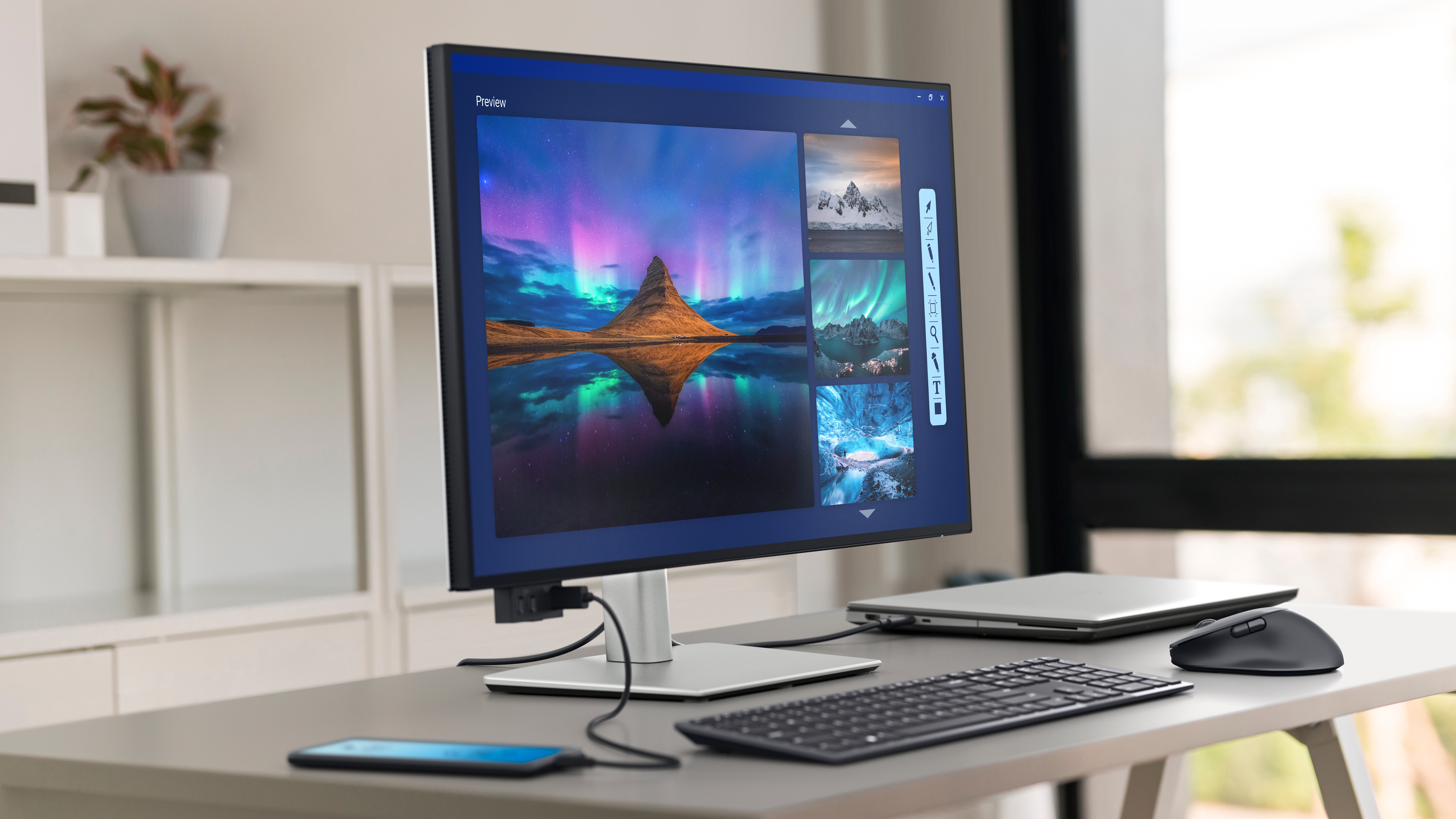
Dell UltraSharp 32 4K Thunderbolt Hub Monitor U3225QE
The best large 16:9 USB-C office monitor when comprehensive docking matters as much as panel quality.
- Large and sharp 32-inch 4K workspace
- 140W Thunderbolt 4 hub with KVM and Ethernet
- Strong IPS Black contrast for office use
- Excellent ergonomics
- Premium price
- No built-in speakers
- HDR and motion performance trail specialist displays
- Professionals wanting a large 16:9 monitor and full docking station
- Powerful laptops needing more than 90W charging
- Buyers seeking true HDR, OLED blacks or gaming-grade response
U3225QE ranks second as the larger step up from the U2725QE: it matches its sibling’s docking and panel quality at 32 inches, but loses the top spot mainly because comprehensive docking, not superior image quality, is its real differentiator over the more compact model above it.
Fantastic text and image clarity, ergonomics, KVM and 140W USB-C power; local dimming and fast-motion handling are weak.
Dell’s standard UltraSharp warranty terms typically apply, backed by a well-established support route, though independent long-term ownership data specific to this newer model remains more limited than for the smaller U2725QE.
| Screen Size | 31.5-inch |
|---|---|
| Aspect Ratio | 16:9 |
| Native Resolution | 3840 x 2160 |
| Maximum Refresh Rate | 120 Hz |
| Panel Technology | IPS Black |
| Connectivity Summary | Thunderbolt 4 with 140W PD, USB hub, 2.5GbE and KVM |
| Specification Scope | exact model |
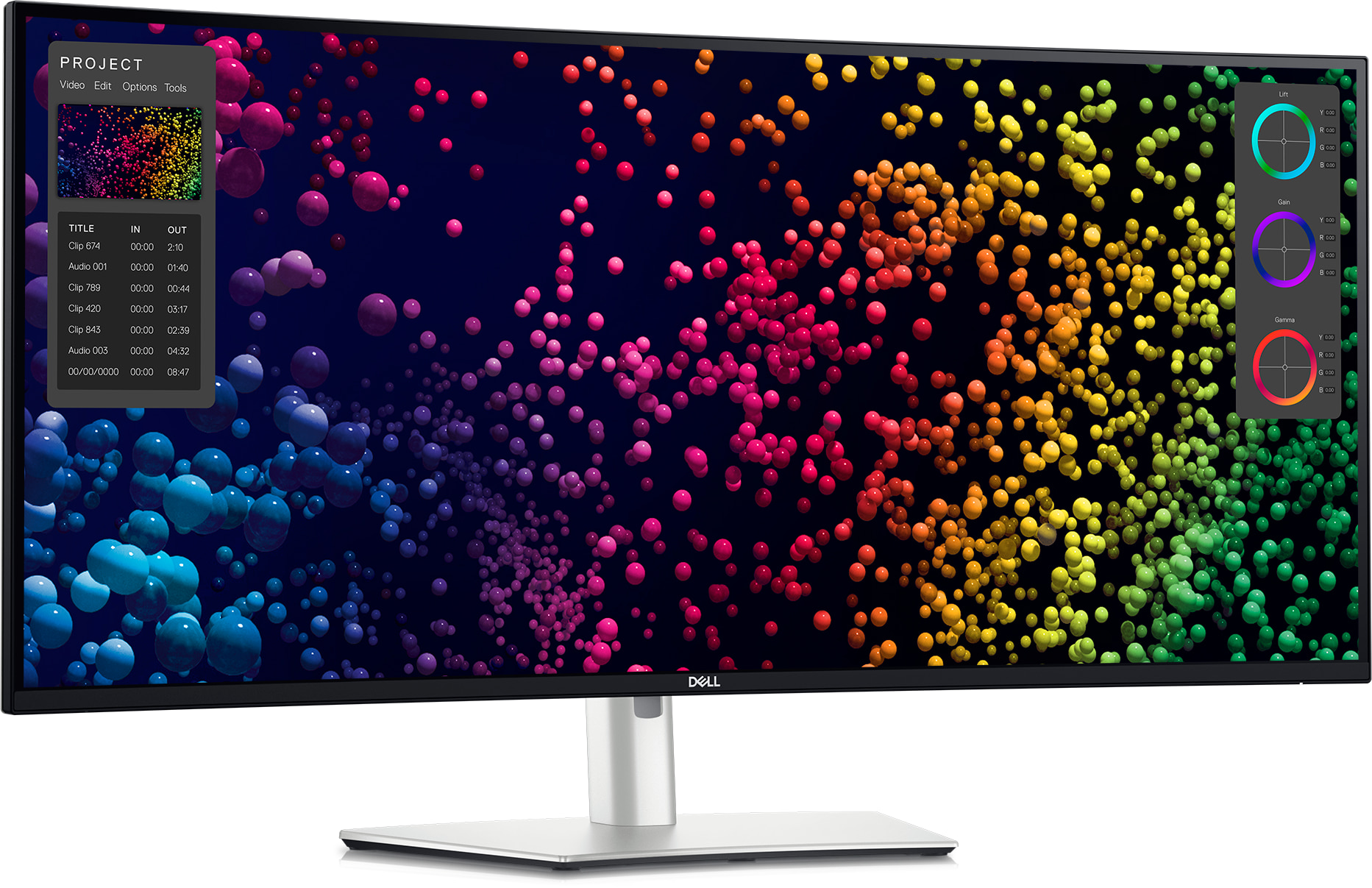
Dell UltraSharp 40 Curved Thunderbolt Hub Monitor U4025QW
A premium dual-monitor replacement with exceptional workspace and docking, provided its size and price are justified.
- Enormous 5K2K professional workspace
- 140W Thunderbolt 4 hub with KVM and Ethernet
- Sharp 140-PPI text
- 120Hz refresh rate
- Very expensive
- Large desk footprint
- Poor HDR local dimming and slow fast-motion response
- Analysts, developers and creators replacing two displays
- High-power laptop users who need a full dock
- Small desks, value-first buyers or HDR-focused entertainment
U4025QW ranks third as the premium dual-monitor replacement in this list, with a genuinely huge 5K2K workspace and superb text clarity — it drops behind the smaller Dell models above it because that extra size and workspace only pay off if a buyer’s desk and budget can actually justify it.
Superb text clarity and a huge 5K2K workspace; HDR local dimming and fast-motion response are weak.
Dell’s support route and several exact reviews of this 40-inch model support solid confidence. As with other complex hub monitors, sleep, wake and KVM behavior can depend on host firmware and cabling.
| Screen Size | 39.7-inch |
|---|---|
| Aspect Ratio | ultrawide |
| Native Resolution | 5120 x 2160 |
| Maximum Refresh Rate | 120 Hz |
| Panel Technology | IPS Black |
| Connectivity Summary | Thunderbolt 4 with 140W PD, Ethernet, USB hub and KVM |
| Specification Scope | exact model |

BenQ PD3226G
The best creator-focused high-refresh USB-C monitor, pairing excellent measured color with a capable Thunderbolt workflow.
- Excellent creator accuracy
- 4K at 144Hz
- 90W Thunderbolt 4 with KVM and daisy chaining
- Useful wireless control puck
- Expensive
- Limited HDR brightness and no local dimming
- No dedicated Adobe RGB mode
- Digital creators, animators and game designers
- Mac or PC users wanting accuracy and high refresh in one display
- Print-focused Adobe RGB workflows or value-first office use
PD3226G ranks fourth specifically for creators: a month-long independent review praised its 144Hz fluidity and creator-grade color accuracy together, a combination none of the higher-ranked office-focused Dell monitors offer, though its HDR remains basic.
Exact month-long review praised 144Hz fluidity, creator accuracy, Thunderbolt 4, KVM and ergonomics; HDR remains basic.
BenQ’s PD-series professional monitors typically carry a standard multi-year warranty, and this exact model has been covered by a month-long independent review. As a newer, feature-dense panel, long-term ownership data is still building.
| Screen Size | 31.5-inch |
|---|---|
| Aspect Ratio | 16:9 |
| Native Resolution | 3840 x 2160 |
| Maximum Refresh Rate | 144 Hz |
| Panel Technology | IPS |
| Connectivity Summary | Thunderbolt 4/USB-C docking with high-power PD, KVM and creator controls |
| Specification Scope | exact model |
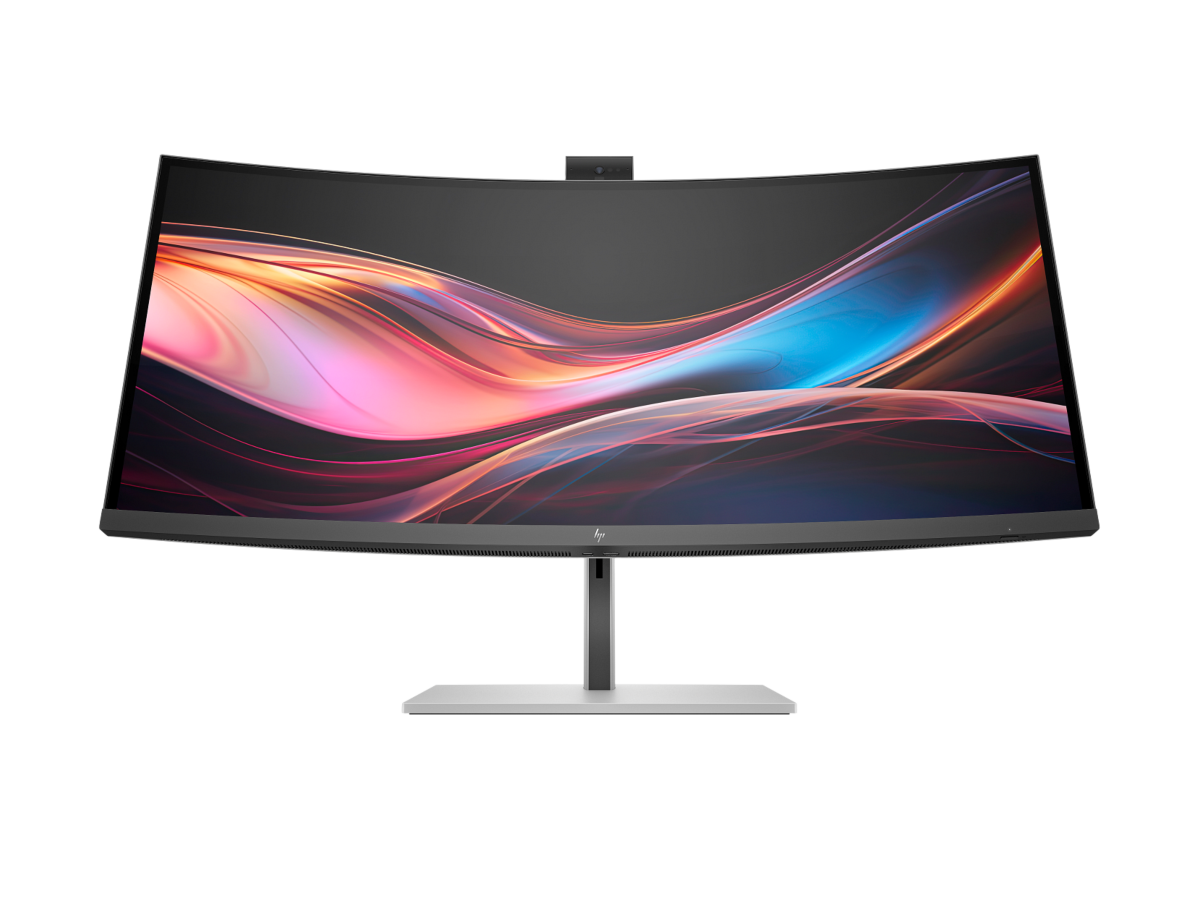
HP Series 7 Pro 34-inch WQHD Conferencing Monitor 734pm
The most complete conferencing-focused USB-C monitor, but much of its price pays for integrated collaboration hardware.
- Complete Thunderbolt 4 conferencing dock
- Excellent 5MP Windows Hello webcam
- 100W laptop charging plus second USB-C host
- KVM, Ethernet and broad USB connectivity
- Very expensive
- Lower pixel density than 4K or 5K2K choices
- Setup software can be finicky
- Hybrid professionals who want one device for display, dock and conferencing
- Multi-computer office workflows
- Buyers who already own a webcam, dock and speakers
HP 734pm ranks fifth on the strength of a genuinely unique feature set — integrated conferencing hardware built into the monitor itself — but much of its price goes toward that collaboration hardware rather than panel quality, which is why it sits behind the more display-focused Dell and BenQ monitors above it.
Exact review confirmed 100W Thunderbolt 4, secondary 65W USB-C input, KVM, 400-nit IPS Black panel and integrated conferencing.
HP provides a current US support route for the 34-inch model, but the available exact owner sample is small and includes connectivity complaints. That lowers confidence without being converted into a population-level failure claim.
| Screen Size | 34-inch |
|---|---|
| Aspect Ratio | ultrawide |
| Native Resolution | 3440 x 1440 |
| Maximum Refresh Rate | 120 Hz |
| Panel Technology | IPS Black |
| Connectivity Summary | Thunderbolt 4 with 100W PD, KVM and integrated conferencing |
| Specification Scope | exact model |

Dell UltraSharp 34 Curved Thunderbolt Hub Monitor U3425WE
A highly usable professional ultrawide dock that trades maximum sharpness for a comfortable size and excellent connectivity.
- Strong Thunderbolt 4 hub and KVM
- Comfortable 34-inch ultrawide workspace
- 120Hz refresh rate
- Good IPS Black contrast
- Only 110 PPI
- Weak HDR performance
- Fast-motion response is mediocre
- Office users wanting a manageable ultrawide dock
- Multi-window work without a 40-inch footprint
- Buyers demanding 4K-class density or strong gaming motion
U3425WE ranks sixth as the more comfortable, connectivity-focused alternative to the sharper 5K2K Dell monitors above it: it trades maximum text sharpness for a more manageable 34-inch curved size and excellent connectivity, a real trade-off rather than a step down in build quality.
Good office performance, wide viewing angles, adjustable stand, useful 34-inch workspace and good text clarity; sunny-window visibility is limited.
Dell’s support route and a growing body of independent reviews of this 34-inch model support solid confidence, with the same KVM and firmware-dependent sleep/wake caveats common to Dell’s other hub monitors in this list.
| Screen Size | 34.1-inch |
|---|---|
| Aspect Ratio | ultrawide |
| Native Resolution | 3440 x 1440 |
| Maximum Refresh Rate | 120 Hz |
| Panel Technology | IPS Black |
| Connectivity Summary | Thunderbolt 4 with 90W PD, Ethernet, USB hub and KVM |
| Specification Scope | exact model |
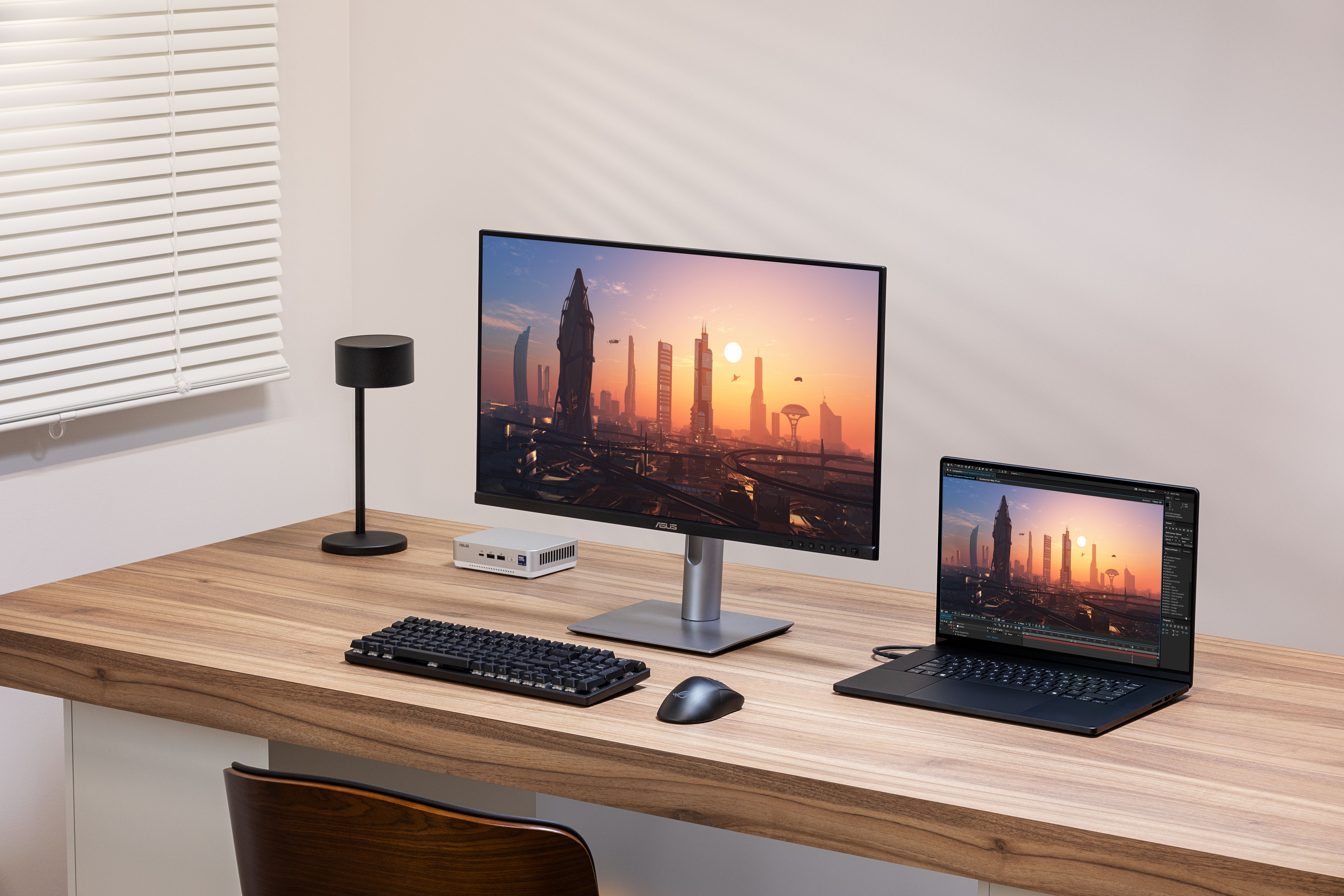
ASUS ProArt Display 6K PA32QCV
A strong-value professional 6K display with capable Thunderbolt docking, though its coating and 60Hz limit universal appeal.
- Extremely sharp 218-PPI 6K panel
- Dual Thunderbolt 4 with 96W charging
- KVM and daisy chaining
- Wide-gamut creator modes
- Only 60Hz
- Matte coating can soften perceived clarity
- Weak HDR black levels
- Mac and PC creators prioritizing 6K detail
- Photo, design and editing workflows needing wide-gamut modes
- High-refresh users or buyers wanting strong HDR contrast
ProArt PA32QCV ranks seventh for its exceptional 6K sharpness and strong value relative to its resolution class, but its 60Hz refresh rate and matte coating haze are real limitations that keep it behind the 120Hz Dell and BenQ monitors ranked above it.
The 6K screen gives very sharp detail, strong glare handling, Thunderbolt 4, KVM and daisy chaining; the matte coating adds visible haze.
ASUS’s ProArt line typically carries a 3-year warranty, and the brand has an established professional-display support route. Independent long-term ownership data on this specific 6K model remains limited given its recent release.
| Screen Size | 32-inch |
|---|---|
| Aspect Ratio | 16:9 |
| Native Resolution | 6016 x 3384 |
| Maximum Refresh Rate | 60 Hz |
| Panel Technology | IPS |
| Connectivity Summary | Dual Thunderbolt 4 with 96W-class PD, USB hub and KVM |
| Specification Scope | exact model |
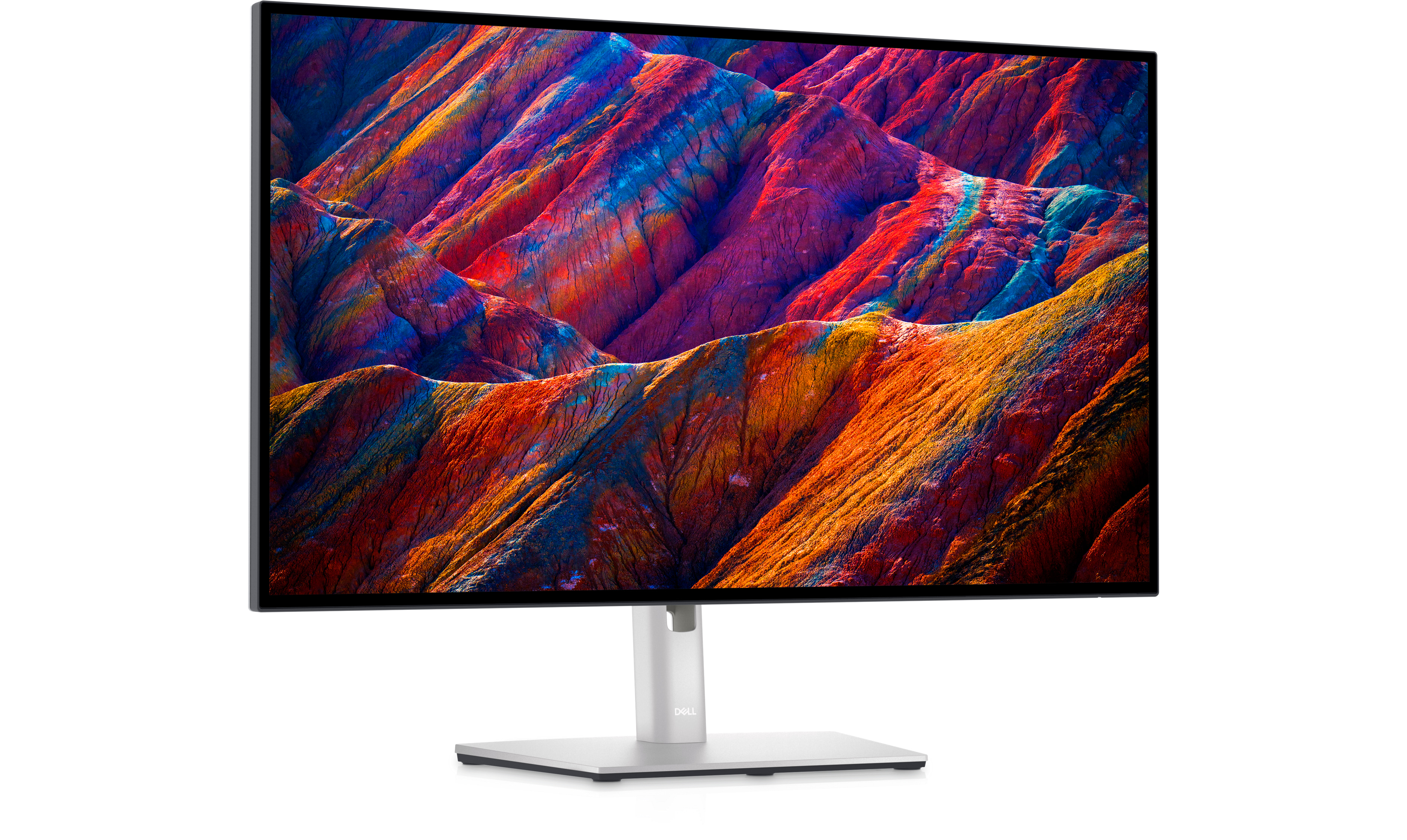
Dell UltraSharp 27 4K USB-C Hub Monitor U2723QE
Still an excellent mature USB-C office hub when discounted, but its 60Hz panel makes full-price purchases difficult to justify.
- Mature and comprehensive USB-C hub
- Sharp 27-inch 4K image
- 90W charging, Ethernet, KVM and display output
- Excellent ergonomics
- Only 60Hz
- No Thunderbolt
- Superseded by the U2725QE
- Buyers who find it substantially discounted
- Office setups needing Ethernet, KVM and daisy chaining without 140W charging
- Anyone paying close to U2725QE pricing or wanting 120Hz
U2723QE ranks eighth as the mature, frequently-discounted predecessor to the U2725QE above it: still an excellent USB-C office hub when discounted, but its 60Hz panel is a real step down from the newer 120Hz Dell models ranked higher in this list, making it hard to justify at full price.
A sharp, highly ergonomic 4K office display with a versatile USB-C hub and strong IPS Black contrast for its generation.
As a mature, multi-generation model with Dell’s standard UltraSharp warranty and support route, this monitor has the deepest independent review base of any product in this list, supporting high confidence in its long-term reliability.
| Screen Size | 27-inch |
|---|---|
| Aspect Ratio | 16:9 |
| Native Resolution | 3840 x 2160 |
| Maximum Refresh Rate | 60 Hz |
| Panel Technology | IPS Black |
| Connectivity Summary | USB-C with 90W PD, Ethernet, USB hub, KVM and DisplayPort output |
| Specification Scope | exact model |
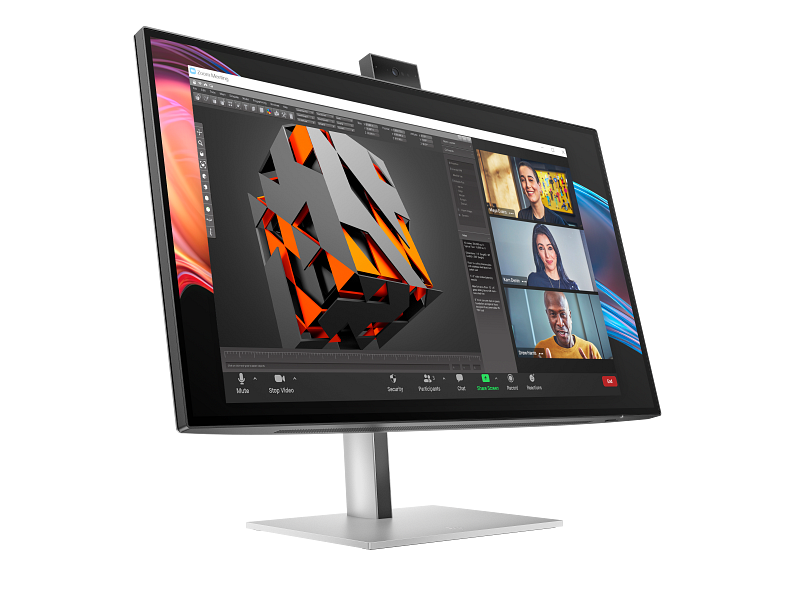
HP Series 7 Pro 27-inch 4K Conferencing Monitor 727pm
A feature-rich compact conferencing monitor, although its premium and early connectivity cautions prevent a higher position.
- Sharp 27-inch 4K IPS Black display
- 100W Thunderbolt 4 docking
- Strong 5MP Windows Hello webcam
- KVM and extensive connectivity
- Premium conferencing price
- Small owner sample contains connectivity complaints
- Limited exact independent laboratory data
- Video-call-heavy professionals who want a compact all-in-one desk setup
- Windows Hello and multi-device business workflows
- Buyers who already own conferencing hardware or prioritize value
HP 727pm ranks ninth as the more compact sibling to the 734pm above it, with the same integrated conferencing strengths in a smaller footprint — it ranks below its larger sibling and the higher-ranked monitors mainly on price relative to panel quality and some early connectivity caution from its smaller owner sample.
Hands-on business testing praised the sharp 4K IPS Black panel, 100W Thunderbolt 4, USB-rich dock and above-average 5MP Windows Hello webcam.
HP provides a current US support route for the 27-inch model as well, though its owner sample is similarly small and includes some of the same connectivity complaints seen on its 34-inch sibling.
| Screen Size | 27-inch |
|---|---|
| Aspect Ratio | 16:9 |
| Native Resolution | 3840 x 2160 |
| Maximum Refresh Rate | 60 Hz |
| Panel Technology | IPS Black |
| Connectivity Summary | Thunderbolt 4 docking, high-power PD, Ethernet, KVM and integrated conferencing |
| Specification Scope | exact model |

LG UltraFine evo 40U990A-W
A forward-looking 5K2K Thunderbolt 5 workstation with exceptional workspace, but price and evidence maturity keep it below established alternatives.
- Huge 5K2K 120Hz workspace
- Thunderbolt 5 with 96W charging
- IPS Black contrast and wide P3 coverage
- Ethernet and extensive connectivity
- Very expensive
- Only 96W charging despite Thunderbolt 5
- Early adopters with Thunderbolt 5 systems
- Creators and multitaskers wanting a premium 40-inch 5K2K canvas
- Value buyers, small desks or laptops needing more than 96W
UltraFine evo 40U990A-W rounds out this list as the newest, most forward-looking entrant — Thunderbolt 5 and a 5K2K workspace are genuine firsts in this comparison — but its price and thinner independent-review base keep it below the more established alternatives ranked above it.
Hands-on testing praised the 5K2K workspace, 120Hz fluidity, Thunderbolt 5 and port set; color tuning, software consistency, 96W PD and warranty were cautions.
The exact US model and active-new availability are verified, but independent laboratory and long-term owner evidence remain limited. The reported one-year warranty is modest for the price and requires human confirmation before publication.
| Screen Size | 39.7-inch |
|---|---|
| Aspect Ratio | 21:9 |
| Native Resolution | 5120 x 2160 |
| Maximum Refresh Rate | 120 Hz |
| Panel Technology | Nano IPS Black |
| Connectivity Summary | Thunderbolt 5 with 96W Power Delivery, Ethernet, USB hub and dual-display support |
| Specification Scope | exact model |
How We Evaluate USB C Monitors
Our rankings are built through the Flickthru CORE™ Market Research Engine, which first analyses the category, its intended buyers, and the current US market. Products are then assessed using category-specific evidence, performance indicators, availability, ownership signals, and long-term reliability considerations.
Recommendations reflect overall suitability for the intended buyer – not simply the highest specification, lowest price, or strongest result in a single test. When product-level customer feedback is limited, we prioritize official validation, credible technical evidence, and demonstrated category suitability rather than estimating or inflating review counts. Read the full Flickthru product ranking methodology.
- Category Specific Analysis: Defining buyers’ needs, primary uses, business priorities, acceptable compromises, and category-specific requirements before products are compared.
- Long-Term Reliability: Tracking recurring failure patterns, component durability, warranty trends, and long-term ownership outcomes from verified market data.
- Performance: Evaluating category-specific real-world performance, efficiency, consistency, and practical usability rather than relying on marketing claims alone.
- Features: Assessing functionality, usability, build quality, safety, ergonomics, and category-specific capabilities important to long-term ownership.
- Value: Measuring total cost of ownership, lifecycle longevity, support quality, lifecycle suitability, and overall return on investment.
- Evidence Review: Combining verified purchaser feedback where available with professional testing, official product validation, technical evidence, and market suitability signals.
- Market Coverage: Mapping the current US market, credible product families, availability, price positioning, and relevant competitors within the category.
Products demonstrating recurring reliability concerns, inconsistent performance behavior, poor ownership outcomes, or widespread negative sentiment are algorithmically suppressed from our rankings regardless of marketing claims, sponsorship relationships, or short-term popularity trends.
This methodology is designed to identify products that deliver genuine long-term value, reliability, and real-world usefulness rather than simply matching short-term hype, advertising claims, or isolated test results.