
Best Monitors for Dual-Monitor Setups 2026
A category-specific approach to ranking Monitors For Dual-Monitor Setups
Most general product roundups are built around broad buyer priorities. Flickthru evaluates monitors for dual-monitor setups for office professionals and home-office users who need two matched screens for everyday multitasking, prioritising matched pair suitability and consistency, productivity and text clarity, connectivity and multi display operation, ergonomics and workspace fit, and reliability and support.

Dell UltraSharp 27 4K Thunderbolt Hub Monitor U2725QE
The most complete premium matched pair, combining excellent 4K clarity with unusually capable multi-display docking.
- Exceptional 27-inch 4K text clarity
- Thunderbolt 4 and DisplayPort-out simplify a matched pair
- Fully adjustable stand and VESA mounting
- Strong hub, Ethernet and KVM capability
- Very expensive when purchased twice
- Some host and GPU combinations need careful daisy-chain configuration
- Motion response is modest for 120 Hz
- Premium laptop workstations needing two sharp 4K screens and one-cable docking
- Value-focused buyers or simple desktop-PC dual setups
U2725QE takes the top spot because it’s the most complete pairing option in this list — fantastic 4K clarity and outstanding ergonomics on each unit, plus a Thunderbolt hub capable enough to run two of them off one cable, a combination the HP 727pm right behind it can’t match without paying twice for conferencing hardware it doesn’t need for a matched pair.
Fantastic 4K text and image clarity, outstanding ergonomics and a large multi-purpose hub; motion handling is slow for a 120Hz panel.
Dell’s UltraSharp line typically carries a 3-year Advanced Exchange warranty with Premium Panel Guarantee, and several independent reviews of this exact model support solid confidence. As with other Thunderbolt hub monitors, KVM and daisy-chain behavior can depend on host firmware and cabling.
| Screen Size | 27-inch |
|---|---|
| Aspect Ratio | 16:9 |
| Native Resolution | 3840 x 2160 |
| Maximum Refresh Rate | 120 Hz |
| Panel Technology | IPS Black |
| Connectivity Summary | Thunderbolt 4 with 140W PD, five USB-C ports, 2.5GbE, KVM and display output |
| Specification Scope | exact model |
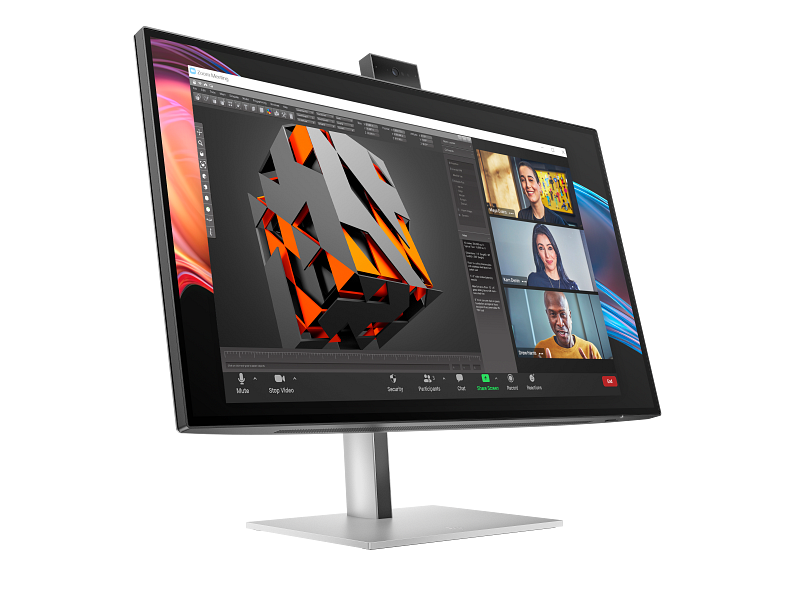
HP Series 7 Pro 27-inch 4K Conferencing Monitor 727pm
Technically outstanding for dual 4K operation, although paying twice for conferencing hardware weakens its value as a matched pair.
- Thunderbolt 4 explicitly supports a second 4K display
- Sharp 27-inch 4K IPS Black panel
- 100W charging, KVM and Ethernet
- Integrated 5MP conferencing hardware
- High two-unit price
- Duplicate webcams add cost without benefit
- Small owner sample includes connectivity cautions
- Video-call-heavy professionals wanting a premium two-screen Thunderbolt workstation
- Users who already own conferencing hardware or want maximum pair value
HP 727pm ranks second on genuinely strong per-unit specs — a sharp 4K IPS Black panel and a 100W Thunderbolt 4 dock with a webcam built in — but buying two means paying twice for conferencing hardware a matched pair doesn’t need, which is exactly why it trails the more purpose-built U2725QE above it.
Hands-on business testing praised the sharp 4K IPS Black panel, 100W Thunderbolt 4, USB-rich dock and above-average 5MP Windows Hello webcam.
HP provides a current US support route, but the available exact owner sample is small and includes connectivity complaints. That lowers confidence without being converted into a population-level failure claim.
| Screen Size | 27-inch |
|---|---|
| Aspect Ratio | 16:9 |
| Native Resolution | 3840 x 2160 |
| Maximum Refresh Rate | 60 Hz |
| Panel Technology | IPS Black |
| Connectivity Summary | Thunderbolt 4 docking, high-power PD, Ethernet, KVM and integrated conferencing |
| Specification Scope | exact model |
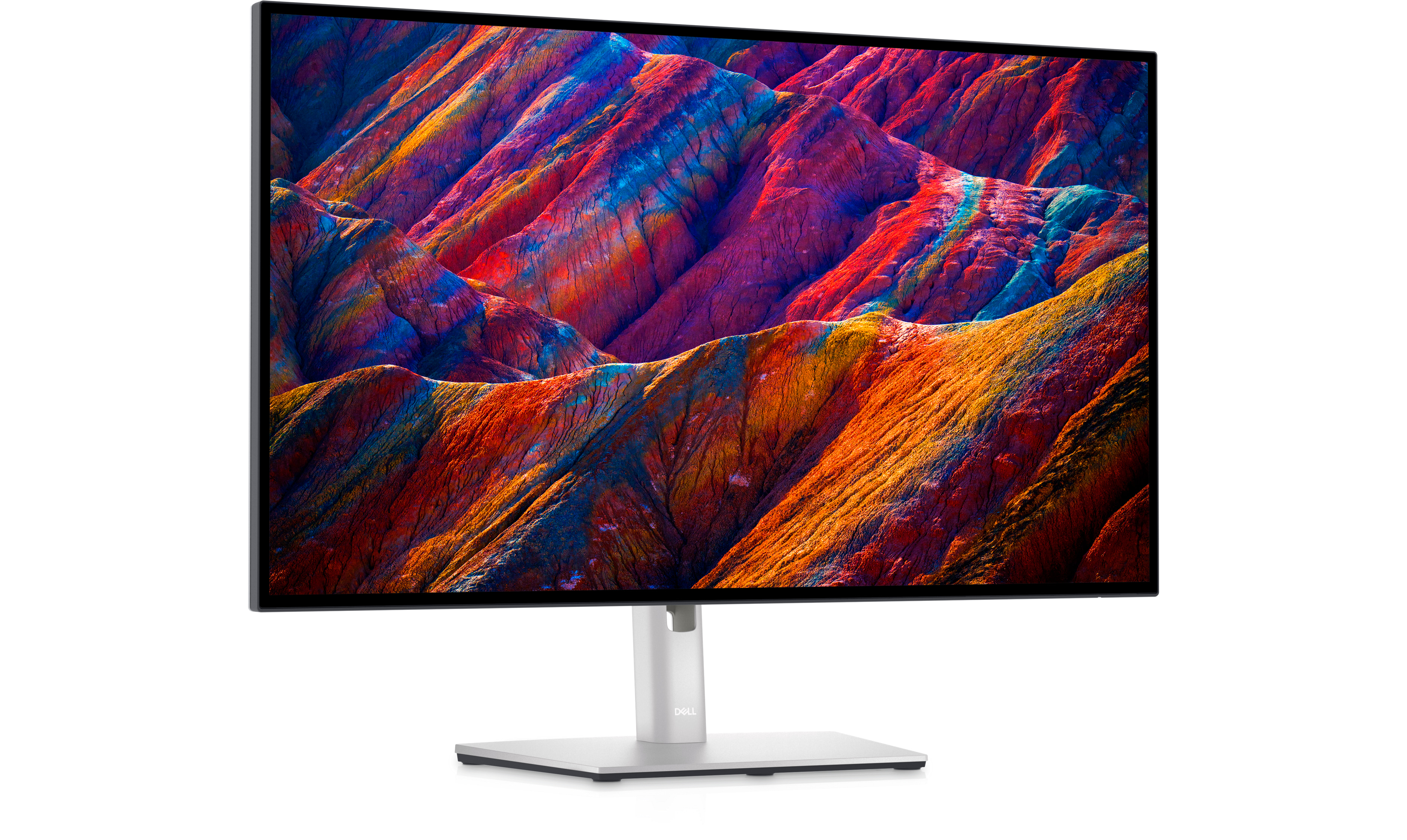
Dell UltraSharp 27 4K USB-C Hub Monitor U2723QE
A mature and highly practical 4K dual-monitor foundation, especially where dependable ports matter more than refresh rate.
- Sharp 27-inch 4K IPS Black display
- DisplayPort-out and a useful USB-C hub
- Excellent ergonomic adjustment
- Mature professional and owner evidence
- Limited to 60 Hz
- Premium price for an older generation
- USB-C charging is lower than newer Thunderbolt models
- Established office deployments needing a proven 4K daisy-chain workflow
- Buyers prioritizing 120 Hz motion or the newest docking platform
U2723QE ranks third as the mature, proven foundation for a 4K dual-monitor setup: its daisy-chain workflow is well-established through years of real-world use, but its 60Hz panel is a real step down from the 120Hz U2725QE above it, which is why it ranks behind rather than replacing it.
A sharp, highly ergonomic 4K office display with a versatile USB-C hub and strong IPS Black contrast for its generation.
As a mature, multi-generation model with Dell’s standard UltraSharp warranty and support route, this monitor has the deepest independent review base of any product in this list, supporting high confidence in its long-term reliability.
| Screen Size | 27-inch |
|---|---|
| Aspect Ratio | 16:9 |
| Native Resolution | 3840 x 2160 |
| Maximum Refresh Rate | 60 Hz |
| Panel Technology | IPS Black |
| Connectivity Summary | USB-C with 90W PD, Ethernet, USB hub, KVM and DisplayPort output |
| Specification Scope | exact model |

Dell Pro 27 Plus 4K USB-C Hub Monitor P2725QE
A balanced business pair with sharp 4K panels, strong ergonomics and practical docking, provided the host supplies both display paths.
- Excellent 27-inch 4K text density
- 90W USB-C, Ethernet and a useful hub
- 100 Hz refresh improves everyday motion
- Strong stand and three-year support
- No DisplayPort output for direct daisy chaining
- Ordinary IPS contrast
- Two units still represent a substantial purchase
- Business users connecting two displays through a capable dock or separate outputs
- Buyers who specifically require monitor-to-monitor daisy chaining
P2725QE ranks fourth as the more affordable business alternative to the UltraSharp models above it: sharp 4K panels and a 90W hub with Ethernet at a lower price, but no DisplayPort output for direct daisy chaining means the host has to supply both display paths, a real limitation the higher-ranked Dell monitors don’t share.
Its sharp 3840×2160 IPS panel and 100Hz refresh rate improve everyday motion over 60Hz alternatives, backed by a 90W USB-C hub with Ethernet and a strong stand with three-year support. Measured testing found 358 cd/m² brightness, 1,399:1 contrast, and an average color error of Delta E 1.7 against its official 350-nit, 99% sRGB specification — genuinely accurate results, though there’s no DisplayPort output for direct daisy chaining.
Dell backs this model with three-year support, and a current US store and support route are available. Evidence scarcity for this specific model lowers confidence rather than merit.
| Size | 27-inch |
|---|---|
| Resolution | 3840 x 2160 |
| Panel | IPS |
| Refresh Rate Hz | 100 |
| Brightness | 350 nits claimed |
| Connectivity | USB-C hub with 90W power, HDMI, DisplayPort, USB-A, Ethernet |
| Ergonomics | Height, tilt, swivel and pivot stand |
ASUS ProArt Display PA279CRV
The strongest creative-oriented matched pair, with excellent 4K clarity and color consistency at a more manageable cost than flagship displays.
- Sharp 27-inch 4K panel
- Strong factory color accuracy and broad gamut
- Fully adjustable stand and slim design
- USB-C charging and useful port selection
- No integrated KVM
- HDR performance is limited
- Dual-display connection usually depends on the host or a dock
- Creative and office users wanting two consistent color-aware 4K screens
- Buyers who need the first monitor to daisy-chain the second
PA279CRV ranks fifth as the strongest creator-focused pairing option: excellent factory color accuracy makes it a genuine step up for color-sensitive work, but no integrated KVM and reliance on the host or a dock for true dual-display connection are real trade-offs against the more purpose-built hub monitors ranked above it.
Detailed 4K image, excellent pre-calibration accuracy, useful USB-C and 90W PD; contrast is disappointing.
A current ASUS support route is available. Public evidence does not establish a population-level long-term failure rate for this exact model, though the ProArt line’s reputation for factory color accuracy is well-established.
| Screen Size | 27-inch |
|---|---|
| Aspect Ratio | 16:9 |
| Native Resolution | 3840 x 2160 |
| Maximum Refresh Rate | 60 Hz |
| Panel Technology | IPS |
| Connectivity Summary | USB-C with 96W/90W-class PD, USB hub and DisplayPort output |
| Specification Scope | exact model |
BenQ GW2486TC
The most purpose-built budget dual-monitor option, pairing compact ergonomics with USB-C and DisplayPort-out at a low total cost.
- DisplayPort-out makes a matched pair easy to daisy-chain
- 65W USB-C charging and two-port USB hub
- Excellent height, swivel, pivot and tilt adjustment
- Compact slim-bezel design and low two-unit cost
- 1080p limits text density and fine detail
- 250-nit brightness is modest
- No KVM and minimal cable management
- Budget Windows laptop users wanting a clean, compact dual-monitor workstation
- Mac users expecting ordinary DisplayPort MST or professionals needing 4K detail
GW2486TC ranks sixth as the budget-focused entry in this list: DisplayPort-out makes daisy-chaining a matched pair genuinely easy at a low total cost, but its 1080p resolution is a real step down in text density from every 4K monitor ranked above it, which is exactly the trade-off this rank reflects.
DisplayPort-out makes a matched pair genuinely easy to daisy-chain, backed by 65W USB-C charging and a two-port USB hub. Height, swivel, pivot, and tilt adjustment are excellent for the price, though 1080p resolution limits text density and 250-nit brightness is modest.
A current BenQ US support route is available. Public evidence does not establish a population-level long-term failure rate for this exact model.
| Screen Size | 23.8-inch |
|---|---|
| Aspect Ratio | 16:9 |
| Native Resolution | 1920 x 1080 |
| Maximum Refresh Rate | 100 Hz |
| Panel Technology | IPS |
| Brightness | 250 nits |
| Color Gamut | 99% sRGB |
| Connectivity Summary | USB-C with 65W PD, HDMI, DisplayPort input, DisplayPort-out MST and two USB-A ports |

Dell 27 Plus 4K USB-C Monitor S2725QC
An excellent-value 4K USB-C pair when the host handles both displays, with better motion than most affordable office alternatives.
- Sharp 27-inch 4K display
- 120 Hz refresh and 65W USB-C charging
- Fully adjustable stand
- Competitive total cost for two 4K screens
- No DisplayPort output or Ethernet
- Both monitors require separate display paths
- One-year base warranty
- Home offices using a dock or laptop with two supported display outputs
- Buyers wanting a monitor-led daisy chain or enterprise-class support
S2725QC ranks seventh as a genuinely good-value 4K pairing option when the host handles both displays directly, with better motion than most affordable alternatives — it sits below the hub-equipped monitors above it mainly because it lacks their more complete docking and daisy-chain capability.
Its 3840×2160 IPS panel delivers sharp text at 27 inches, and the 120Hz refresh rate makes everyday desktop motion noticeably smoother than the 60Hz budget monitors in this list — though motion response itself is slower than the refresh rate alone would suggest, and HDR isn’t a meaningful strength. The 65W USB-C input with a downstream USB hub is a genuine convenience for laptop users.
A current Dell US store and support route are available. Evidence scarcity for this specific model lowers confidence rather than merit.
| Size | 27-inch |
|---|---|
| Resolution | 3840 x 2160 |
| Panel | IPS |
| Refresh Rate Hz | 120 |
| Connectivity | USB-C 65W, two HDMI 2.1 and USB hub |
| Ergonomics | Height, tilt, swivel and pivot |

Dell 27 Plus 4K Monitor S2725QS
The strongest straightforward 4K value pair for desktops, trading docking convenience for clarity, ergonomics and price.
- Excellent 27-inch 4K text clarity
- Smooth 120 Hz desktop motion
- Fully adjustable stand
- Strong value when buying two
- No USB-C or USB hub
- Requires two direct video connections or a dock
- Weak HDR and ordinary IPS contrast
- Desktop-PC users wanting an affordable, sharp and smooth 4K pair
- Laptop users seeking one-cable charging and monitor-to-monitor chaining
S2725QS ranks eighth as the more affordable, docking-free alternative to the USB-C models above it: same sharp 4K clarity and ergonomics at a lower price per pair, but trading away hub and daisy-chain convenience is a real limitation for buyers who specifically want simplified cabling.
The same sharp 3840×2160 panel and 120Hz refresh rate as the pricier USB-C models in this list, with low input lag and a fully adjustable stand — but without USB-C, so there’s no laptop charging or downstream hub. Pixel response is slow enough to create visible motion blur, and HDR and contrast remain ordinary for an IPS panel.
A current Dell US store and support route are available. Evidence scarcity for this specific model lowers confidence rather than merit.
| Size | 27-inch |
|---|---|
| Resolution | 3840 x 2160 |
| Panel | IPS |
| Refresh Rate Hz | 120 |
| Connectivity | Two HDMI 2.1 and DisplayPort 1.4 |
| Ergonomics | Height, tilt, swivel and pivot |
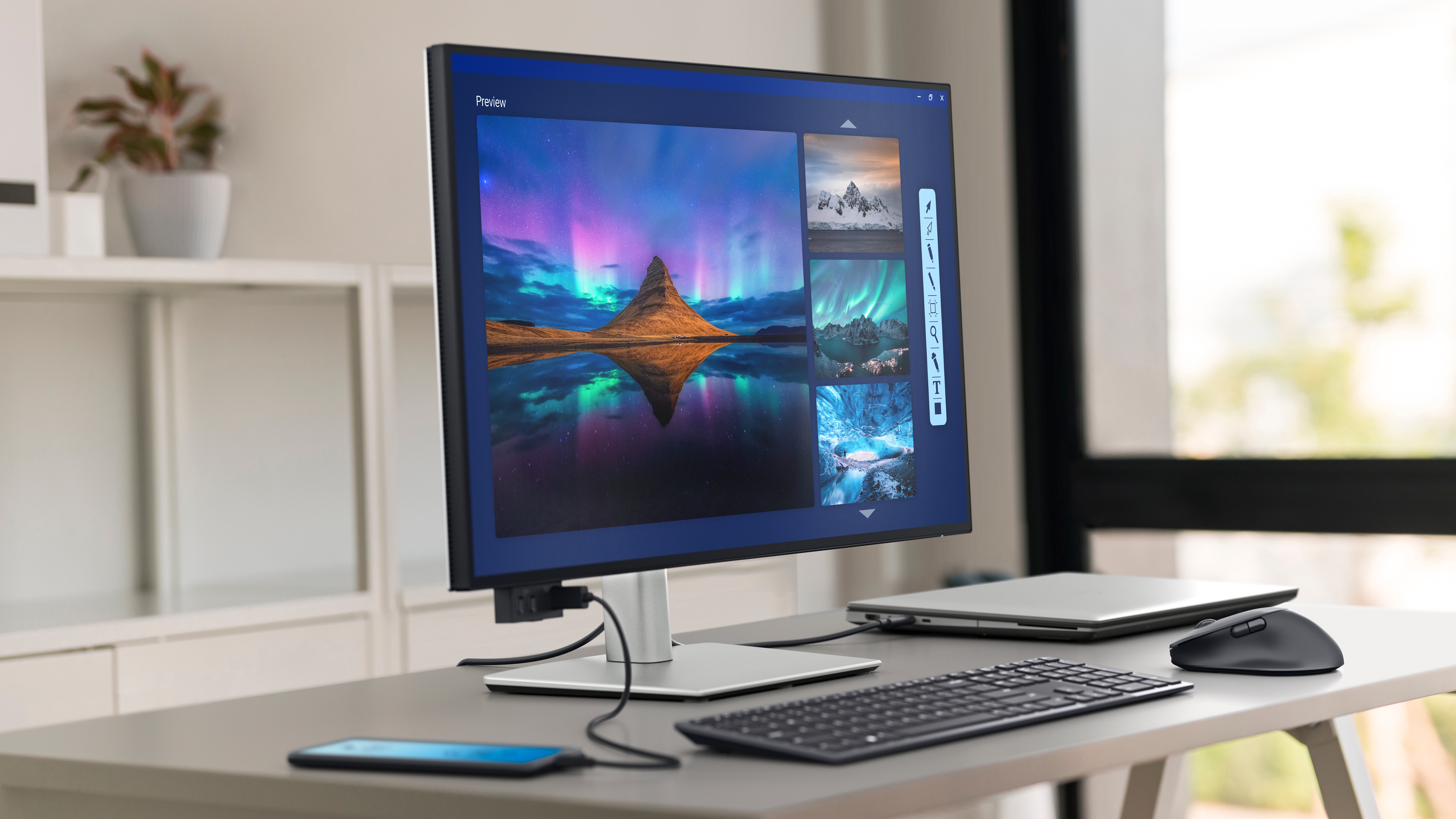
Dell UltraSharp 32 4K Thunderbolt Hub Monitor U3225QE
A formidable large-screen pair, but its footprint and doubled premium make it a specialist choice rather than the default.
- Large, sharp 32-inch 4K IPS Black panel
- Thunderbolt 4, DisplayPort-out, KVM and Ethernet
- Strong color and contrast for an IPS monitor
- Comprehensive stand adjustment
- Two units require a very wide and deep desk
- Extremely high complete-pair cost
- Excessive for routine document work
- Large executive or creative workstations with ample desk space
- Typical home offices, compact desks or budget-conscious buyers
U3225QE ranks ninth as the large-screen specialist option in this list: genuinely excellent per-unit clarity and docking, but requiring a very wide and deep desk for two 32-inch units plus the doubled premium price make it a specialist choice rather than the default pairing most buyers should reach for.
Fantastic text and image clarity, ergonomics, KVM and 140W USB-C power; local dimming and fast-motion handling are weak.
Dell’s standard UltraSharp warranty terms typically apply, backed by a well-established support route, though independent long-term ownership data specific to this newer model remains more limited than for the smaller U2725QE.
| Screen Size | 31.5-inch |
|---|---|
| Aspect Ratio | 16:9 |
| Native Resolution | 3840 x 2160 |
| Maximum Refresh Rate | 120 Hz |
| Panel Technology | IPS Black |
| Connectivity Summary | Thunderbolt 4 with 140W PD, USB hub, 2.5GbE and KVM |
| Specification Scope | exact model |

Acer Vero B247Y G
An unusually capable budget pair with compact bezels, excellent adjustment and 120 Hz responsiveness, despite its basic 1080p resolution.
- Compact 23.8-inch size fits smaller desks
- ZeroFrame design and strong ergonomic stand
- 120 Hz improves scrolling clarity
- Very low complete-pair cost
- 1080p offers limited text density
- No USB-C hub or daisy chaining
- Basic port selection and cable management
- Budget offices and compact desks using a PC or external dock
- High-resolution creative work or single-cable laptop setups
Vero B247Y G rounds out this list as the budget speed pick: 120Hz responsiveness and excellent adjustment at a low price are genuine strengths for a matched pair, but its basic 1080p resolution is the lowest in this list, a real trade-off that keeps it at the bottom despite the fast refresh rate.
A 120Hz refresh rate makes everyday motion noticeably smoother than the 60Hz budget monitors in this list, backed by excellent height, swivel, pivot, and tilt adjustment and compact bezels well suited to a matched pair. The 1920×1080 resolution is the lowest in this list, genuinely limiting text density and fine detail.
Acer provides an exact US part and support route. Family variation across regions requires Package 3 to keep the US part number locked.
| Size | 23.8-inch |
|---|---|
| Resolution | 1920 x 1080 |
| Panel | IPS |
| Refresh Rate Hz | 75 |
| Connectivity | HDMI, DisplayPort, VGA and USB hub |
| Ergonomics | Height, tilt, swivel and pivot |
How We Evaluate Monitors For Dual-Monitor Setups
Our rankings are built through the Flickthru CORE™ Market Research Engine, which first analyses the category, its intended buyers, and the current US market. Products are then assessed using category-specific evidence, performance indicators, availability, ownership signals, and long-term reliability considerations.
Recommendations reflect overall suitability for the intended buyer – not simply the highest specification, lowest price, or strongest result in a single test. When product-level customer feedback is limited, we prioritize official validation, credible technical evidence, and demonstrated category suitability rather than estimating or inflating review counts. Read the full Flickthru product ranking methodology.
- Category Specific Analysis: Defining buyers’ needs, primary uses, business priorities, acceptable compromises, and category-specific requirements before products are compared.
- Long-Term Reliability: Tracking recurring failure patterns, component durability, warranty trends, and long-term ownership outcomes from verified market data.
- Performance: Evaluating category-specific real-world performance, efficiency, consistency, and practical usability rather than relying on marketing claims alone.
- Features: Assessing functionality, usability, build quality, safety, ergonomics, and category-specific capabilities important to long-term ownership.
- Value: Measuring total cost of ownership, lifecycle longevity, support quality, lifecycle suitability, and overall return on investment.
- Evidence Review: Combining verified purchaser feedback where available with professional testing, official product validation, technical evidence, and market suitability signals.
- Market Coverage: Mapping the current US market, credible product families, availability, price positioning, and relevant competitors within the category.
Products demonstrating recurring reliability concerns, inconsistent performance behavior, poor ownership outcomes, or widespread negative sentiment are algorithmically suppressed from our rankings regardless of marketing claims, sponsorship relationships, or short-term popularity trends.
This methodology is designed to identify products that deliver genuine long-term value, reliability, and real-world usefulness rather than simply matching short-term hype, advertising claims, or isolated test results.