
Best All In One Printers 2026
A category-specific approach to ranking All In One Printers
Most general product roundups are built around broad buyer priorities. Flickthru evaluates all in one printers for US home-office users, families, students, and small businesses seeking a dependable all-in-one printer. Identify the best current models for print quality, scanning and copying, running costs, speed, automatic duplexing, ADF performance, connectivity, reliability, ease of use, warranty support, and long-term value, prioritising document print quality, scan copy capability, running cost yield, speed productivity, and paper handling duplex.

Epson EcoTank Pro ET-5850
A premium tank workhorse with the capacity, speed and scan features to replace cartridge inkjets in a busy office.
- Exceptionally low ink cost per page
- Fast business inkjet output
- Two large trays and duplex ADF
- High purchase price
- Bulky compared with home inkjets
- Tank printers reward regular use
ET-5850 takes the top spot because it’s the only printer in this list combining tank-level running costs with genuinely fast duplex speed and a real scanning feature set — the MAXIFY GX4020 right behind it matches its ink economics but trails on paper handling flexibility, which is exactly the gap that separates first from second here.
Testing supports excellent page yields, low running costs, fast document output and strong office scanning.
Epson supplies a current US support route and limited warranty. Refillable tanks reduce cartridge churn, while any inkjet still benefits from regular printing and scheduled maintenance.
- Low-volume homes unlikely to recover the premium purchase price.
| Duplex Scan | true |
|---|---|
| Functions | print, scan, copy, fax |
| Positioning | high-volume business ink tank |
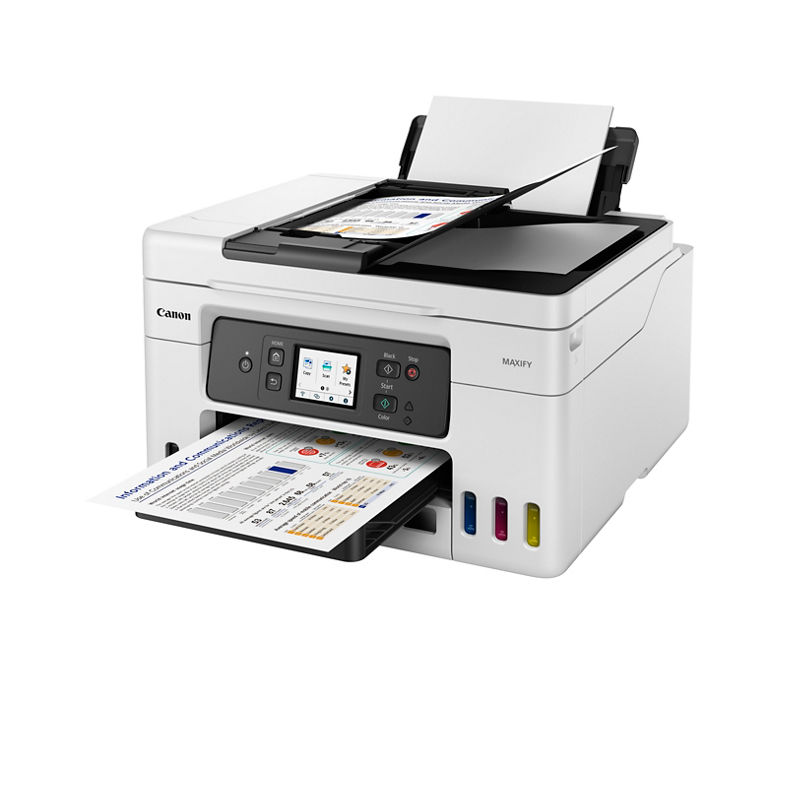
Canon MAXIFY GX4020
A particularly well-rounded small-office tank printer, combining excellent paper flexibility with low ongoing ink expense.
- Very low refillable-ink running costs
- Three flexible paper feeds
- ADF, fax and automatic duplex printing
- Not designed as a photo specialist
- Smaller office footprint than enterprise lasers
MAXIFY GX4020 ranks second on the strength of unusually flexible paper handling for a tank printer, genuinely rare at this price — it loses the top spot to the ET-5850 mainly on raw duplex speed rather than any missing feature.
Current guide identifies the GX4020 as a capable home-office all-in-one with low running costs.
- Photo enthusiasts or very high-speed workgroups.
| Functions | print, scan, copy, fax |
|---|---|
| Paper Handling | three paper feeds |
| Positioning | small-business MegaTank |
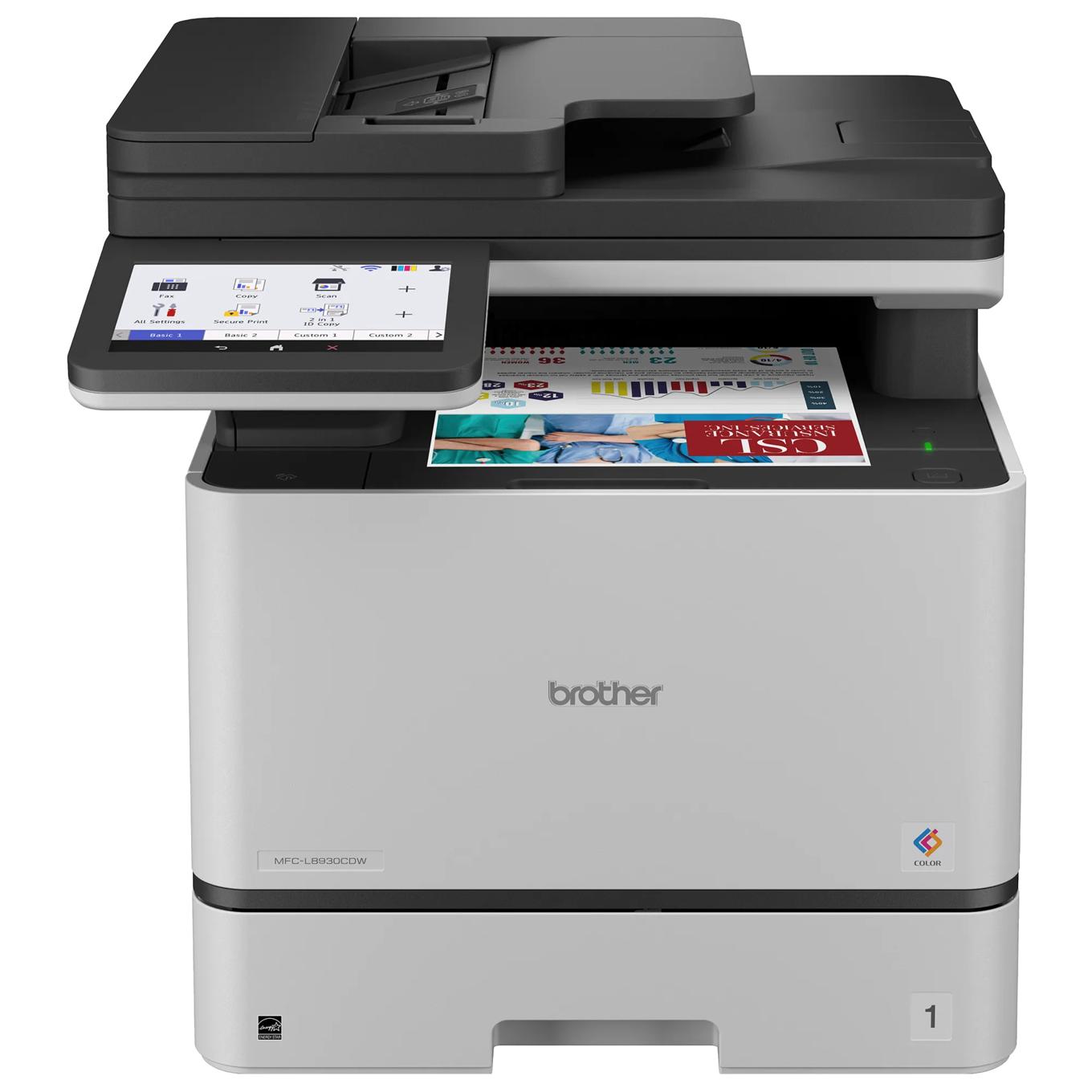
Brother MFC-L8930CDW
The strongest document-workflow choice here: fast, capable and unusually complete, though its size and consumable system demand a real office workload.
- Fast, sharp color document output
- 80-sheet single-pass duplex ADF
- Deep security and workflow controls
- Large and heavy for a home desk
- Separate drums add future maintenance cost
- Photo output is functional rather than specialist
MFC-L8930CDW ranks third as the strongest document-workflow machine in this list: faster and more complete than the tank printers above it, but its larger footprint and cartridge-based consumable system are real trade-offs against their lower running costs, which is why it sits behind rather than ahead of them.
Independent testing indicates sharp documents, roughly 34 ppm output, high yields and excellent single-pass duplex scanning.
Brother provides a one-year limited warranty and US support. Replaceable toner and drum components support business servicing, but the separate drums increase long-term consumable complexity.
- Occasional home users or photo-first buyers who want a compact, inexpensive machine.
| Print Speed Ppm | 33 black / 33 color (manufacturer maximum) |
|---|---|
| Adf | 80 sheets |
| Duplex Scan | true |
| Paper Input | 250-sheet tray + 50-sheet multipurpose |
| Connectivity | Gigabit Ethernet, dual-band Wi-Fi, USB |

Canon Color imageCLASS MF753Cdw II
A fast and polished color-laser all-in-one with excellent controls and scanning, offset by expensive toner.
- Fast, crisp color laser documents
- Single-pass duplex ADF
- Large, intuitive 5-inch touchscreen
- High toner cost
- Heavy at roughly 48.5 pounds
- Photo quality trails good inkjets
MF753Cdw II ranks fourth on genuinely excellent controls and scanning for a color laser, but expensive toner is a real running-cost disadvantage against the tank printers ranked above it, which is precisely the trade-off that keeps it out of the top three.
Independent testing measured 26.5 ppm printing, 8.75 ppm copying and 10 ppm scanning; praised output and setup while flagging toner expense.
Canon provides current US support for the II-generation model. Integrated drum toner cartridges simplify replacement, but full-set toner pricing is a material ownership cost.
- Photo printing or buyers prioritizing the lowest cost per color page.
| Functions | print, scan, copy, fax |
|---|---|
| Duplex Print | true |
| Adf | 50-sheet single-pass duplex automatic document feeder |
Epson EcoTank ET-4950
A feature-complete home-office EcoTank with excellent running cost and unusually strong scanning for its class.
- Excellent refillable-ink economics
- Duplex print and scan workflow
- Fax, Ethernet and mobile printing
- Higher upfront cost than cartridge inkjets
- No USB host, Bluetooth or NFC
- Single main paper tray
ET-4950 ranks fifth as the home-office-scaled EcoTank: unusually strong scanning for its class and excellent running costs, but it’s built for lighter workloads than the business-class machines ranked above it, which is why it sits mid-list rather than higher.
Excellent refillable-ink economics and a full duplex print-and-scan workflow make this a genuinely cost-effective choice for color-heavy home offices, backed by fax, Ethernet and mobile printing. Upfront cost runs higher than cartridge inkjets, and it lacks USB host, Bluetooth or NFC.
Epson provides a current US support route. Tank refills reduce cartridge waste and cost; regular use is advisable to minimize inkjet nozzle maintenance.
- Very light users or offices needing multiple paper trays.
| Duplex Scan | true |
|---|---|
| Duplex Print | true |
| Fax | true |
| Paper Input | 250 sheets (TechRadar) |
| Connectivity | USB, Ethernet, Wi-Fi |
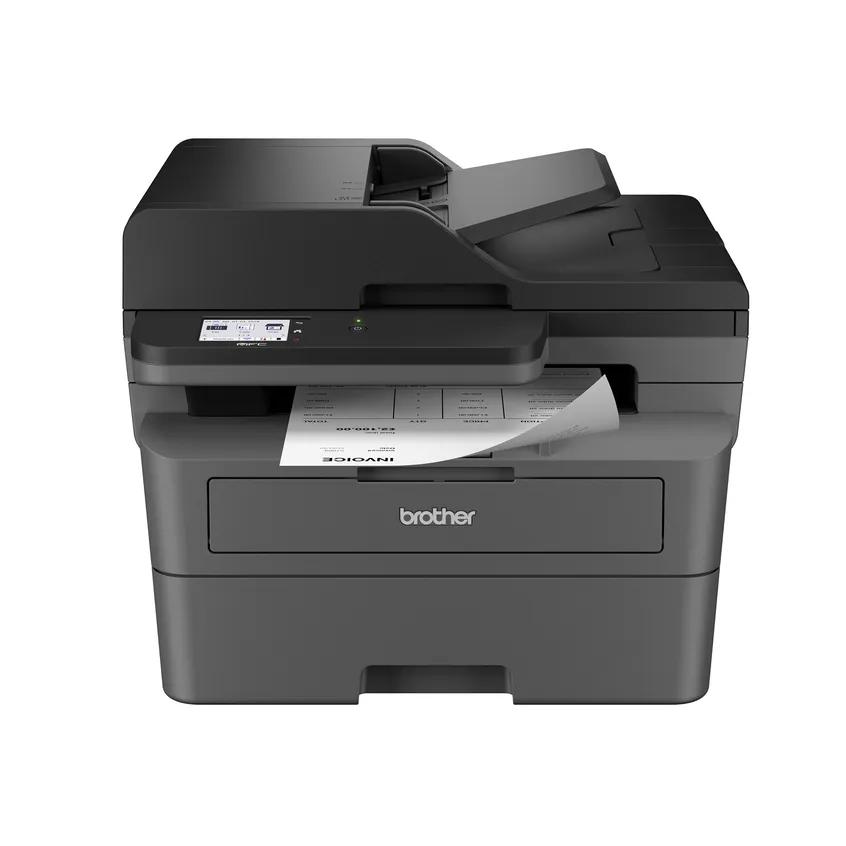
Brother MFC-L2820DW
A focused, affordable monochrome workhorse that is excellent for text but deliberately gives up color and duplex scanning.
- Fast, sharp monochrome documents
- Low black-only operating cost
- Compact footprint with ADF
- Cannot print color
- ADF does not scan both sides automatically
- Basic output for graphics and photos
MFC-L2820DW ranks sixth for buyers who specifically don’t need color or duplex scanning: it’s genuinely excellent at monochrome text printing, but deliberately giving up those two capabilities is why it ranks below every color-and-scan-capable machine above it in this list.
Family testing includes the MFC-L2820DW and found fast sharp documents, good yield and no duplex scanning.
Brother offers a one-year limited warranty and current US support. Separate toner and drum components keep routine replacements predictable but add a periodic drum cost.
- Anyone requiring color output or automatic two-sided scanning.
| Print Speed Ppm | 33 (RTINGS) |
|---|---|
| Adf | true |
| Duplex Scan | false |
| Color | false |

Canon Color imageCLASS MF665Cdw
A capable current-generation color laser that balances speed, duplex scanning and simpler cartridge maintenance.
- Sharp color laser documents
- Single-pass duplex scanning
- Integrated-drum toner cartridges
- Color toner is costly
- Bulky for small desks
- Photo output remains a laser compromise
MF665Cdw ranks seventh as a solid, balanced current-generation color laser — competent at speed, duplex scanning, and cartridge maintenance — but it doesn’t lead this list on any single dimension the way the top-ranked machines do, which is why it sits in the middle rather than higher.
Single-pass duplex scanning and sharp color-laser document output make this a strong two-sided-scanning choice for small offices, backed by lower-maintenance integrated-drum toner cartridges. Color toner runs costly and it’s bulky for small desks, real trade-offs against the tank printers in this comparison.
Canon maintains an active US store and support route. Drums are integrated into the toner cartridges, simplifying service at the expense of cartridge cost.
- High-volume color users focused on minimum running cost or photo quality.
| Print Speed Ppm | 26 (RTINGS) |
|---|---|
| Duplex Scan | true |
| Functions | print, scan, copy, fax |
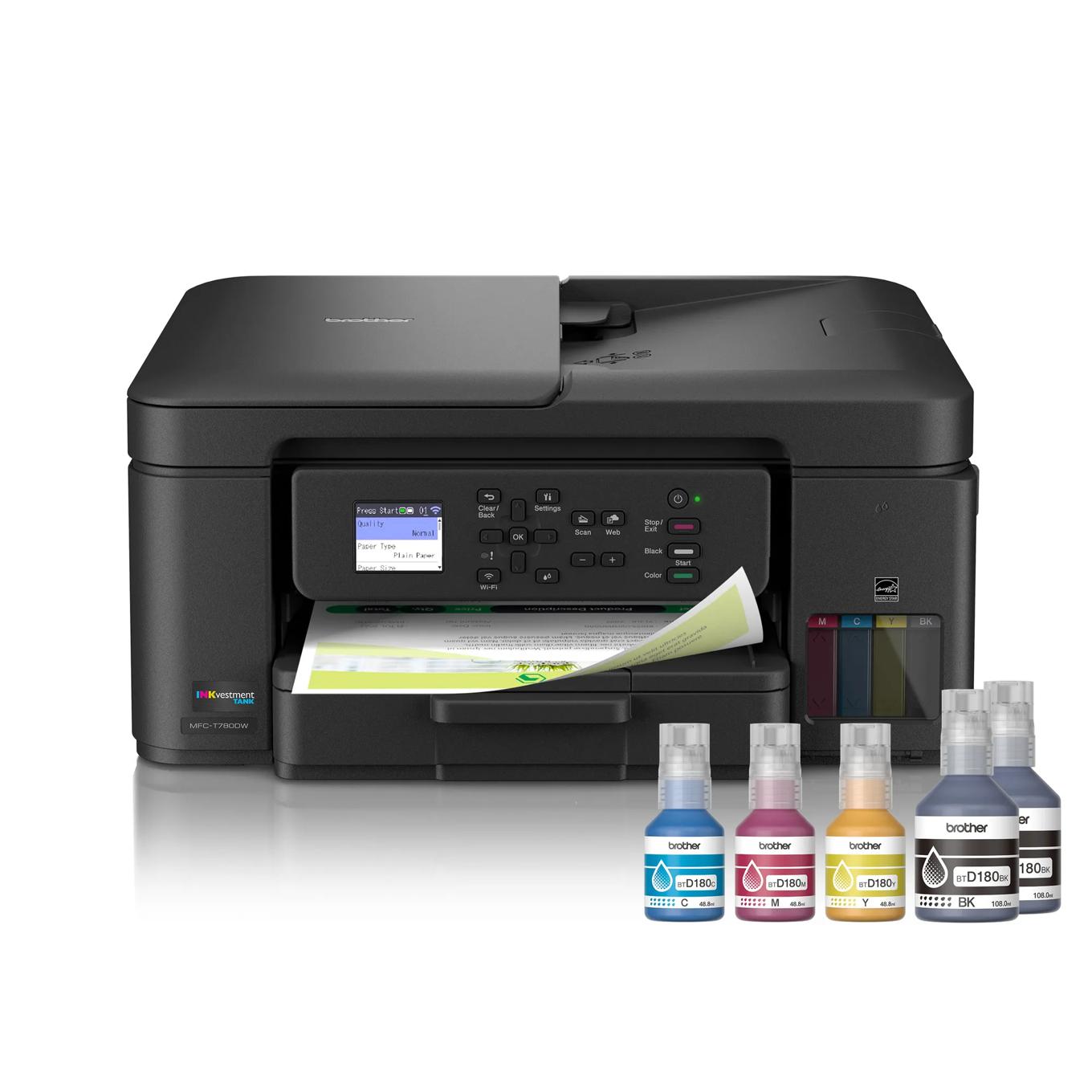
Brother MFC-T780DW
An excellent-value tank all-in-one with standout ink economics and strong everyday output, held back mainly by basic controls.
- Extremely low measured ink cost
- Good text, graphics and photo output
- ADF and automatic duplex printing
- Small non-touch 1.8-inch display
- No fax
- Setup and connectivity can be finicky
MFC-T780DW ranks eighth specifically on value: standout ink economics and strong everyday output at a low price, but basic controls are a real usability gap against the more polished machines ranked above it.
A 30-day test measured 12.4 ppm text, 7.6 ppm ADF copying and sub-one-cent black and color page costs.
- Measured result: Independent testing measured 12.4 ppm text, 0.3 cents black and 0.94 cents color per page.
Brother supplies a current US support route and warranty. Bottle alignment and initial connectivity require care, but the 30-day professional test reported stable operation after setup.
- Buyers wanting a large touchscreen, fax or heavy workgroup paper capacity.
| Print Speed Ppm | 12.4 text measured by Tom’s Guide |
|---|---|
| Adf | 20 sheets |
| Paper Input | 150 sheets |
| Fax | false |
| Duplex Print | true |

Xerox C325
A credible workgroup color laser with strong specifications, but the independent evidence base is thinner than for the top-ranked alternatives.
- Fast office color output
- Automatic duplex printing and scanning
- Expandable paper capacity
- Higher running cost than tank inkjets
- Large and heavy for casual home use
Xerox C325 ranks ninth because its specifications are genuinely competitive with the workgroup color lasers above it, but the independent evidence base backing this exact model is thinner than for those higher-ranked alternatives, which is the primary reason it doesn’t rank closer to the top.
Current wireless-printer coverage supports the C325 as a connected small-business color laser; no exact benchmark set was retained.
A current US retail and support route is available for the C325. Public evidence does not establish a population-level long-term failure rate for this exact model.
- Low-volume homes or buyers prioritizing the cheapest color pages.
| Print Speed Ppm | 33 (TechRadar) |
|---|---|
| Functions | print, scan, copy, fax |
| Paper Capacity | expandable to 901 sheets (TechRadar) |

HP OfficeJet Pro 9125e
A capable, polished office inkjet whose purchase price and workflow are attractive, but whose cartridge economics trail tank models.
- Strong office scan and copy features
- Fast everyday document printing
- Broad mobile and network connectivity
- Cartridge costs exceed tank alternatives
- HP account and subscription prompts may not suit everyone
- Photo output is not the class leader
OfficeJet Pro 9125e rounds out this list because its purchase price and workflow are genuinely attractive, but cartridge-based running costs trail every tank printer ranked above it, and that ongoing cost gap is exactly why it sits at the bottom of this comparison rather than higher up.
Strong office scan and copy features paired with fast everyday document printing and broad mobile/network connectivity make this a polished cartridge AIO for moderate-volume home offices. Cartridge costs exceed tank alternatives, and HP account/subscription prompts are a real usability friction some buyers won’t want.
HP maintains an active US store and support route. Buyers should compare standard cartridges with Instant Ink and confirm account requirements that match their workflow.
- High-volume users seeking the lowest possible ink cost or a subscription-free setup emphasis.
| Adf | true |
|---|---|
| Functions | print, scan, copy, fax |
| Duplex Print | true |
How We Evaluate All In One Printers
Our rankings are built through the Flickthru CORE™ Market Research Engine, which first analyses the category, its intended buyers, and the current US market. Products are then assessed using category-specific evidence, performance indicators, availability, ownership signals, and long-term reliability considerations.
Recommendations reflect overall suitability for the intended buyer – not simply the highest specification, lowest price, or strongest result in a single test. When product-level customer feedback is limited, we prioritize official validation, credible technical evidence, and demonstrated category suitability rather than estimating or inflating review counts. Read the full Flickthru product ranking methodology.
- Category Specific Analysis: Defining buyers’ needs, primary uses, business priorities, acceptable compromises, and category-specific requirements before products are compared.
- Long-Term Reliability: Tracking recurring failure patterns, component durability, warranty trends, and long-term ownership outcomes from verified market data.
- Performance: Evaluating category-specific real-world performance, efficiency, consistency, and practical usability rather than relying on marketing claims alone.
- Features: Assessing functionality, usability, build quality, safety, ergonomics, and category-specific capabilities important to long-term ownership.
- Value: Measuring total cost of ownership, lifecycle longevity, support quality, lifecycle suitability, and overall return on investment.
- Evidence Review: Combining verified purchaser feedback where available with professional testing, official product validation, technical evidence, and market suitability signals.
- Market Coverage: Mapping the current US market, credible product families, availability, price positioning, and relevant competitors within the category.
Products demonstrating recurring reliability concerns, inconsistent performance behavior, poor ownership outcomes, or widespread negative sentiment are algorithmically suppressed from our rankings regardless of marketing claims, sponsorship relationships, or short-term popularity trends.
This methodology is designed to identify products that deliver genuine long-term value, reliability, and real-world usefulness rather than simply matching short-term hype, advertising claims, or isolated test results.