
Best Ergonomic Keyboards 2026
A category-specific approach to ranking Ergonomic Keyboards
Most general product roundups are built around broad buyer priorities. Flickthru evaluates ergonomic keyboards for office workers and remote professionals, prioritising ergonomic adjustability, sustained typing comfort, layout and productivity, build quality and support, and connectivity and compatibility.
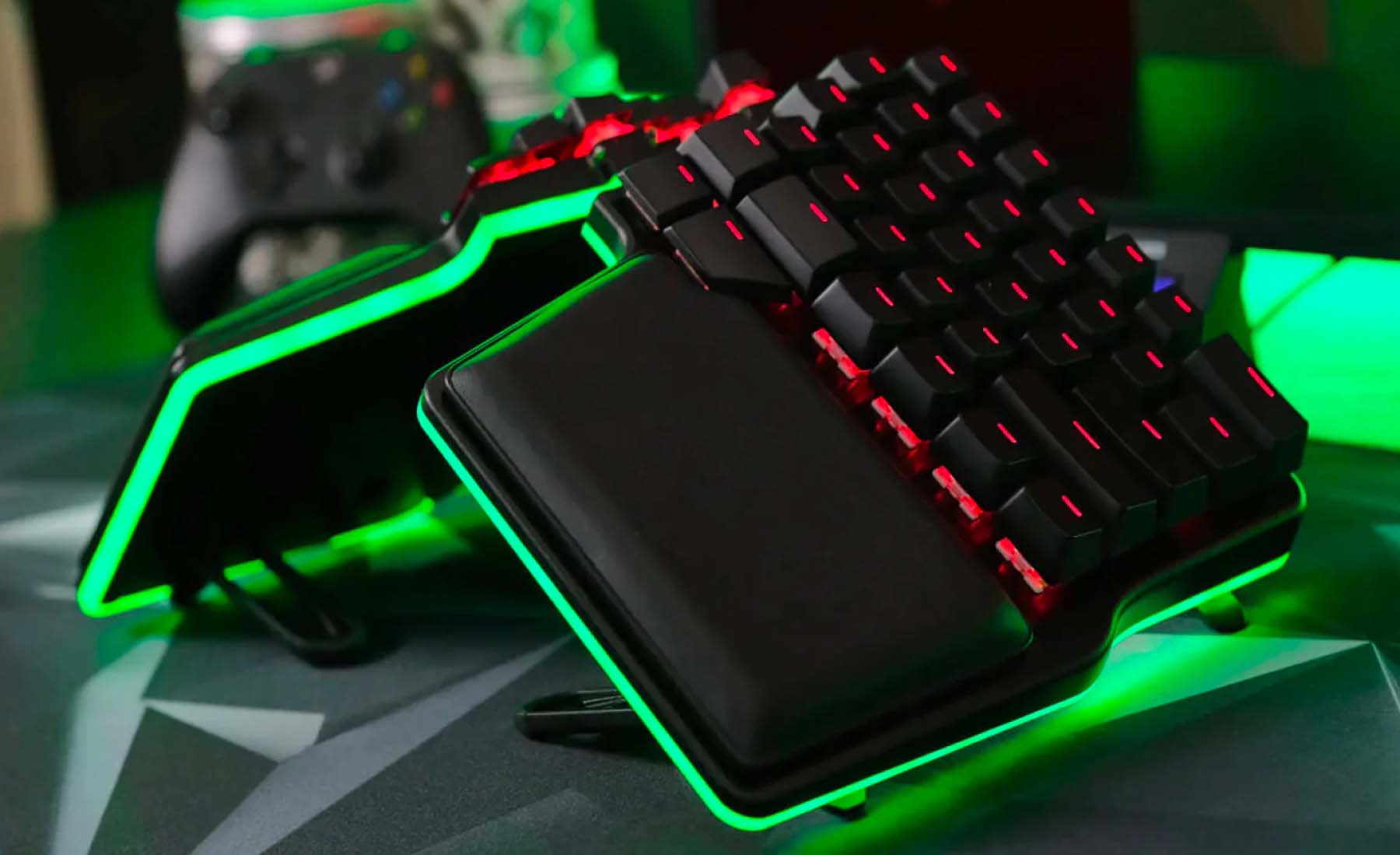
Dygma Raise 2
The Raise 2 combines genuine split adjustability with an approachable conventional layout, but its best configuration is expensive.
- True two-piece split with broad positioning freedom
- Optional tenting, wireless modes and hot-swap switches
- Familiar row-staggered layout reduces the initial layout shock
- Customization and learning is one of this product’s strongest evaluated areas
- Premium price rises further with ergonomic and wireless options
- Wireless latency is less consistent than the excellent wired mode
- Value for money is a relative trade-off compared with this product’s stronger evaluated areas
It earned the top position by delivering the strongest overall balance: high ergonomic adjustability, comfort, build quality and class-leading customisation without forcing buyers into an unfamiliar columnar layout. Its weak value score prevents a runaway win, but no rival combines specialist split ergonomics with the same level of everyday accessibility.
Independent testing supports excellent wired responsiveness and strong office typing quality. Wireless operation is convenient, although testing found more variable latency than in wired use.
Dygma Raise 2 is a strong buyers prioritising customization and learning choice for buyers wanting a premium split board without abandoning a conventional key arrangement, combining customization and learning is one of this product’s strongest evaluated areas with build quality and support is one of this product’s strongest evaluated areas.
- Budget buyers
- Competitive players planning to rely on wireless mode
| Layout | Fully split, row-staggered mechanical |
|---|---|
| Connectivity | USB-C; optional RF and Bluetooth configurations |
| Adjustability | Independent halves; optional tenting |
| Switches | Hot-swappable mechanical |
| Software | Bazecor remapping and layers |

Kinesis Advantage360 Pro
The Advantage360 Pro offers exceptional ergonomic geometry and programmability for committed users who can absorb its price and learning curve.
- Deep concave key wells reduce finger travel
- Three tenting heights and independently positioned halves
- Wireless ZMK configuration supports extensive remapping
- Ergonomic adjustability is one of this product’s strongest evaluated areas
- Very high purchase price
- Steep adaptation curve and no conventional function-row layout
- Value for money is a relative trade-off compared with this product’s stronger evaluated areas
Its contoured wells, independent halves and strong programmability produced the joint-highest overall score and the highest pure ergonomic-adjustability result among the leading options. It sits behind the Raise 2 because the steeper learning curve, lower productivity score and premium price make it less suitable for the broader range of buyers.
The concave wells, thumb clusters and separated halves minimise reach once learned. Independent coverage consistently treats the adaptation period—not key response—as the main productivity cost.
Kinesis Advantage360 Pro is a strong buyers prioritising ergonomic adjustability choice for experienced touch typists prioritising a contoured, fully split workstation, combining ergonomic adjustability is one of this product’s strongest evaluated areas with build quality and support is one of this product’s strongest evaluated areas.
- Occasional typists
- Buyers who need instant familiarity or a low price
| Layout | Fully split, columnar concave mechanical |
|---|---|
| Connectivity | Bluetooth |
| Adjustability | Independent halves; three tenting heights |
| Switches | Low-force mechanical |
| Software | ZMK firmware |

Dygma Defy
The Defy is a highly configurable columnar split keyboard whose thumb controls and tenting reward deliberate setup.
- Columnar split layout with substantial tenting freedom
- Large thumb clusters reduce repeated finger reaches
- Wireless and wired options with deep remapping
- Customization and learning is one of this product’s strongest evaluated areas
- High price, especially with accessories
- Columnar layout and thumb cluster require practice
- Value for money is a relative trade-off compared with this product’s stronger evaluated areas
The Defy ranked third on the strength of outstanding adjustability, extensive tenting and the best customisation score in the top three. Its columnar layout, demanding thumb cluster and category-low value score reduce immediate productivity and make it a more specialised recommendation than the two products above it.
Professional coverage highlights its adjustable two-piece geometry and extensive thumb cluster. These features can reduce repeated reach, but the layout is substantially less familiar than the Raise 2.
Dygma Defy is a strong buyers prioritising customization and learning choice for users wanting maximum split-keyboard customisation and a substantial thumb cluster, combining customization and learning is one of this product’s strongest evaluated areas with ergonomic adjustability is one of this product’s strongest evaluated areas.
- People who need a conventional layout
- Value-focused buyers
| Layout | Fully split, columnar mechanical |
|---|---|
| Connectivity | USB-C; optional RF and Bluetooth configurations |
| Adjustability | Independent halves; optional integrated tenting |
| Switches | Hot-swappable mechanical |
| Software | Bazecor remapping and layers |
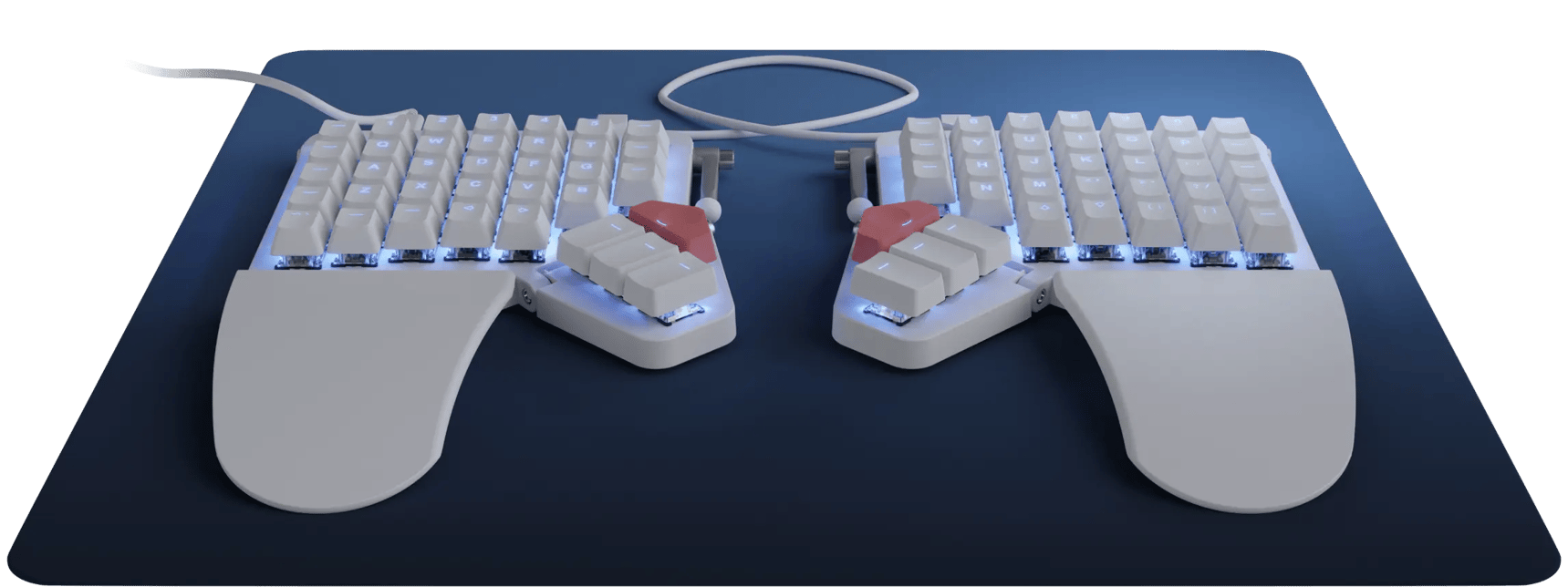
ZSA Moonlander Mark I
The Moonlander is an adaptable, mature split platform with excellent remapping, but it asks for both money and training time.
- Independent halves with adjustable tenting and thumb clusters
- Deep browser-based remapping and layered layouts
- Hot-swap mechanical switches
- Customization and learning is one of this product’s strongest evaluated areas
- High price and pronounced learning curve
- Wired-only design
- Value for money is a relative trade-off compared with this product’s stronger evaluated areas
Exceptional remapping, strong ergonomic adjustability and a mature support ecosystem keep the Moonlander near the top of the list. It ranks below the leading three because its wired-only setup, sizeable learning commitment and lower productivity score narrow its appeal despite its flexibility.
ZSA Moonlander Mark I is a strong buyers prioritising customization and learning choice for power users willing to learn layers and customise every key, combining customization and learning is one of this product’s strongest evaluated areas with ergonomic adjustability is one of this product’s strongest evaluated areas.
ZSA Moonlander Mark I is a strong buyers prioritising customization and learning choice for power users willing to learn layers and customise every key, combining customization and learning is one of this product’s strongest evaluated areas with ergonomic adjustability is one of this product’s strongest evaluated areas.
- Wireless-only desks
- Users who regularly alternate with conventional keyboards
| Layout | Fully split, columnar mechanical |
|---|---|
| Connectivity | USB-C wired between host and keyboard |
| Adjustability | Independent halves, tenting and articulated thumb clusters |
| Switches | Hot-swappable mechanical |
| Software | Oryx graphical configurator |
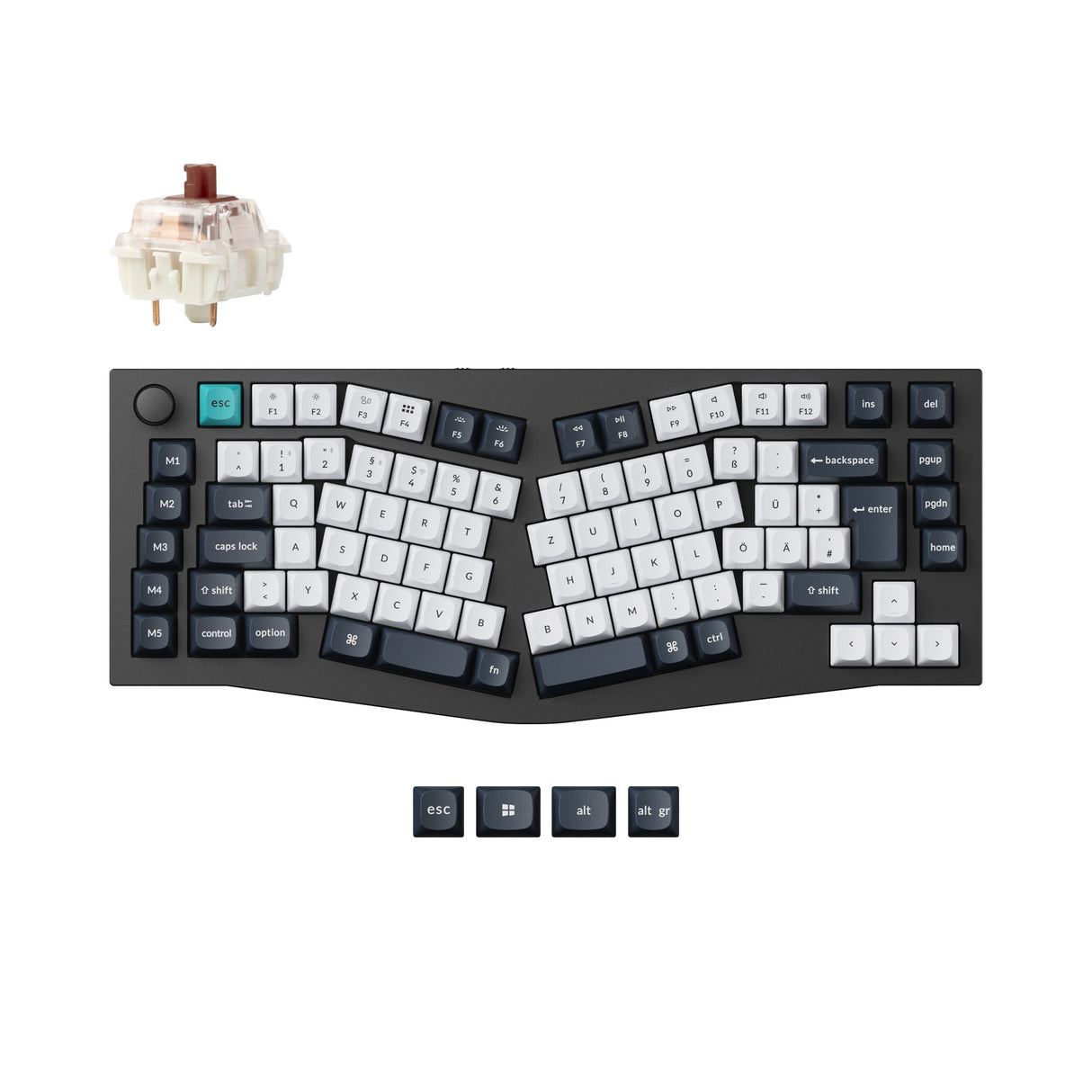
Keychron Q10 Max
The Q10 Max is a premium wireless Alice keyboard with excellent construction, but its fixed geometry cannot match a fully split design.
- Heavy aluminium chassis and premium typing feel
- Tri-mode connectivity with 2.4GHz, Bluetooth and USB
- Hot-swap switches with QMK/VIA customisation
- Build quality and support is one of this product’s strongest evaluated areas
- Fixed Alice angle offers less adjustment than a true split
- Large, heavy footprint
- Value for money is a relative trade-off compared with this product’s stronger evaluated areas
Best-in-group comfort and build scores, strong connectivity and an easier transition from a standard keyboard make the Q10 Max the leading fixed-layout option. It ranks below the fully split models because its fixed Alice geometry offers much less control over shoulder width, separation and tenting.
Hands-on testing found a soft, refined typing feel, robust chassis and useful tri-mode connectivity. Its fixed Alice layout gently changes wrist angle without providing independent separation or tenting.
Keychron Q10 Max is a strong buyers prioritising build quality and support choice for enthusiasts wanting a premium Alice board with modern wireless connectivity, combining build quality and support is one of this product’s strongest evaluated areas with customization and learning is one of this product’s strongest evaluated areas.
- Users needing independent shoulder-width separation
- Portable setups
| Layout | 96% fixed Alice mechanical |
|---|---|
| Connectivity | 2.4GHz, Bluetooth 5.1 and USB-C |
| Adjustability | Fixed Alice angle |
| Switches | Hot-swappable mechanical |
| Software | QMK/VIA |
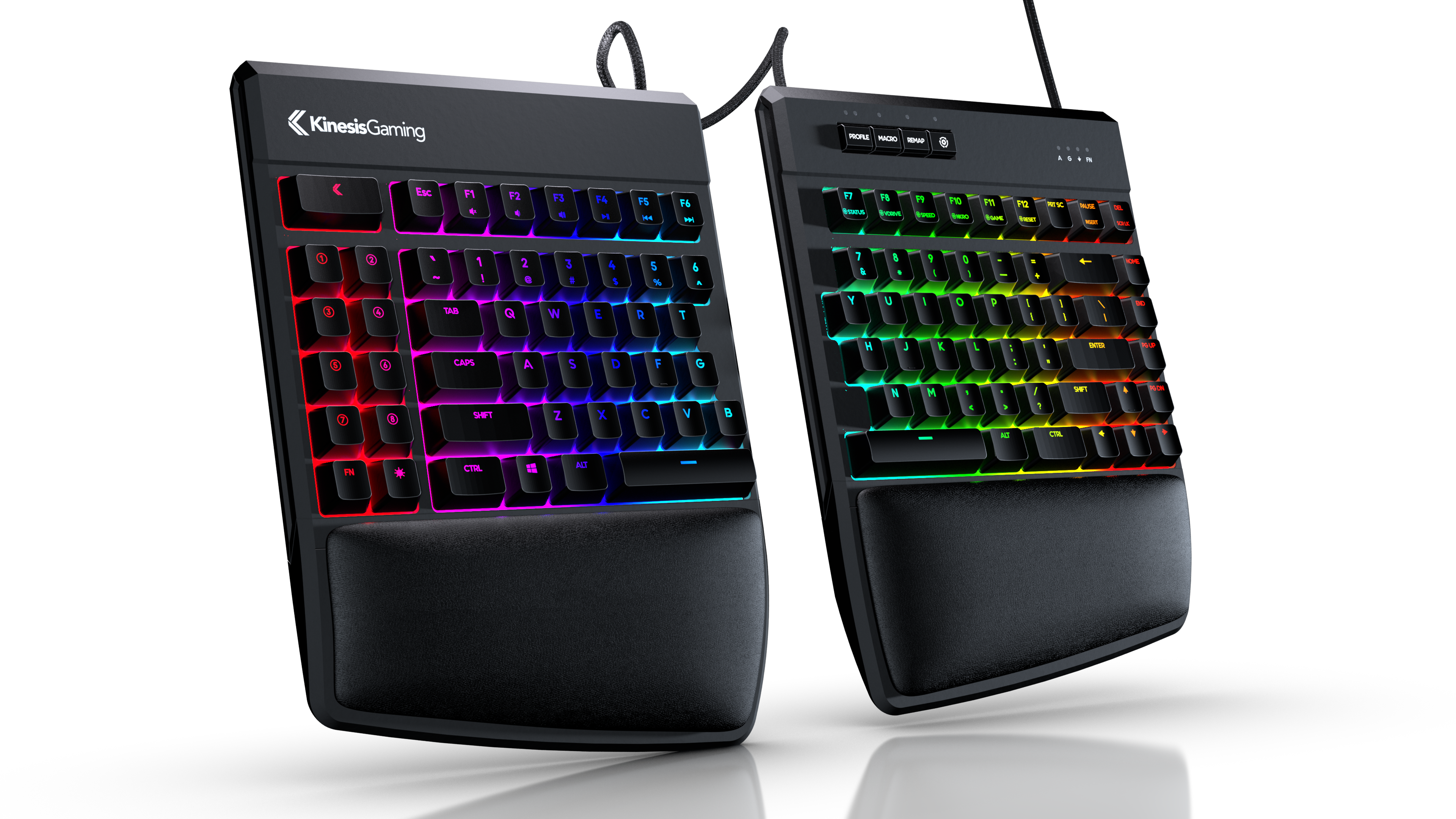
Kinesis Freestyle Edge RGB Plus
The Freestyle Edge RGB Plus is the practical gaming-oriented split pick, combining familiar keys, included tenting and strong wired performance.
- True split gaming layout with included tenting
- Hot-swap switches and programmable macros
- Strong wired response and conventional key arrangement
- Ergonomic adjustability is one of this product’s strongest evaluated areas
- Cable-heavy wired setup
- Bulky wrist rests and desk footprint
- Connectivity and compatibility is a relative trade-off compared with this product’s stronger evaluated areas
This is the highest-ranked option that combines true split positioning, included tenting and a familiar gaming-style layout at a more attainable value score. It lands mid-table because wired-only connectivity, a large desk footprint and less sophisticated customisation limit its versatility against the premium split boards.
Current hands-on coverage praises the hot-swap switches, 0/5/10/15-degree tenting and responsive wired operation. Cable management and the large wrist-rest footprint are the main desk compromises.
Kinesis Freestyle Edge RGB Plus is a strong buyers prioritising ergonomic adjustability choice for PC gamers and office users wanting a familiar split mechanical board, combining ergonomic adjustability is one of this product’s strongest evaluated areas with customization and learning is one of this product’s strongest evaluated areas.
- Wireless desks
- Minimal or highly portable setups
| Layout | Fully split, row-staggered tenkeyless mechanical |
|---|---|
| Connectivity | USB wired |
| Adjustability | Independent halves; 0/5/10/15-degree tenting |
| Switches | Hot-swappable mechanical |
| Software | SmartSet programming and onboard macros |
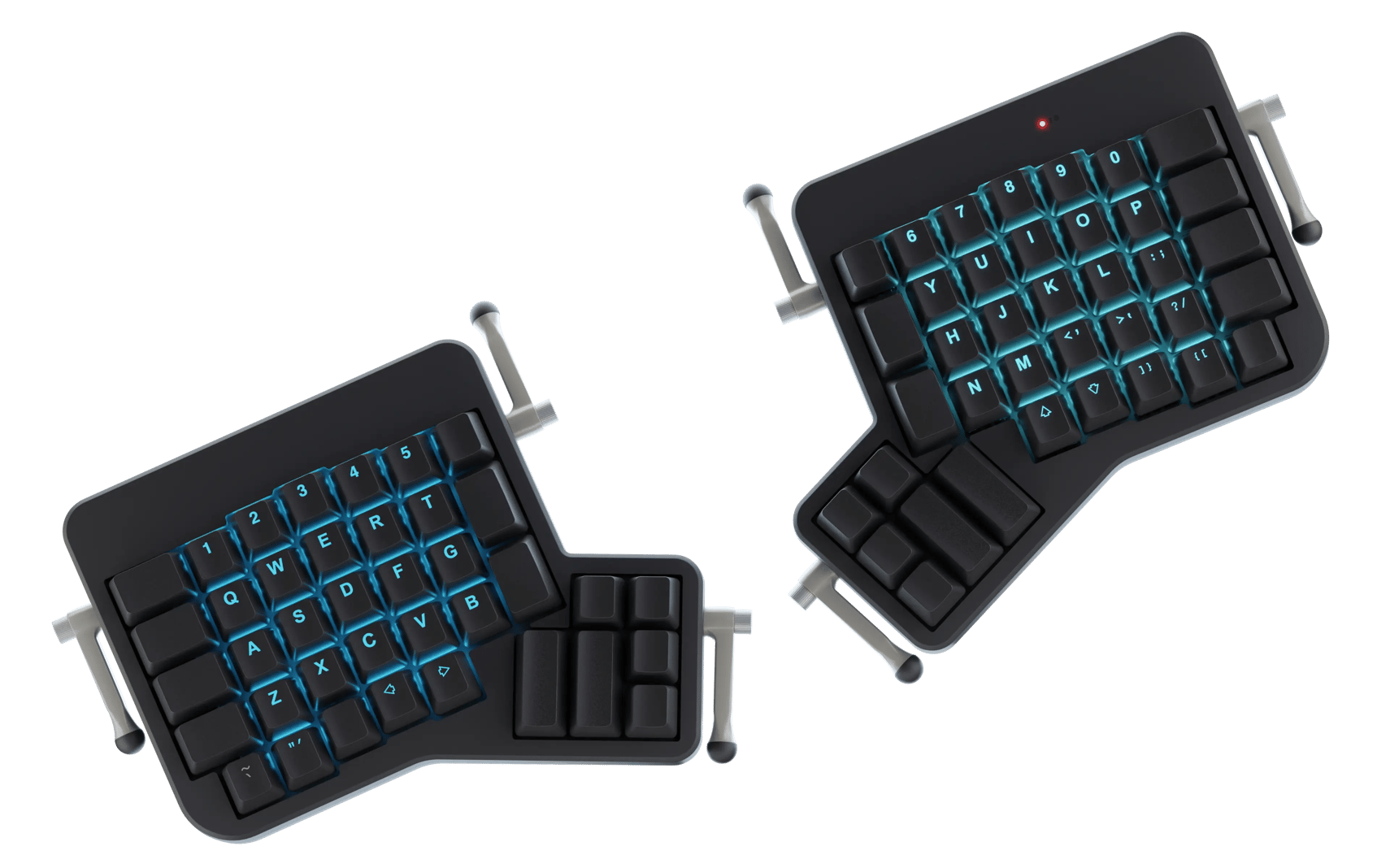
ZSA ErgoDox EZ
The ErgoDox EZ remains a versatile, mature split keyboard, though newer rivals can be slimmer or more refined.
- Mature fully split platform with independent positioning
- Hot-swap switches and extensive graphical remapping
- Multiple tenting and wrist-rest options
- Customization and learning is one of this product’s strongest evaluated areas
- Expensive and visually complex
- Columnar layout has a substantial learning curve
- Value for money is a relative trade-off compared with this product’s stronger evaluated areas
High adjustability, exceptional remapping and years of platform maturity preserve the ErgoDox EZ’s place among the stronger specialist choices. Lower productivity and connectivity scores, together with its bulky older design, place it behind newer split keyboards that deliver similar flexibility with fewer ownership compromises.
ZSA ErgoDox EZ is a strong buyers prioritising customization and learning choice for tinkerers wanting a proven split platform with extensive layout control, combining customization and learning is one of this product’s strongest evaluated areas with ergonomic adjustability is one of this product’s strongest evaluated areas.
ZSA ErgoDox EZ is a strong buyers prioritising customization and learning choice for tinkerers wanting a proven split platform with extensive layout control, combining customization and learning is one of this product’s strongest evaluated areas with ergonomic adjustability is one of this product’s strongest evaluated areas.
- Users seeking wireless connectivity
- People unwilling to retrain muscle memory
| Layout | Fully split, columnar mechanical |
|---|---|
| Connectivity | USB wired |
| Adjustability | Independent halves with optional tenting and wrist rests |
| Switches | Hot-swappable mechanical |
| Software | Oryx graphical configurator |
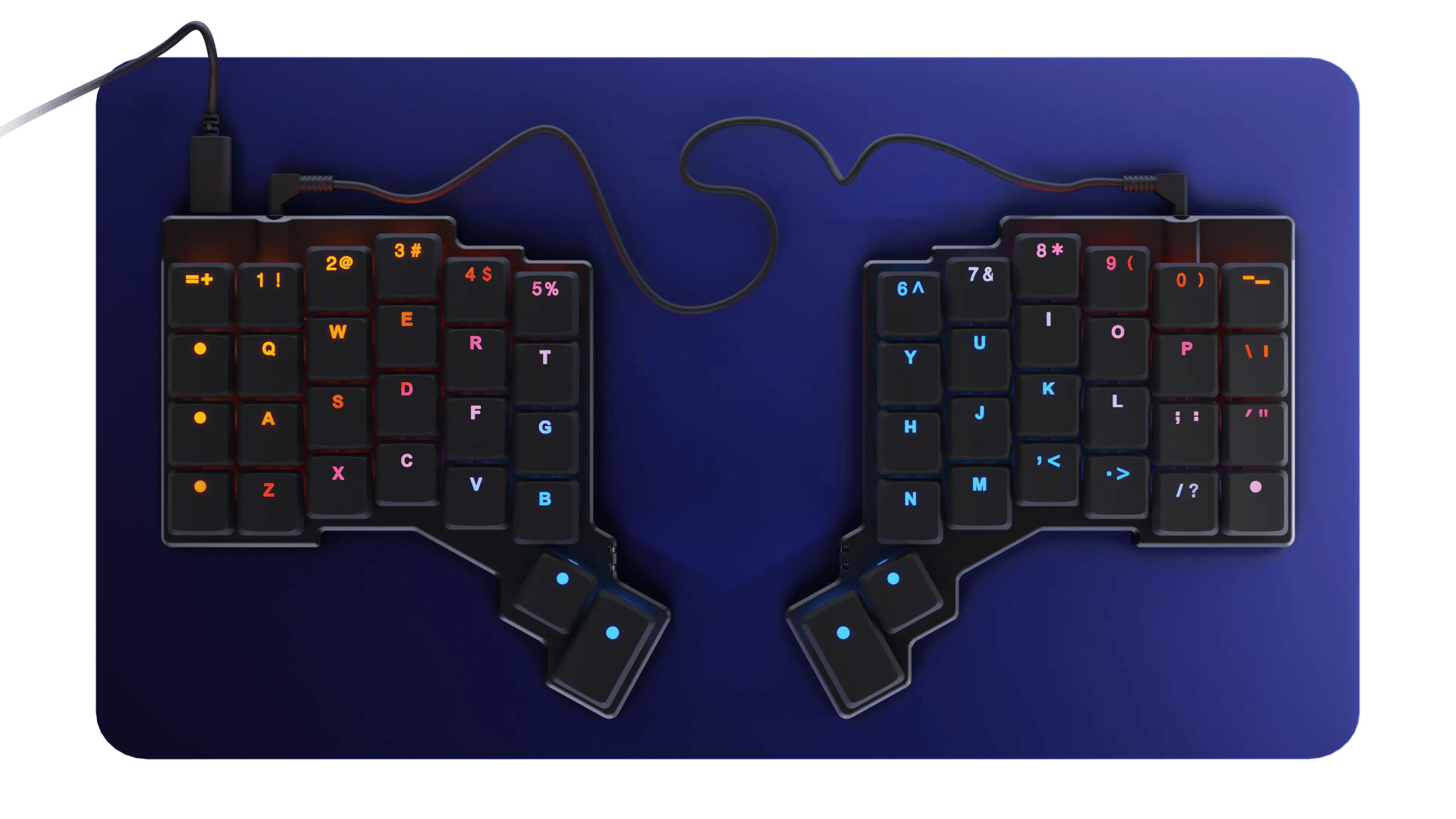
ZSA Voyager
The Voyager brings serious split ergonomics to a slim portable format, with layers and learning replacing physical key count.
- Very low-profile and travel-friendly true split design
- Excellent keymap and layer customisation
- Compact reach with dedicated thumb keys
- Customization and learning is one of this product’s strongest evaluated areas
- No wireless connection
- Small layout depends heavily on layers
- Value for money is a relative trade-off compared with this product’s stronger evaluated areas
The Voyager scores highly for adjustability, build quality and customisation while offering the most travel-friendly specialist split format in the ranking. Its compact key count shifts too many everyday functions into layers, producing the list’s lowest productivity score and keeping it below larger, easier-to-adopt alternatives.
Professional hands-on coverage highlights the exceptionally slim two-piece construction, short reach and capable custom layers. Productivity depends on learning its compact layout.
ZSA Voyager is a strong buyers prioritising customization and learning choice for frequent travellers and minimalist-desk users already comfortable with layers, combining customization and learning is one of this product’s strongest evaluated areas with ergonomic adjustability is one of this product’s strongest evaluated areas.
- Users needing dedicated function or number rows
- Anyone wanting wireless
| Layout | Fully split, low-profile columnar mechanical |
|---|---|
| Connectivity | USB-C wired |
| Adjustability | Independent halves with magnetic tenting feet |
| Switches | Low-profile hot-swappable mechanical |
| Software | Oryx graphical configurator |

HP 960 Ergonomic Wireless Keyboard
The HP 960 is an accessible office-focused option with useful negative tilt, a detached number pad and broad wireless connectivity.
- Gentle split-zone office layout with negative tilt
- Separate wireless number pad improves placement flexibility
- Multi-device Bluetooth and USB-dongle connectivity
- Layout and productivity is one of this product’s strongest evaluated areas
- Fixed one-piece geometry cannot match a true split
- No mechanical switch or deep enthusiast customisation options
- Ergonomic adjustability is a relative trade-off compared with this product’s stronger evaluated areas
Excellent productivity, broad wireless compatibility and comparatively strong value make the HP 960 the best low-friction choice for conventional office users. It ranks below the specialist boards because its fixed split-zone shape and modest adjustability deliver a gentler ergonomic benefit rather than full control over hand and shoulder position.
The conventional layout minimises retraining while the split-zone shape, palm support and negative tilt provide a gentler ergonomic intervention than specialist columnar boards.
HP 960 Ergonomic Wireless Keyboard is a strong buyers prioritising layout and productivity choice for office users wanting a familiar low-learning-curve ergonomic keyboard, combining layout and productivity is one of this product’s strongest evaluated areas with connectivity and compatibility is one of this product’s strongest evaluated areas.
- Mechanical-keyboard enthusiasts
- Users needing independent half positioning
| Layout | Full-size split-zone scissor keyboard with separate number pad |
|---|---|
| Connectivity | Bluetooth and HP USB receiver; up to three devices |
| Adjustability | Negative tilt with integrated palm support |
| Switches | Scissor |
| Software | HP Accessory Center programmable keys |
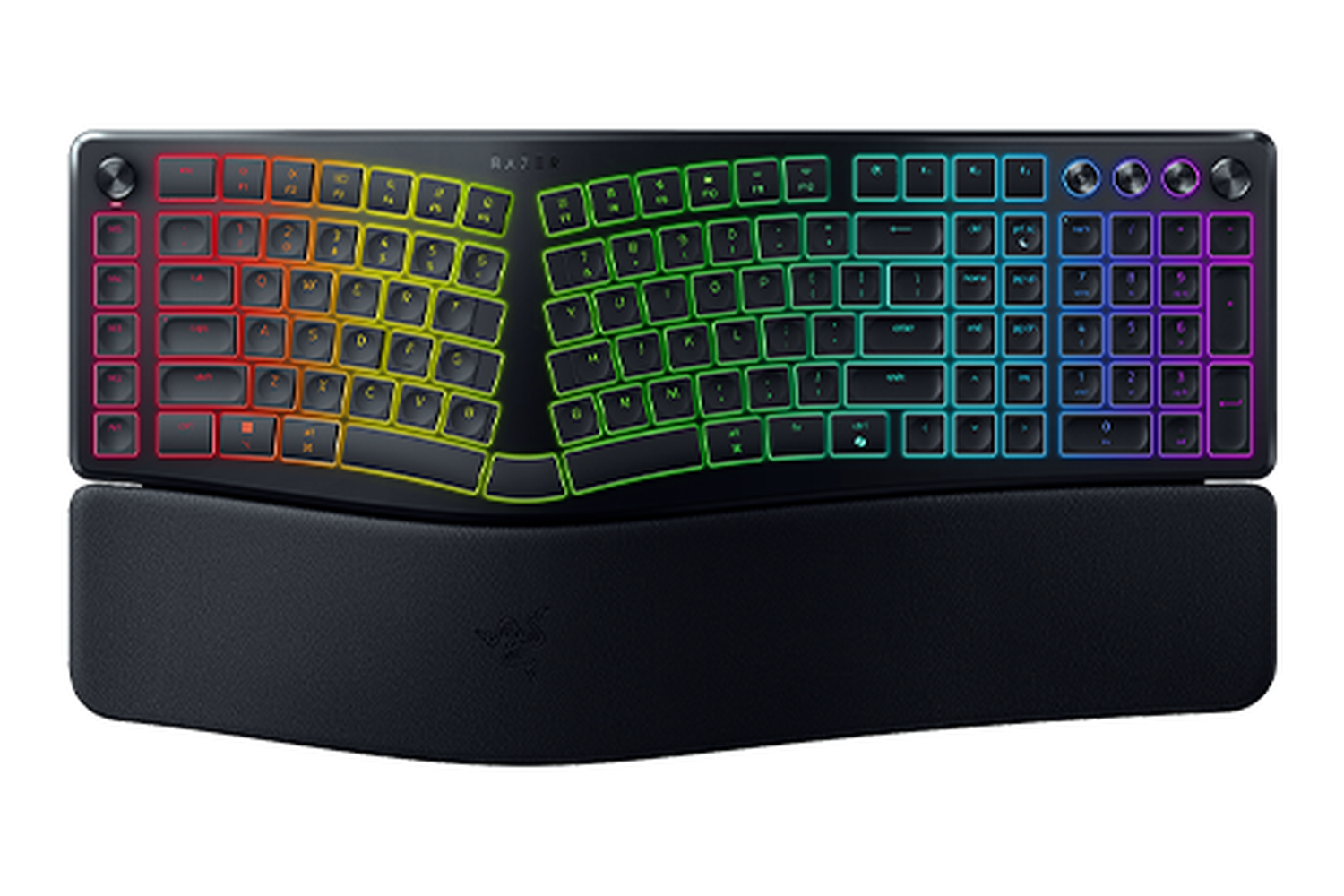
Razer Pro Type Ergo
The Pro Type Ergo is a polished mainstream wireless design, but its fixed geometry and very new market history limit its case against established rivals.
- Familiar one-piece split-zone layout
- 2.4GHz, Bluetooth and USB connectivity
- Integrated wrist rest and adjustable tilt
- Connectivity and compatibility is one of this product’s strongest evaluated areas
- Fixed geometry offers limited separation control
- Value for money is a relative trade-off compared with this product’s stronger evaluated areas
- Ergonomic adjustability is a relative trade-off compared with this product’s stronger evaluated areas
Strong connectivity and productivity scores make the Pro Type Ergo easy to integrate into a mainstream multi-device workspace. It finishes tenth because mild fixed geometry, limited adjustability, weaker value and a short ownership track record provide less evidence of long-term ergonomic benefit than the products ranked above it.
Current coverage confirms a split-zone productivity layout, adjustable tilt and three connection modes. It is easier to approach than a columnar split but provides less physical adjustment.
The model is newly available and the exact Amazon page did not expose a safe numeric aggregate at capture. Long-term owner evidence is therefore not yet mature.
- Buyers needing a fully split keyboard
- Anyone prioritising an established long-term owner record
| Layout | One-piece split-zone productivity keyboard |
|---|---|
| Connectivity | 2.4GHz, Bluetooth and USB-C |
| Adjustability | Adjustable tilt with wrist rest |
| Switches | Low-profile mechanical |
| Software | Razer configuration software |
How We Evaluate Ergonomic Keyboards
Our rankings are built through the Flickthru CORE™ Market Research Engine, which first analyses the category, its intended buyers, and the current US market. Products are then assessed using category-specific evidence, performance indicators, availability, ownership signals, and long-term reliability considerations.
Recommendations reflect overall suitability for the intended buyer – not simply the highest specification, lowest price, or strongest result in a single test. When product-level customer feedback is limited, we prioritize official validation, credible technical evidence, and demonstrated category suitability rather than estimating or inflating review counts. Read the full Flickthru product ranking methodology.
- Category Specific Analysis: Defining buyers’ needs, primary uses, business priorities, acceptable compromises, and category-specific requirements before products are compared.
- Long-Term Reliability: Tracking recurring failure patterns, component durability, warranty trends, and long-term ownership outcomes from verified market data.
- Performance: Evaluating category-specific real-world performance, efficiency, consistency, and practical usability rather than relying on marketing claims alone.
- Features: Assessing functionality, usability, build quality, safety, ergonomics, and category-specific capabilities important to long-term ownership.
- Value: Measuring total cost of ownership, lifecycle longevity, support quality, lifecycle suitability, and overall return on investment.
- Evidence Review: Combining verified purchaser feedback where available with professional testing, official product validation, technical evidence, and market suitability signals.
- Market Coverage: Mapping the current US market, credible product families, availability, price positioning, and relevant competitors within the category.
Products demonstrating recurring reliability concerns, inconsistent performance behavior, poor ownership outcomes, or widespread negative sentiment are algorithmically suppressed from our rankings regardless of marketing claims, sponsorship relationships, or short-term popularity trends.
This methodology is designed to identify products that deliver genuine long-term value, reliability, and real-world usefulness rather than simply matching short-term hype, advertising claims, or isolated test results.