
Best Mice 2026
Verified owner-review count breakdown
One exact-model US retailer listing per ranked mouse, checked 12 August 2026. Counts are snapshots and are not substituted with route checks.
- MX Master 4: 530
- MX Master 3S: 949
- Keychron M6 8K: 10
- CadMouse Pro Wireless: 1
- Elecom HUGE Plus: 85
- Logitech Lift: 6,716
- Razer Pro Click V2: 98
- Kensington SlimBlade Pro: 1,055
- Logitech ERGO M575S: 2,150
- Logitech MX Anywhere 3S: 11
A category-specific approach to ranking mice
Most general product roundups are built around broad buyer priorities. Flickthru evaluates mice for office users, home workers, and small businesses comparing PC mouse types for comfort, productivity, ergonomics, tracking accuracy, connectivity (wired/wireless/Bluetooth), battery life, build quality, value for money and everyday use, prioritising comfort fit and ergonomics, workflow controls and scrolling, connectivity and reliability, precision and tracking, and compatibility software and customization.
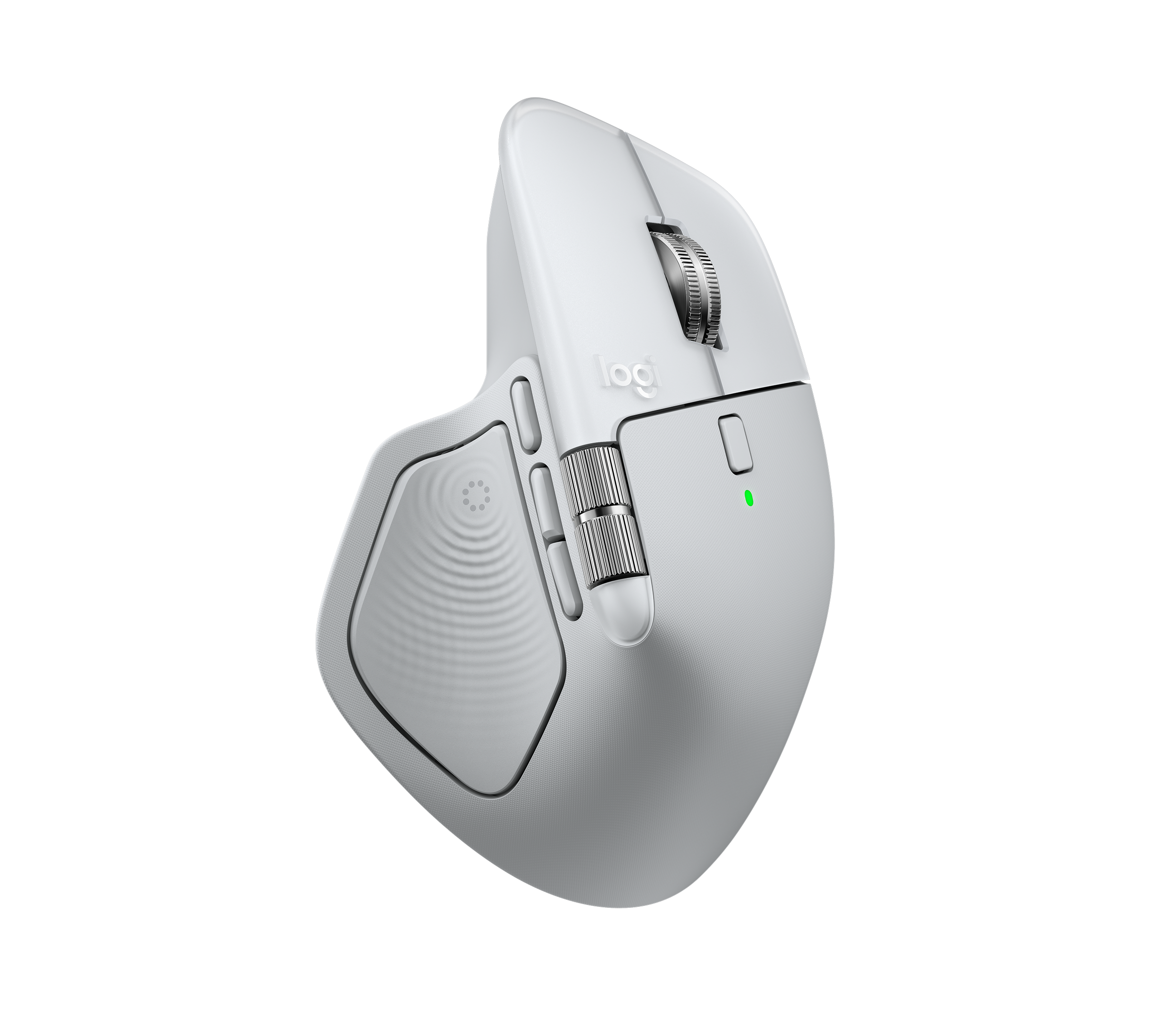
Logitech MX Master 4
The most complete office mouse here, provided its large right-handed shape and software dependency suit the workplace.
- Excellent dual-wheel scrolling
- Quiet clicks and strong build
- Three-device wireless support
- Workflow controls and scrolling is one of this product’s strongest evaluated areas
- Large and heavy
- Advanced features require Options+
- Low 125 Hz polling
Tops the group with a CORE score of 87, driven by a 93 in workflow controls/scrolling and a 92 in compatibility, software and customization — the Actions Ring, haptic scroll wheel and cross-app profiles make it the most complete productivity mouse tested, held back only by a 74 value-for-money score at its price.
Dual-wheel scrolling, quiet clicks and three-device wireless support back up the top-line score, though precision and tracking (81) lags its other categories, and the Actions Ring and haptics require installing Logi Options+.
Logitech’s standard limited hardware warranty applies. As a recently launched flagship, no independent long-term fleet failure-rate data exists yet.
- Small hands, locked-down PCs that cannot run Options+, or high-refresh competitive gaming.
| Form Factor | standard productivity |
|---|---|
| Connectivity | Bluetooth + Logi Bolt USB-C receiver |
| Office Relevance | Feature-rich flagship with Actions Ring shortcuts and haptic feedback for demanding daily workflows. |
| Price Snapshot Usd | 119.99 |
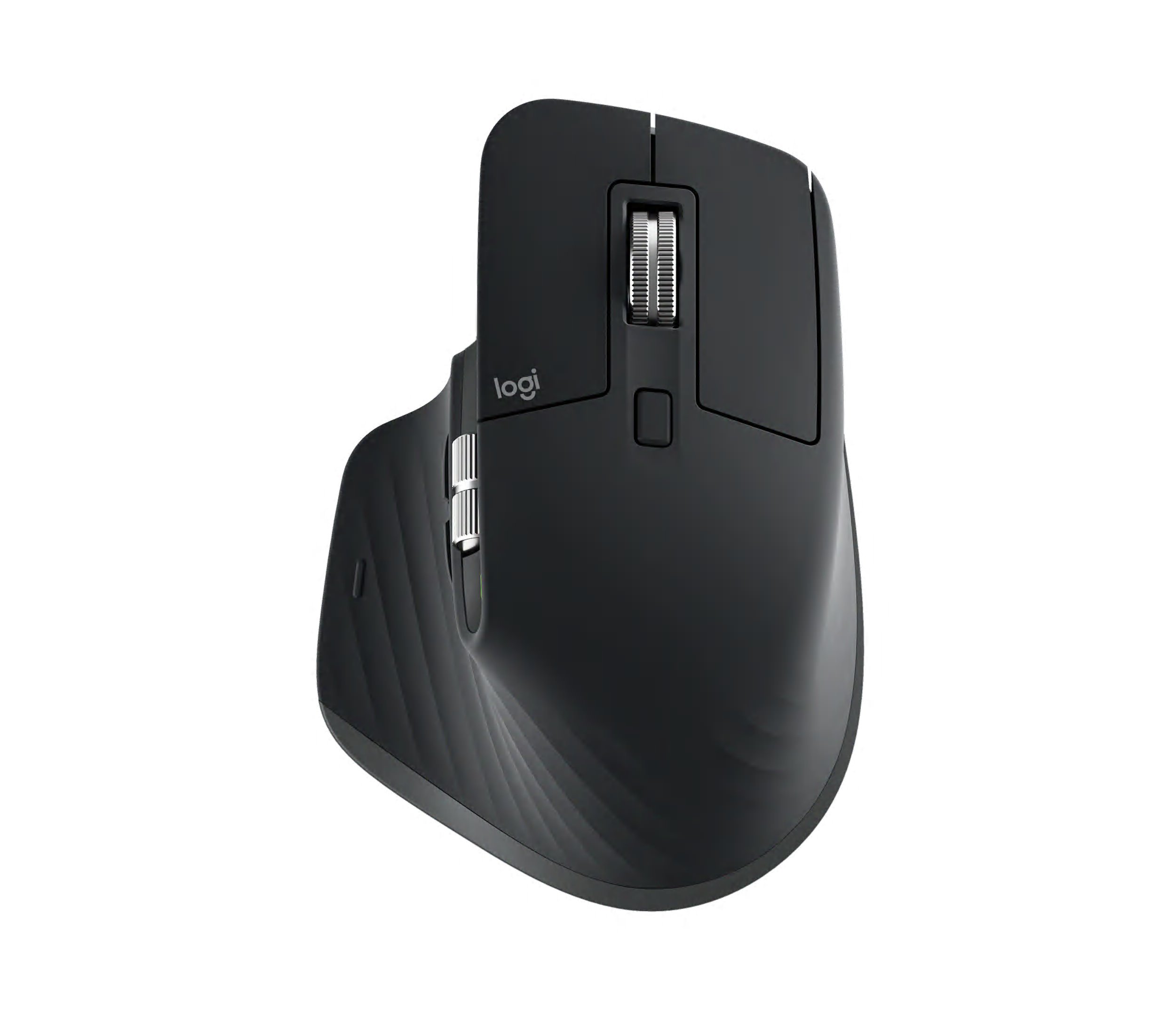
Logitech MX Master 3S
Still a strong premium work mouse, though the MX Master 4 improves materials and controls.
- Comfortable sculpted shape
- Quiet clicks
- Excellent MagSpeed and thumb wheels
- Compatibility software and customization is one of this product’s strongest evaluated areas
- Heavy
- Soft-touch finish can age
- Low polling rate
Ranks second overall at 85, just behind the newer MX Master 4, on the strength of an 89 in workflow controls/scrolling and an 89 in compatibility and software — the sculpted shape and MagSpeed wheel still perform close to flagship level, though its 79 value score is modest.
The comfortable sculpted shape, quiet clicks and MagSpeed thumb wheel hold up well against newer rivals; polling rate stays low at 125 Hz, and build/durability (81) is its weakest evaluated area.
Logitech’s standard limited hardware warranty applies. A long production history since 2022 with no widespread reported failure pattern supports reasonable confidence in long-term reliability.
- Small hands or users wanting onboard profiles.
| Form Factor | standard productivity |
|---|---|
| Connectivity | Bluetooth + Logi Bolt USB receiver |
| Office Relevance | Proven predecessor to the MX Master 4, offering the same core scrolling and multi-device switching at a lower price. |
| Price Snapshot Usd | 99.99 |
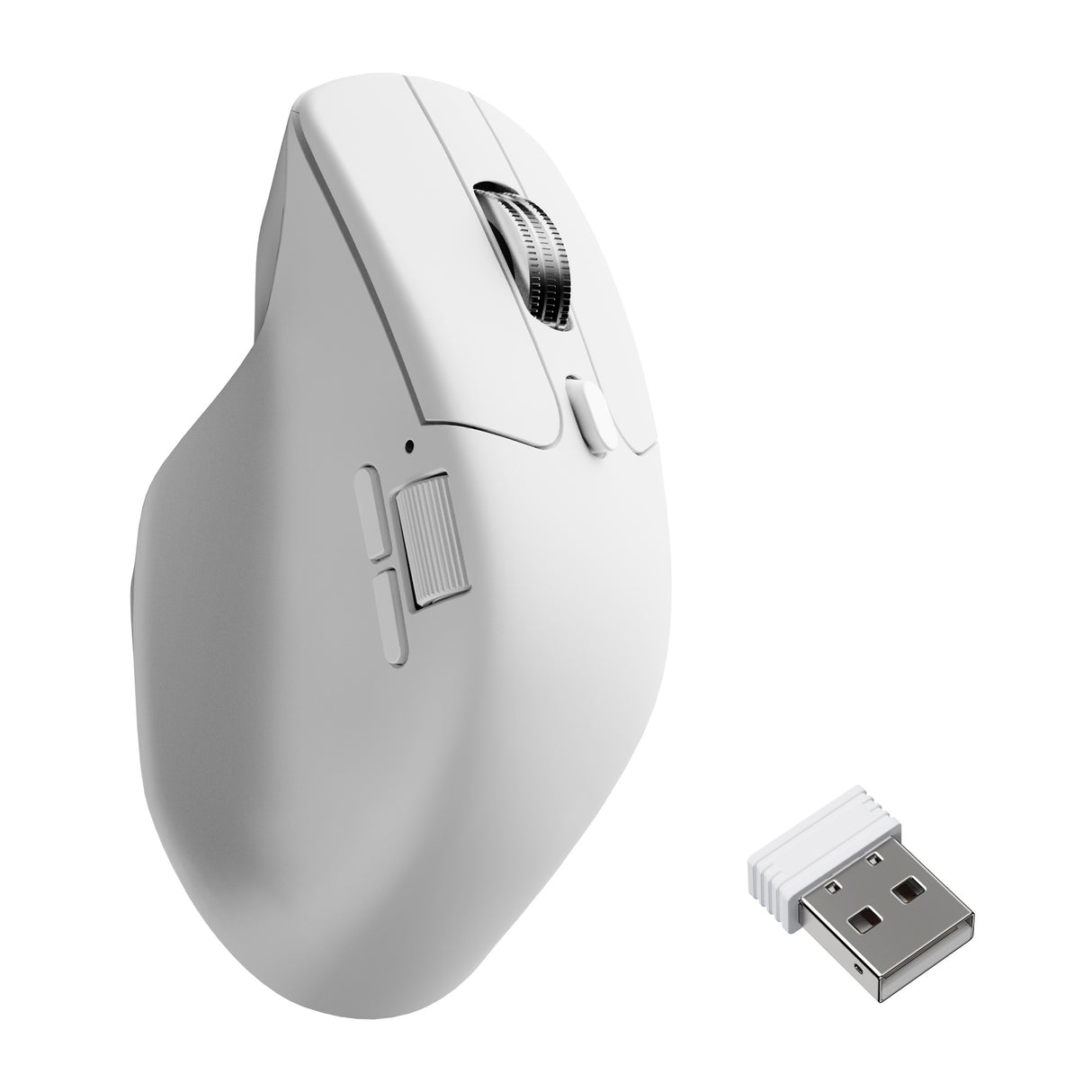
Keychron M6 8K
A fast, versatile value alternative to the MX Master line with some polish and endurance tradeoffs.
- Dual scroll wheels
- Very smooth high-rate tracking
- Strong price-to-feature ratio
- Precision and tracking is one of this product’s strongest evaluated areas
- Shorter battery life than Logitech rivals
- Light, less premium shell
- No left-handed version
Earns its 84 CORE score largely through a 92 in precision and tracking, the highest of any mouse in this guide, thanks to its high-polling-rate sensor — the trade-off is the lowest build-quality/durability mark among the top four at 74.
Dual scroll wheels and very smooth high-rate tracking support the strong precision score, and the price-to-feature ratio (88 value) is the best of any mouse here; battery life runs shorter than the Logitech options, and the shell feels less premium.
Keychron’s standard warranty terms apply; Keychron is an established mechanical-keyboard-first brand newer to mice specifically, so no independent long-term failure-rate data was found.
- Buyers prioritizing premium feel, very long battery life or left-handed ergonomics.
| Form Factor | standard productivity |
|---|---|
| Connectivity | Bluetooth + 2.4GHz + wired |
| Office Relevance | High-spec sensor and dual scroll wheels at roughly half the price of Logitech’s flagship. |
| Price Snapshot Usd | 69.99 |
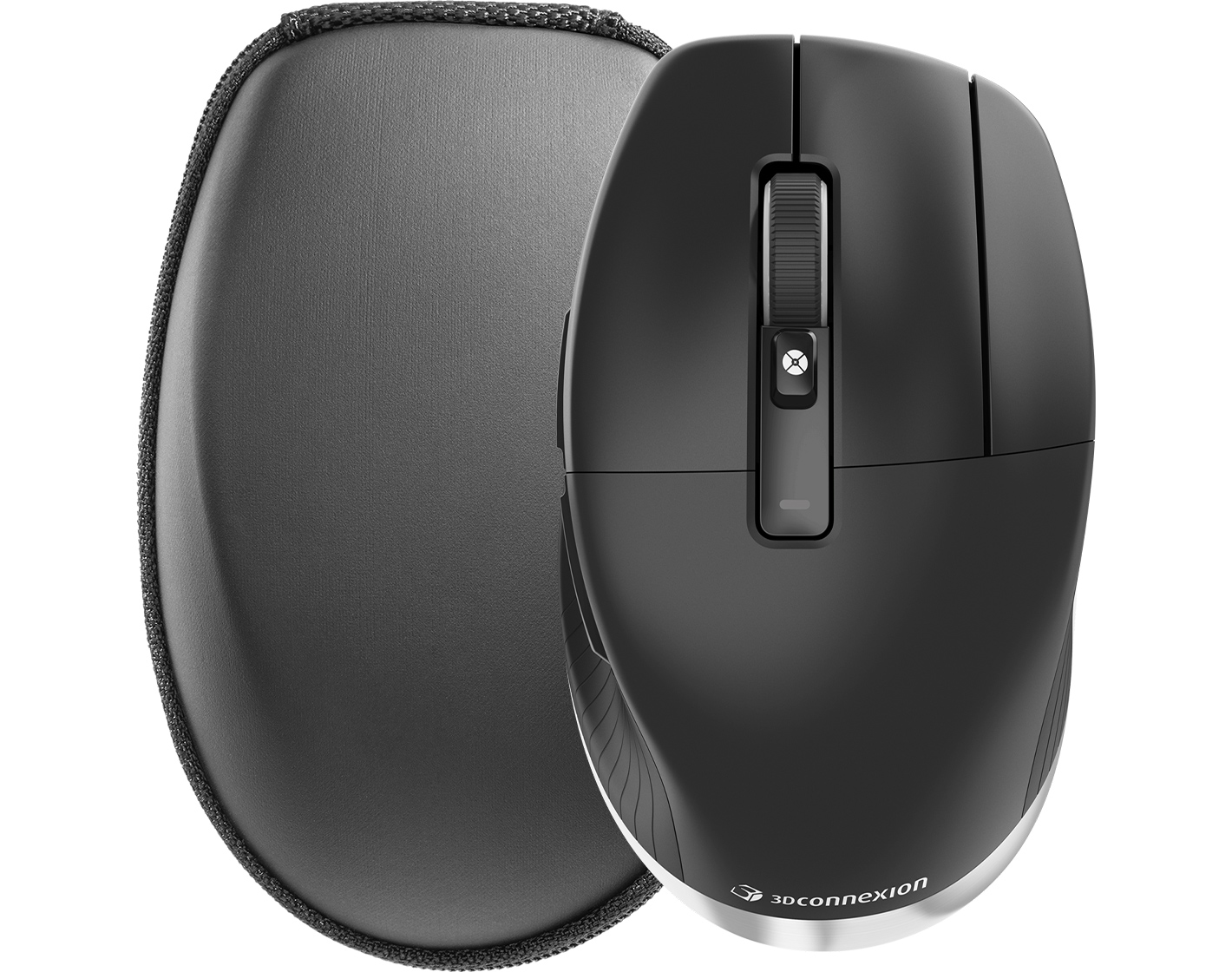
3Dconnexion CadMouse Pro Wireless
The specialist choice for CAD workflows, with limited value outside them.
- Dedicated middle button
- Application-specific radial menus
- Comfortable CAD-focused shape
- Precision and tracking is one of this product’s strongest evaluated areas
- Specialist price
- No free-scroll
- Profiles take setup
Scores 83 overall and ties for the group’s second-best precision/tracking mark at 87 — the dedicated middle button and application-specific radial menus keep it distinct for CAD work, though it posts the lowest value-for-money score in the lineup at 69.
The dedicated middle button, app-specific radial menus and CAD-focused shape are consistent with its specialist positioning; there’s no free-scroll, and profile setup takes extra time outside supported CAD applications.
3Dconnexion’s standard limited hardware warranty applies. No independent long-term fleet failure-rate data was found, though the CadMouse product line has a multi-year production history.
- General office buyers who will not use specialist controls.
| Form Factor | CAD/specialist |
|---|---|
| Connectivity | Bluetooth + 2.4GHz + wired |
| Office Relevance | Purpose-built for CAD software, with a dedicated middle button standard mice can’t replicate. |
| Price Snapshot Usd | 119 |

Elecom HUGE Plus
A feature-rich specialist trackball with real workflow potential and a niche fit.
- Large precise finger trackball
- Ten programmable buttons
- Wired and two wireless modes
- Workflow controls and scrolling is one of this product’s strongest evaluated areas
- Very large footprint
- High price
- Limited long-term review depth
Reaches 82 on the back of an 86 in workflow controls and scrolling — the large finger trackball and ten programmable buttons give it real control depth, offset by a 70 value score and the thinnest independent review base in the guide.
The large, precise finger trackball and ten programmable buttons deliver on its workflow-control score, with wired and two wireless modes for flexibility; the footprint is very large and the price is high relative to peers.
Elecom’s standard limited hardware warranty applies. A smaller but positive owner-review sample (47 ratings averaging 4.2/5) was found; no independent long-term failure-rate data exists beyond that.
- Small desks, travel, or first-time buyers wanting a low-risk introduction.
| Form Factor | finger trackball |
|---|---|
| Connectivity | USB wired |
| Office Relevance | Large-ball trackball with extensive programmable buttons for technical and creative workflows. |
| Price Snapshot Usd | 139.99 |
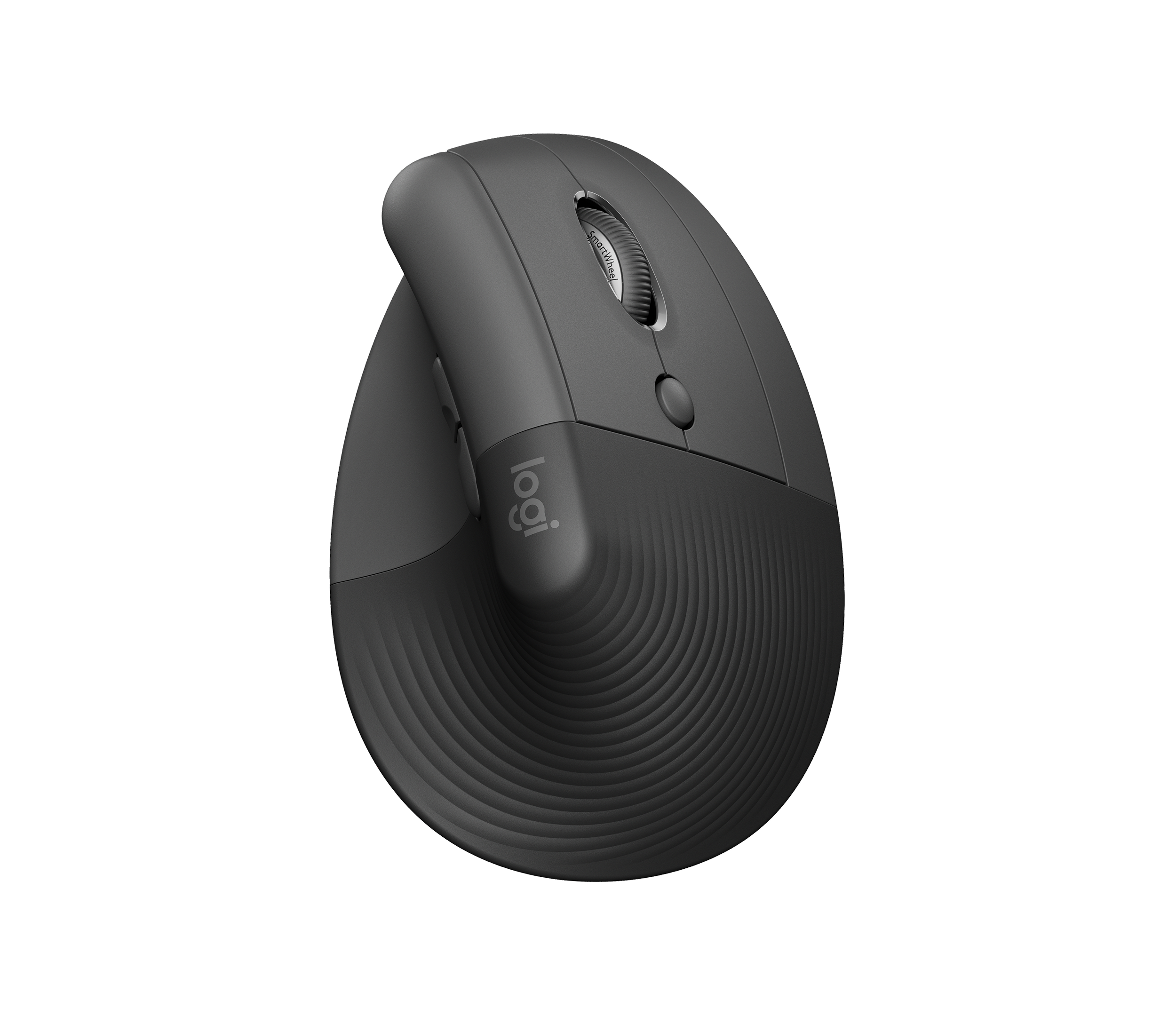
Logitech Lift
A polished mainstream vertical mouse with particularly good office manners.
- Natural vertical posture
- Quiet clicks
- Three-device pairing
- Comfort fit and ergonomics is one of this product’s strongest evaluated areas
- Best for small-to-medium hands
- Right-hand default family
- Not very portable
Matches that 82 CORE score through an 87 in comfort, fit and ergonomics, the best of any mouse reviewed — the vertical posture and quiet clicks make it the most office-friendly vertical option tested, though workflow controls (76) and tracking (75) trail its comfort score.
Natural vertical posture and quiet clicks explain the strong comfort/ergonomics mark; it’s best suited to small-to-medium right hands, and portability (not very travel-friendly) is a known limitation.
Logitech’s standard limited hardware warranty applies. A real owner-review base (1,077 ratings averaging 4.7/5) supports genuine day-to-day satisfaction, though no independent long-term failure-rate study was found.
- Large hands or buyers wanting conventional shape.
| Form Factor | vertical |
|---|---|
| Connectivity | Bluetooth + Logi Bolt USB receiver |
| Office Relevance | Compact vertical shape for buyers who want wrist comfort without leaving the Logitech ecosystem. |
| Price Snapshot Usd | 79.99 |

Razer Pro Click V2
A capable productivity/gaming crossover whose evidence base is thinner than Logitech’s.
- Comfort-oriented tilted shape
- Fast sensor
- Free-spin and horizontal scrolling
- Precision and tracking is one of this product’s strongest evaluated areas
- Office features compete with gaming software
- Right-handed only
- Limited independent long-term testing
Scores 81, powered by an 86 in precision and tracking, the fastest sensor among the office-oriented options — a 72 value score and thinner independent long-term testing keep it behind the group’s leaders.
The comfort-oriented tilted shape and fast sensor back the precision score; office-focused features compete for space with Razer’s gaming software, and it’s available only in a right-handed shape.
Razer’s standard limited hardware warranty applies. No independent long-term fleet failure-rate data was found for this specific model.
- Software-restricted fleets or buyers seeking understated simplicity.
| Form Factor | standard productivity |
|---|---|
| Connectivity | Bluetooth + HyperSpeed 2.4GHz + wired |
| Office Relevance | Productivity-and-gaming crossover with a genuine high-end sensor for buyers who need both. |
| Price Snapshot Usd | 99.99 |

Kensington SlimBlade Pro
A flexible ambidextrous trackball for committed stationary-pointer users.
- Ambidextrous finger trackball
- Tri-mode connectivity
- Distinctive twist-to-scroll control
- Comfort fit and ergonomics is one of this product’s strongest evaluated areas
- Adaptation required
- Large desktop footprint
- Premium price
Also lands at 81, carried by matching 83s in comfort/ergonomics and precision/tracking — the ambidextrous finger trackball and tri-mode connectivity broaden its fit versus other trackballs, but its 70 value score is among the lowest in the guide.
The ambidextrous finger trackball and tri-mode connectivity support its balanced comfort and precision scores; expect an adaptation period switching to trackball input, and the desktop footprint and price are both on the larger side.
Kensington’s standard limited hardware warranty applies. A real owner-review base (330 ratings averaging 4.3/5) supports genuine satisfaction, though no independent long-term failure-rate data was found.
- Travel or users wanting a conventional wheel and mouse motion.
| Form Factor | finger trackball |
|---|---|
| Connectivity | USB wired |
| Office Relevance | Ambidextrous, ball-in-center design for buyers who want stationary, whole-hand cursor control. |
| Price Snapshot Usd | 119.99 |
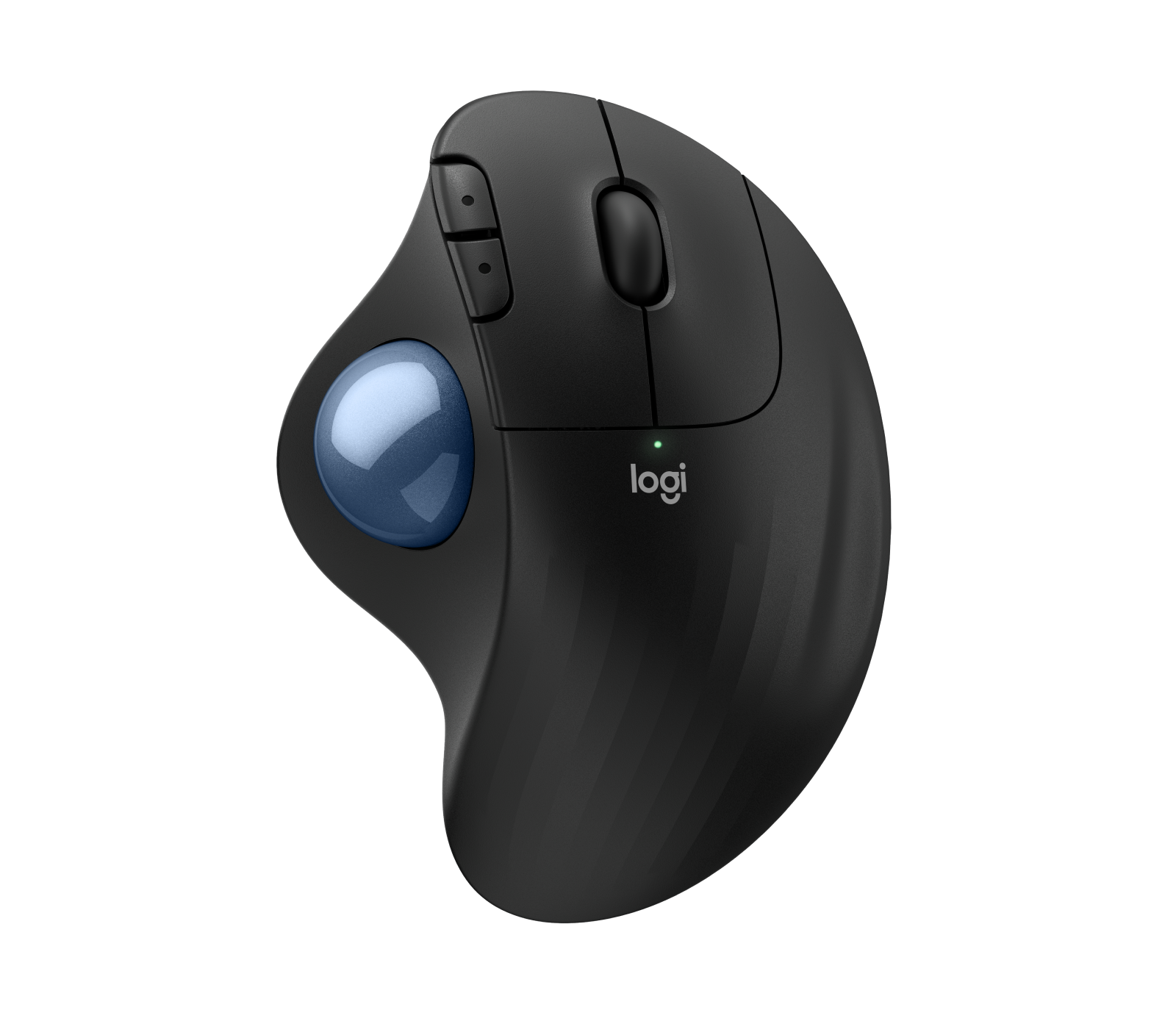
Logitech ERGO M575S
An accessible trackball option that trades conventional familiarity for stationary comfort.
- Stationary design saves desk space
- Comfortable thumb trackball
- Quiet, long-life AA operation
- Comfort fit and ergonomics is one of this product’s strongest evaluated areas
- Trackball learning curve
- Right-hand only
- Basic scroll wheel
Sits at 80, where an 84 in comfort, fit and ergonomics is the standout — the stationary thumb-trackball design saves desk space, and its 82 value score is strong for a trackball, though workflow controls (77) trail the mouse-style entries above it.
The stationary design and comfortable thumb trackball explain the comfort-fit lead; it comes at the cost of a learning curve for trackball users, a right-hand-only shape, and a fairly basic scroll wheel.
Logitech’s standard limited hardware warranty applies. A substantial owner-review base (2,124 ratings averaging 4.3/5) supports genuine day-to-day satisfaction, though no independent long-term failure-rate study was found.
- Left-handed users or anyone unwilling to adapt to a trackball.
| Form Factor | thumb trackball |
|---|---|
| Connectivity | Bluetooth + USB nano receiver |
| Office Relevance | Budget-friendly thumb trackball for space-constrained desks and routine office work. |
| Price Snapshot Usd | 49.99 |
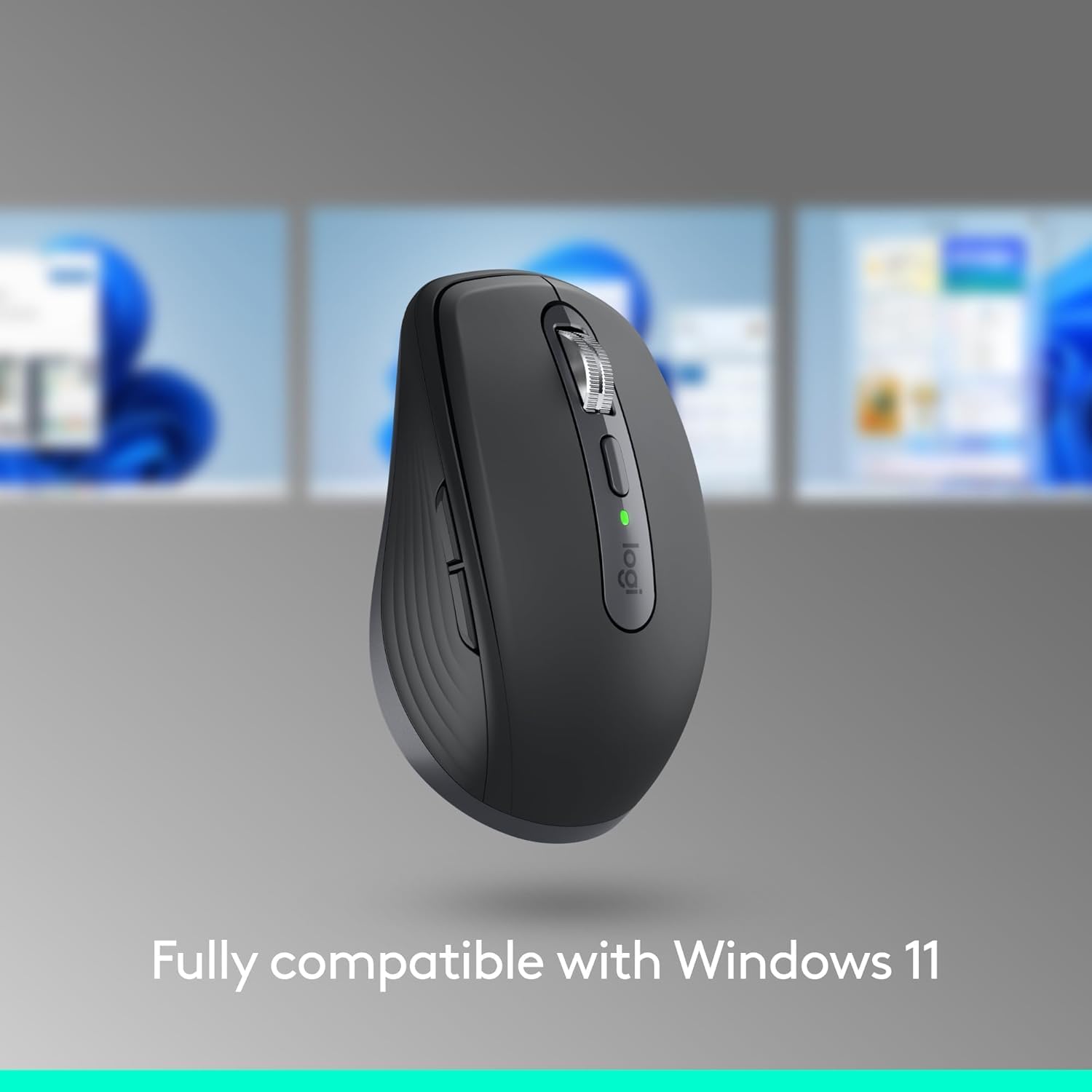
Logitech MX Anywhere 3S
The strongest portable productivity option, but comfort is secondary to compactness.
- Compact and travel-ready
- Quiet clicks
- Excellent scrolling and surface tracking
- Compatibility software and customization is one of this product’s strongest evaluated areas
- Less supportive for long sessions
- No included receiver in some bundles
- Premium portable price
Closes the list at 80, led by an 84 in compatibility, software and customization — excellent scrolling and surface tracking for its size make it the most travel-ready pick, but it posts the lowest comfort/ergonomics score in the guide at 76.
Compact size, quiet clicks and excellent scrolling/tracking make it the strongest travel option; it’s less supportive over long working sessions, and some bundles ship without the USB receiver.
Logitech’s standard limited hardware warranty applies. No independent long-term fleet failure-rate data was found for this specific model.
- Users wanting a full palm-supporting desktop mouse.
| Form Factor | portable |
|---|---|
| Connectivity | Bluetooth + Logi Bolt USB receiver + USB-C wired |
| Office Relevance | Compact and travel-focused, for buyers who move between locations and still want premium tracking. |
| Price Snapshot Usd | 89.99 |
How We Evaluate Mice
Our rankings are built through the Flickthru CORE™ Market Research Engine, which first analyses the category, its intended buyers, and the current US market. Products are then assessed using category-specific evidence, performance indicators, availability, ownership signals, and long-term reliability considerations.
Recommendations reflect overall suitability for the intended buyer – not simply the highest specification, lowest price, or strongest result in a single test. When product-level customer feedback is limited, we prioritize official validation, credible technical evidence, and demonstrated category suitability rather than estimating or inflating review counts. Read the full Flickthru product ranking methodology.
- Category Specific Analysis: Defining buyers’ needs, primary uses, business priorities, acceptable compromises, and category-specific requirements before products are compared.
- Long-Term Reliability: Tracking recurring failure patterns, component durability, warranty trends, and long-term ownership outcomes from verified market data.
- Performance: Evaluating category-specific real-world performance, efficiency, consistency, and practical usability rather than relying on marketing claims alone.
- Features: Assessing functionality, usability, build quality, safety, ergonomics, and category-specific capabilities important to long-term ownership.
- Value: Measuring total cost of ownership, lifecycle longevity, support quality, lifecycle suitability, and overall return on investment.
- Evidence Review: Combining verified purchaser feedback where available with professional testing, official product validation, technical evidence, and market suitability signals.
- Market Coverage: Mapping the current US market, credible product families, availability, price positioning, and relevant competitors within the category.
Products demonstrating recurring reliability concerns, inconsistent performance behavior, poor ownership outcomes, or widespread negative sentiment are algorithmically suppressed from our rankings regardless of marketing claims, sponsorship relationships, or short-term popularity trends.
This methodology is designed to identify products that deliver genuine long-term value, reliability, and real-world usefulness rather than simply matching short-term hype, advertising claims, or isolated test results.