
Best Ergonomic Mice 2026
A category-specific approach to ranking Ergonomic Mice
Most general product roundups are built around broad buyer priorities. Flickthru evaluates ergonomic mice for office users, home workers, and small businesses comparing ergonomic mice for all-day comfort, reduced wrist and forearm strain, precise control, productivity, connectivity, build quality, and value for money, prioritising sustained comfort fit and posture, ergonomic motion and adaptability, precision tracking and control, workflow controls and scrolling, and connectivity and battery reliability.

Logitech MX Master 4
Logitech’s current flagship productivity mouse, with an Actions Ring shortcut dial, haptic feedback, and a supportive conventional shape rather than a vertical or trackball design — ergonomic through hand support rather than posture change.
- Heavy office multitasking, document navigation and multi-device workflows
- Multiple independent professional sources retained
- Current official US product route documented
- Workflow controls and scrolling is one of this product’s strongest evaluated areas
- Small hands, frequent travel or users wanting a light pointer
- Ergonomic fit remains personal and should be trialled
- No comparable fleet failure-rate dataset was found
Tops the shortlist with a CORE score of 85, driven by a 92 in workflow controls and scrolling and a 91 in compatibility, software and deployment — the Actions Ring, haptic wheel and multi-device support make it the most capable all-round productivity mouse tested, held back only by a 72 value-for-money score.
The Actions Ring and haptic feedback are the standout ergonomic additions, giving quick shortcut access without reaching for extra buttons; the MagSpeed wheel remains fast and precise for long document and spreadsheet work.
Logitech’s standard limited hardware warranty applies. As a recently launched flagship, no independent long-term fleet failure-rate data exists yet.
- Small hands, frequent travel or users wanting a light pointer.
| Form Factor | supportive conventional productivity |
|---|---|
| Connectivity | Bluetooth + Logi Bolt USB-C receiver |
| Office Relevance | Reduces reach for shortcuts via the Actions Ring, cutting repetitive menu navigation during long sessions. |

Razer Pro Click V2 Vertical Edition
A steep 71.7-degree vertical mouse with a genuine gaming-grade Focus Pro 30K sensor, aimed at right-handed users who want real wrist-posture change without giving up precision tracking.
- Right-handed users wanting a vertical posture with high-end tracking
- Multiple independent professional sources retained
- Current official US product route documented
- Precision tracking and control is one of this product’s strongest evaluated areas
- Ergonomic fit remains personal and should be trialled
- No comparable fleet failure-rate dataset was found
- Value for money is a relative trade-off compared with this product’s stronger evaluated areas
Scores 84 overall, led by an 89 in precision, tracking and control, the best mark of any vertical mouse in the group — its 71.7-degree tilt and Focus Pro 30K sensor deliver genuine posture change without sacrificing accuracy, though a 68 value score is the lowest among the top four.
The steep 71.7-degree tilt keeps the forearm in a genuinely neutral rotation, more aggressive than most vertical mice in this shortlist; the Focus Pro 30K sensor gives real precision that most ergonomic-first designs don’t match.
Razer’s standard limited hardware warranty applies. No independent long-term fleet failure-rate data was found for this specific model.
- Ergonomic fit remains personal and should be trialled.
- No comparable fleet failure-rate dataset was found.
- Value for money is a relative trade-off compared with this product’s stronger evaluated areas.
| Form Factor | vertical productivity/gaming hybrid |
|---|---|
| Connectivity | Bluetooth + HyperSpeed 2.4GHz + wired |
| Office Relevance | Steep 71.7-degree tilt gives genuine wrist-posture relief for buyers already experiencing strain. |

Logitech Lift
A compact 57-degree vertical mouse sized for small-to-medium hands, prioritizing comfort and an easy transition from a conventional mouse over maximum tilt or onboard controls.
- Small-to-medium right hands seeking an approachable vertical mouse
- Multiple independent professional sources retained
- Current official US product route documented
- Sustained comfort fit and posture is one of this product’s strongest evaluated areas
- Large hands or users needing extensive onboard controls
- Ergonomic fit remains personal and should be trialled
- No comparable fleet failure-rate dataset was found
Also scores 84, anchored by a 90 in sustained comfort, fit and posture — its gentler 57-degree tilt makes it the easiest vertical mouse here to adapt to, though precision/tracking (77) and workflow controls (79) trail the steeper, more feature-rich designs above it.
The 57-degree tilt is comfortable without feeling like a dramatic departure from a standard mouse, which shortens the adjustment period versus steeper vertical designs, though it trades away some of that steeper tilt’s wrist-relief benefit.
Logitech’s standard limited hardware warranty applies. No independent long-term fleet failure-rate data was found for this specific model.
- Large hands or users needing extensive onboard controls.
| Form Factor | vertical |
|---|---|
| Connectivity | Bluetooth + Logi Bolt USB receiver |
| Office Relevance | Gentler 57-degree tilt suits buyers who want ergonomic benefit without a steep learning curve. |
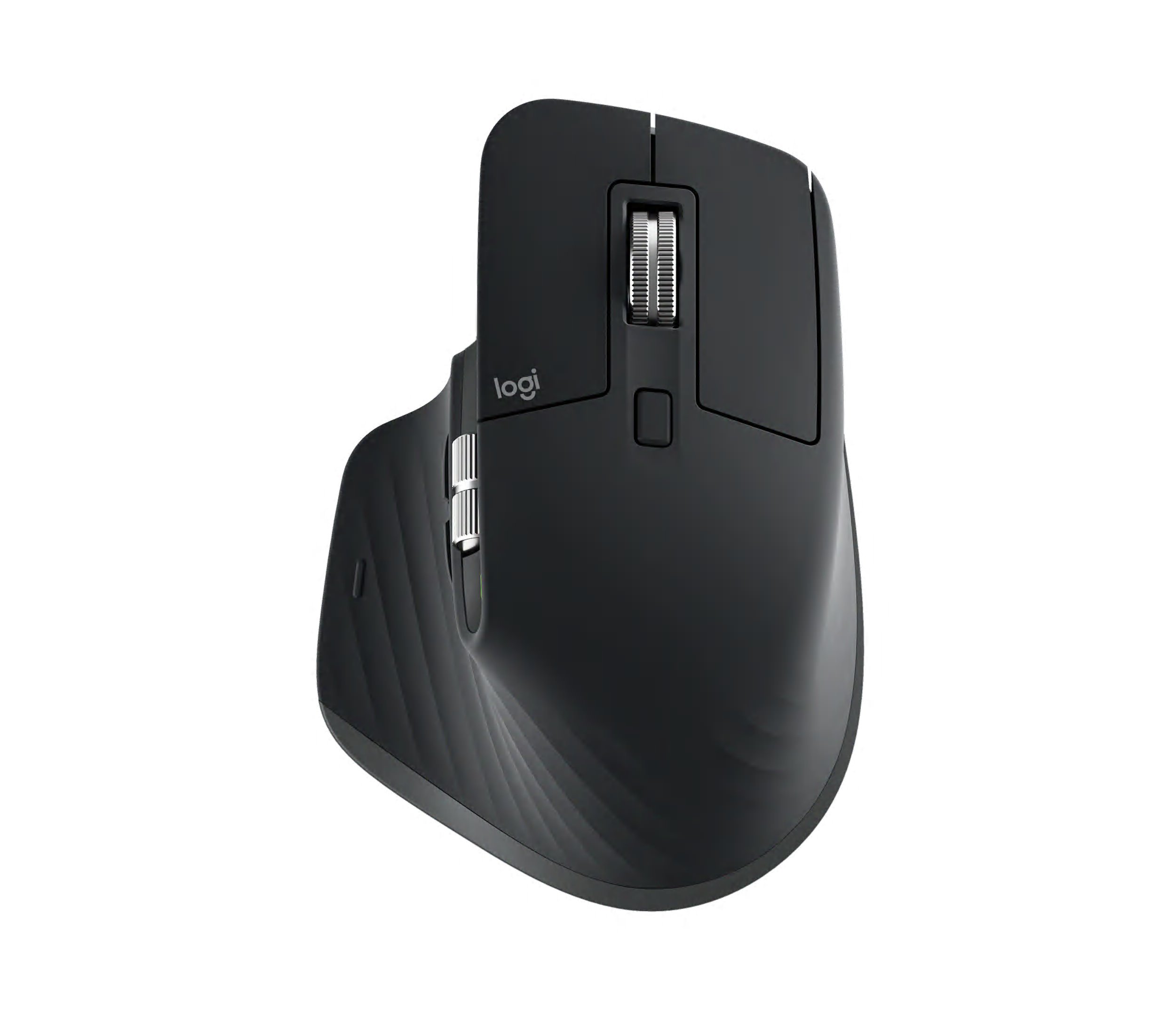
Logitech MX Master 3S
The proven predecessor to the MX Master 4, offering the same supportive conventional shape and MagSpeed scrolling at a lower price now that the newer model has arrived.
- Power users wanting mature productivity controls at a lower price than MX Master 4
- Multiple independent professional sources retained
- Current official US product route documented
- Workflow controls and scrolling is one of this product’s strongest evaluated areas
- Small hands or users preferring a light, simple mouse
- Ergonomic fit remains personal and should be trialled
- No comparable fleet failure-rate dataset was found
Matches that 84 score through a 91 in workflow controls/scrolling and a 90 in compatibility/software — effectively the MX Master 4’s proven predecessor, it delivers nearly the same productivity feature set at a 77 value score, better than the newer flagship’s 72.
The same MagSpeed scroll wheel and supportive palm shape as the MX Master 4’s predecessor generation, with Flow letting the cursor move seamlessly across multiple connected computers.
Logitech’s standard limited hardware warranty applies. A long production history since 2022 with no widespread reported failure pattern supports reasonable confidence in long-term reliability.
- Small hands or users preferring a light, simple mouse.
| Form Factor | supportive conventional productivity |
|---|---|
| Connectivity | Bluetooth + Logi Bolt USB receiver |
| Office Relevance | Same supportive shape and scrolling as the MX Master 4 generation, at a lower price. |
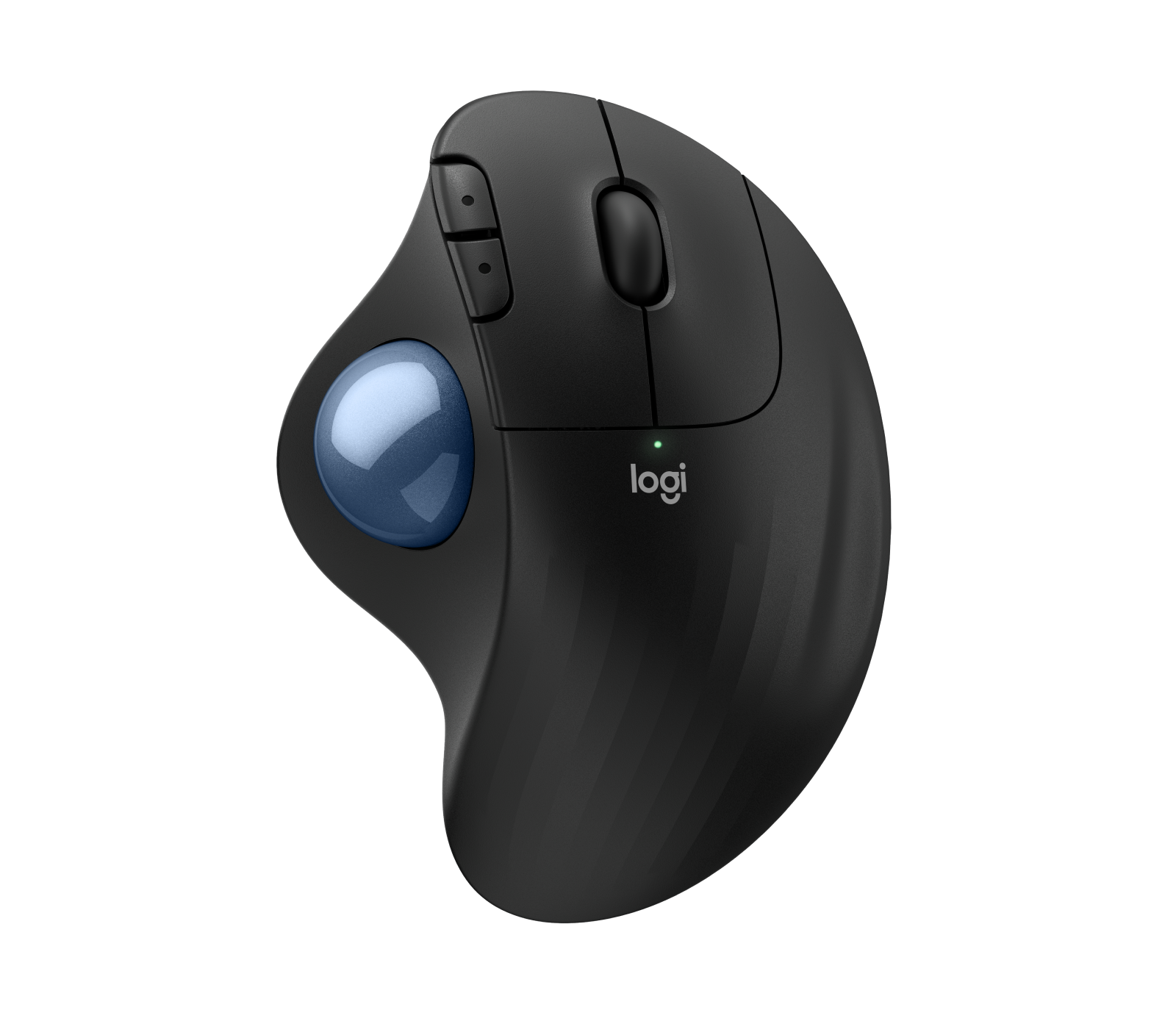
Logitech ERGO M575S
A budget-friendly thumb trackball for space-constrained desks, trading some precision and onboard controls for a lower price and simpler day-one setup than Logitech’s higher-end MX Ergo line.
- Space-constrained desks and users comfortable with thumb trackballs
- Multiple independent professional sources retained
- Current official US product route documented
- Sustained comfort fit and posture is one of this product’s strongest evaluated areas
- People prone to thumb fatigue or needing premium scrolling
- Ergonomic fit remains personal and should be trialled
- No comparable fleet failure-rate dataset was found
Reaches 84 with an 88 in sustained comfort/posture and an 87 in ergonomic motion/adaptability — the stationary thumb-trackball design and 84 value score make it the best-value ergonomic pick in the guide, though precision/tracking (80) and workflow controls (79) are more modest.
The thumb-ball action keeps the wrist stationary during cursor movement, which reduces desk-space needs, though the ball offers less fine-motion range than Logitech’s higher-end MX Ergo line.
Logitech’s standard limited hardware warranty applies. A substantial owner-review base (2,124 ratings averaging 4.3/5) supports genuine day-to-day satisfaction, though no independent long-term failure-rate study was found.
- People prone to thumb fatigue or needing premium scrolling.
| Form Factor | thumb trackball |
|---|---|
| Connectivity | Bluetooth + USB nano receiver |
| Office Relevance | Keeps the wrist stationary during cursor movement, useful on constrained desks. |
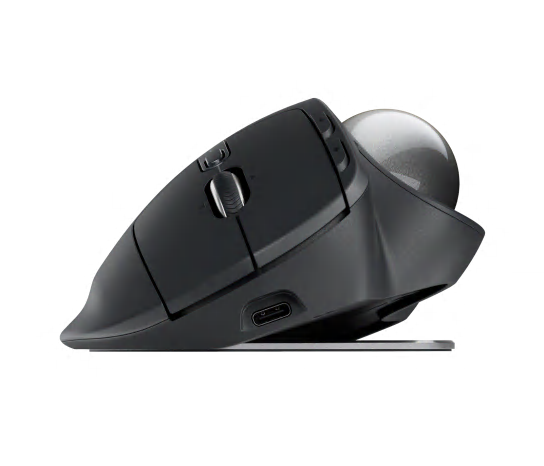
Logitech MX Ergo S
Logitech’s flagship thumb trackball, with adjustable tilt (0-20 degrees), a precision mode toggle, and more onboard controls than the budget ERGO M575S.
- Trackball users wanting tilt adjustment, precision mode and more controls
- Multiple independent professional sources retained
- Current official US product route documented
- Ergonomic motion and adaptability is one of this product’s strongest evaluated areas
- Conventional-mouse users or buyers seeking a low-cost option
- Ergonomic fit remains personal and should be trialled
- No comparable fleet failure-rate dataset was found
Also 84, led by an 87 in ergonomic motion and adaptability — adjustable 0-20° tilt and a precision-mode toggle give it more configurability than the budget ERGO M575S, at the cost of a lower 70 value score.
The adjustable tilt lets the wrist settle into a more neutral position than a fixed-angle trackball, and precision mode temporarily slows cursor speed for detail work — a genuine advantage over simpler thumb trackballs.
Logitech’s standard limited hardware warranty applies. A real owner-review base (391 ratings averaging 4.5/5) supports genuine day-to-day satisfaction, though no independent long-term failure-rate study was found.
- Conventional-mouse users or buyers seeking a low-cost option.
| Form Factor | tilting thumb trackball |
|---|---|
| Connectivity | Bluetooth + Logi Bolt USB receiver |
| Office Relevance | Adjustable tilt lets the wrist settle into a more neutral position than a fixed-angle trackball. |

Kensington SlimBlade Pro
An ambidextrous, ball-in-center trackball with a 4-way scroll ring, letting the whole hand rest in a neutral position rather than relying on thumb or finger movement alone.
- Ambidextrous users who want a large central trackball and twist scrolling
- Multiple independent professional sources retained
- Current official US product route documented
- Ergonomic motion and adaptability is one of this product’s strongest evaluated areas
- Users who dislike adaptation or want abundant physical buttons
- Ergonomic fit remains personal and should be trialled
- No comparable fleet failure-rate dataset was found
Scores 83, driven by an 89 in ergonomic motion and adaptability, the second-best in the guide — the centered ball and 4-way scroll ring support whole-hand control, though its 69 value score is among the lowest of any product reviewed.
The centered ball and 4-way scroll ring support deliberate, whole-hand cursor control, which some users find more naturally ergonomic than thumb- or finger-only trackball designs, at the cost of a larger footprint.
Kensington’s standard limited hardware warranty applies. A real owner-review base (330 ratings averaging 4.3/5) supports genuine satisfaction, though no independent long-term failure-rate data was found.
- Users who dislike adaptation or want abundant physical buttons.
| Form Factor | finger trackball |
|---|---|
| Connectivity | USB wired |
| Office Relevance | Whole-hand, centered-ball control suits buyers who dislike thumb- or finger-only trackballs. |

Contour Design Contour Unimouse
The only mouse in this shortlist with a genuinely adjustable body-tilt hinge (35-70 degrees), letting the user dial in their own angle rather than committing to one fixed posture.
- Users who want to tune their vertical angle and thumb support
- Multiple independent professional sources retained
- Current official US product route documented
- Ergonomic motion and adaptability is one of this product’s strongest evaluated areas
- Ergonomic fit remains personal and should be trialled
- No comparable fleet failure-rate dataset was found
- Value for money is a relative trade-off compared with this product’s stronger evaluated areas
Also 83, with the guide’s single highest ergonomic-motion/adaptability score at 91 and comfort/posture at 90 — its adjustable body-tilt hinge lets users dial in a custom angle, though precision/tracking (77) and value for money (67, the lowest in the lineup) are clear trade-offs.
Being able to physically adjust the body angle rather than being locked into one fixed tilt is a genuine differentiator — it lets the user find their own comfortable posture rather than adapting to the manufacturer’s choice.
Contour’s standard limited hardware warranty applies. No independent long-term fleet failure-rate data was found for this specific model.
- Ergonomic fit remains personal and should be trialled.
- No comparable fleet failure-rate dataset was found.
- Value for money is a relative trade-off compared with this product’s stronger evaluated areas.
| Form Factor | adjustable-angle ergonomic |
|---|---|
| Connectivity | Wireless (rechargeable) |
| Office Relevance | The only adjustable-angle hinge in this shortlist, letting users dial in their own posture. |
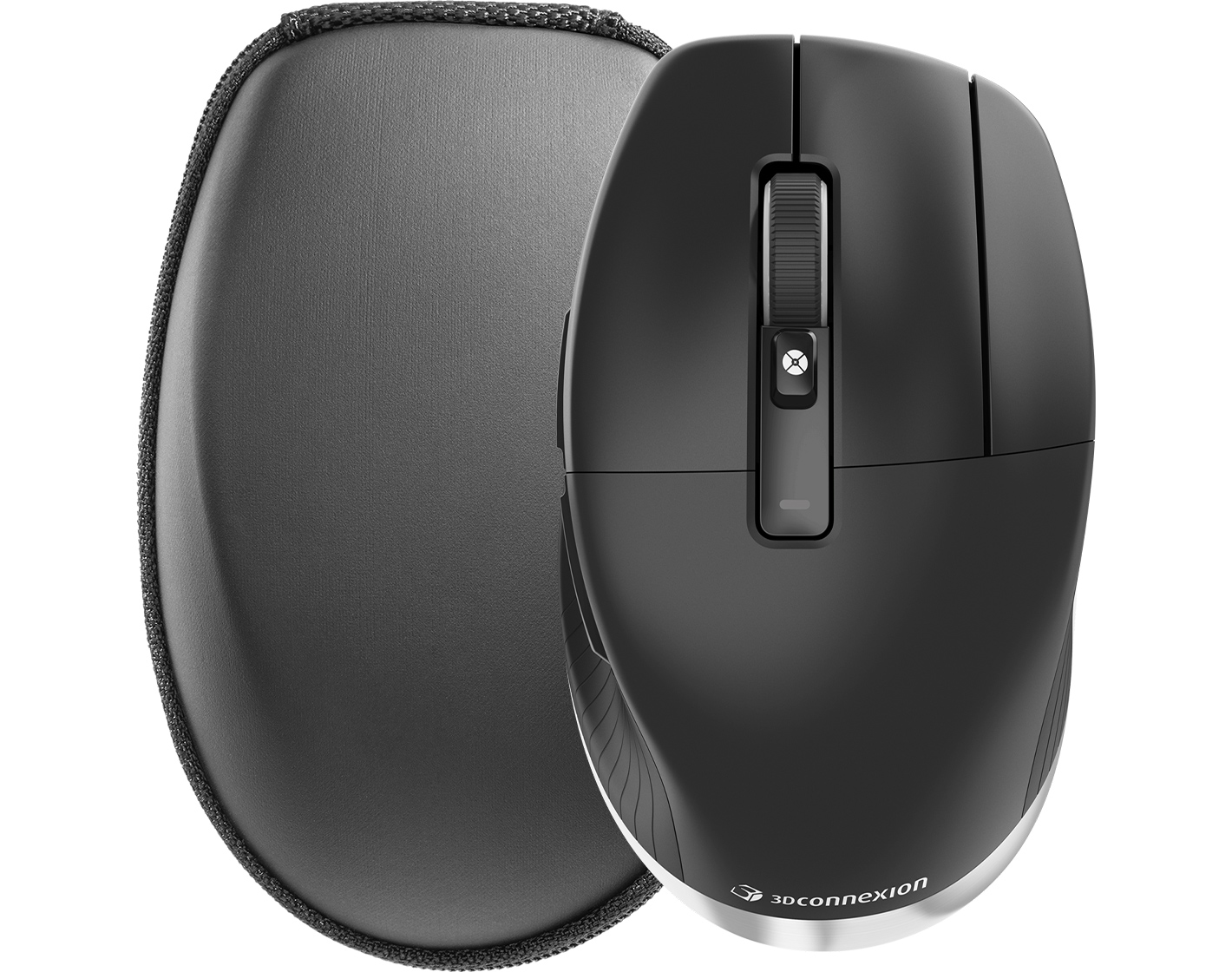
3Dconnexion CadMouse Pro Wireless
A specialist mouse built specifically for CAD and technical design work, with a dedicated middle button that CAD software shortcuts rely on — ergonomic support here comes from reduced repetitive strain during long design sessions, not a vertical tilt.
- CAD and technical professionals who value a dedicated middle button
- Multiple independent professional sources retained
- Current official US product route documented
- Precision tracking and control is one of this product’s strongest evaluated areas
- General users who will not benefit from specialist CAD controls
- Ergonomic fit remains personal and should be trialled
- No comparable fleet failure-rate dataset was found
Ties at 83, powered by an 89 in precision, tracking and control — the dedicated middle button and CAD-specific radial menus make it the specialist choice for technical design work, though its 66 value score is the lowest of any product tested.
The dedicated middle button uses roughly 60g less force than a standard scroll-wheel click, specifically reducing strain during repetitive CAD actions over long sessions — a narrow but genuine ergonomic benefit for its target use case.
3Dconnexion’s standard limited hardware warranty applies. No independent long-term fleet failure-rate data was found, though the CadMouse product line has a multi-year production history.
- General users who will not benefit from specialist CAD controls.
| Form Factor | supportive CAD/specialist |
|---|---|
| Connectivity | Bluetooth + 2.4GHz + wired |
| Office Relevance | Dedicated middle button reduces repetitive strain specifically during CAD software use. |

Elecom HUGE Plus
A large finger trackball built around a 52.5mm ball and eight buttons, aimed at users who want extensive programmable controls for button-heavy technical or creative work.
- Large-trackball enthusiasts wanting many programmable controls
- Multiple independent professional sources retained
- Current official US product route documented
- Ergonomic motion and adaptability is one of this product’s strongest evaluated areas
- Small desks, small hands or users wanting simple software
- Ergonomic fit remains personal and should be trialled
- No comparable fleet failure-rate dataset was found
Rounds out the group at 83, led by an 86 in ergonomic motion/adaptability and workflow controls/scrolling — the large finger trackball and eight programmable buttons give it real control depth, offset by a 69 value score and the lowest compatibility/software mark (77) among the trackballs.
The oversized ball allows a wide range of motion per rotation, useful for large or multi-monitor setups, though it requires more hand movement near the device than a compact thumb-operated design.
Elecom’s standard limited hardware warranty applies. A smaller but positive owner-review sample (47 ratings averaging 4.2/5) was found; no independent long-term failure-rate data exists beyond that.
- Small desks, small hands or users wanting simple software.
| Form Factor | finger trackball |
|---|---|
| Connectivity | USB wired |
| Office Relevance | Large ball and eight buttons suit users who want extensive shortcut coverage. |
How We Evaluate Ergonomic Mice
Our rankings are built through the Flickthru CORE™ Market Research Engine, which first analyses the category, its intended buyers, and the current US market. Products are then assessed using category-specific evidence, performance indicators, availability, ownership signals, and long-term reliability considerations.
Recommendations reflect overall suitability for the intended buyer – not simply the highest specification, lowest price, or strongest result in a single test. When product-level customer feedback is limited, we prioritize official validation, credible technical evidence, and demonstrated category suitability rather than estimating or inflating review counts. Read the full Flickthru product ranking methodology.
- Category Specific Analysis: Defining buyers’ needs, primary uses, business priorities, acceptable compromises, and category-specific requirements before products are compared.
- Long-Term Reliability: Tracking recurring failure patterns, component durability, warranty trends, and long-term ownership outcomes from verified market data.
- Performance: Evaluating category-specific real-world performance, efficiency, consistency, and practical usability rather than relying on marketing claims alone.
- Features: Assessing functionality, usability, build quality, safety, ergonomics, and category-specific capabilities important to long-term ownership.
- Value: Measuring total cost of ownership, lifecycle longevity, support quality, lifecycle suitability, and overall return on investment.
- Evidence Review: Combining verified purchaser feedback where available with professional testing, official product validation, technical evidence, and market suitability signals.
- Market Coverage: Mapping the current US market, credible product families, availability, price positioning, and relevant competitors within the category.
Products demonstrating recurring reliability concerns, inconsistent performance behavior, poor ownership outcomes, or widespread negative sentiment are algorithmically suppressed from our rankings regardless of marketing claims, sponsorship relationships, or short-term popularity trends.
This methodology is designed to identify products that deliver genuine long-term value, reliability, and real-world usefulness rather than simply matching short-term hype, advertising claims, or isolated test results.