
Kensington SD7100T5 EQ Pro 19-in-1 Thunderbolt 5 Docking Station Review
The most feature-dense prosumer dock tested, with an internal M.2 SSD slot and CompactFlash support no rival offers, aimed squarely at creative professionals rather than typical office use.
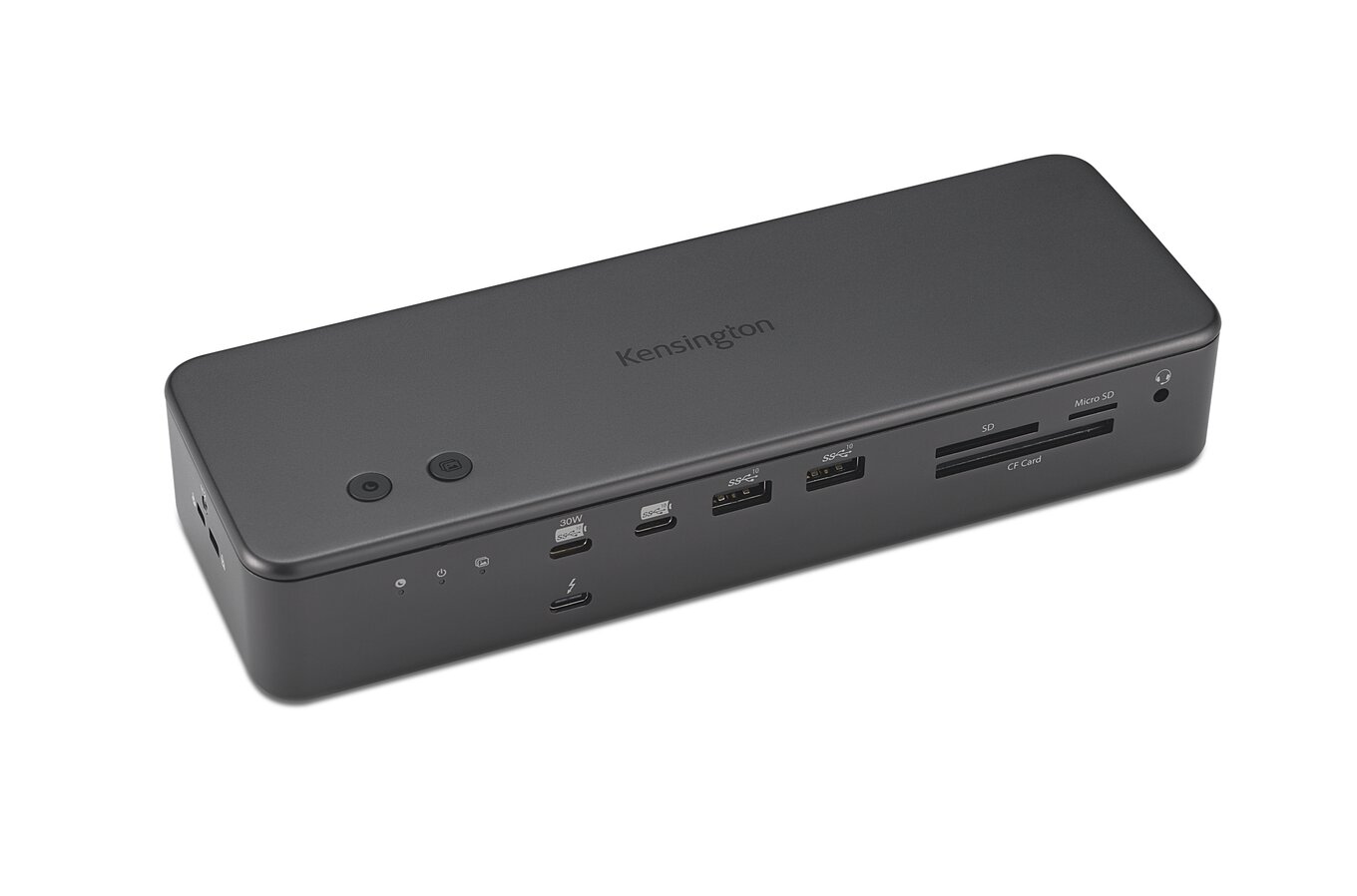
At a Glance
This model is best suited to creative professionals — photographers, videographers, animators — who want built-in fast storage and multi-format card ingestion in one dock. Its strongest buying points are internal, lockable M.2 PCIe 4.0 SSD slot — unique in this shortlist, compactFlash, SD and microSD readers plus two programmable Konnect-software buttons, and independently measured 80-85W sustained power delivery under normal load.
Technical Assessment
Backed by a 3-year warranty (longer than most rivals here) and full 140W charging with KonstantCharge undocked passthrough, the SD7100T5 EQ Pro pairs display flexibility across Mac and Windows with a lockable internal SSD slot competitors in this lineup lack. Verified product-level dimensions and weight could not be confirmed from available sources and are omitted rather than estimated.
Performance
PCWorld’s own testing measured 80-85W sustained power delivery under normal load, with one instance of failed power delivery during a gaming session that the reviewer suspects was host-side rather than dock-side. Windows Central independently confirms up to three 4K@144Hz displays on the right Windows Thunderbolt 5 host, dropping to dual 6K@60Hz on macOS.
Features and Workflow
The feature set combines Connection Standard: Thunderbolt 5, a Up to three 4K/144Hz displays or two 8K/60Hz displays on Windows; up to two 6K/60Hz displays on MacBook M-series Pro/Max models, and Warranty: 3-year limited warranty; free Kensington DockWorks software for Windows users. Together, these capabilities support more complete day-to-day workflows and reduce reliance on a single headline specification.
Reliability and Ownership
No numeric owner-review aggregate was found; Walmart’s listed 4.6-star/6,524-review figure is explicitly labeled a marketplace-seller rating for the reselling retailer, not a product owner-review score, and was correctly excluded rather than presented as product reliability data.
Buyer Fit and Trade-Offs
Best For & Key Strengths
Best For
- Creative professionals — photographers, videographers, animators — who want built-in fast storage and multi-format card ingestion in one dock.
Key Strengths
- Internal, lockable M.2 PCIe 4.0 SSD slot — unique in this shortlist
- CompactFlash, SD and microSD readers plus two programmable Konnect-software buttons
- Independently measured 80-85W sustained power delivery under normal load
Not Ideal For & Key Trade-Offs
Not Ideal For
- General office/hybrid workers who don’t need an internal SSD slot or CompactFlash support and would rather spend less on a simpler dock.
Key Trade-Offs
- No native video-out port; needs an adapter for non-USB-C displays
- $449.99 MSRP is the highest list price found among this shortlist’s non-flagship-tier docks
- One test session logged a power-delivery failure during a gaming workload that the reviewer attributed to a possible host-side issue
Technical Specifications
| Connection Standard | Thunderbolt 5 |
| Port Count And Mix | 19-in-1 including an internal M.2 SSD slot, hot keys, optical connection, offline charging, CompactFlash reader |
| Target User | High-end creative professional / prosumer, per PCWorld’s own framing |
| Form Factor | Full-size prosumer dock chassis with internal SSD bay |