
Dell UltraSharp 40 Curved Thunderbolt Hub Monitor U4025QW Review
A premium single-screen productivity command center with huge usable space and excellent docking, but a price and footprint that demand a clear workflow need.
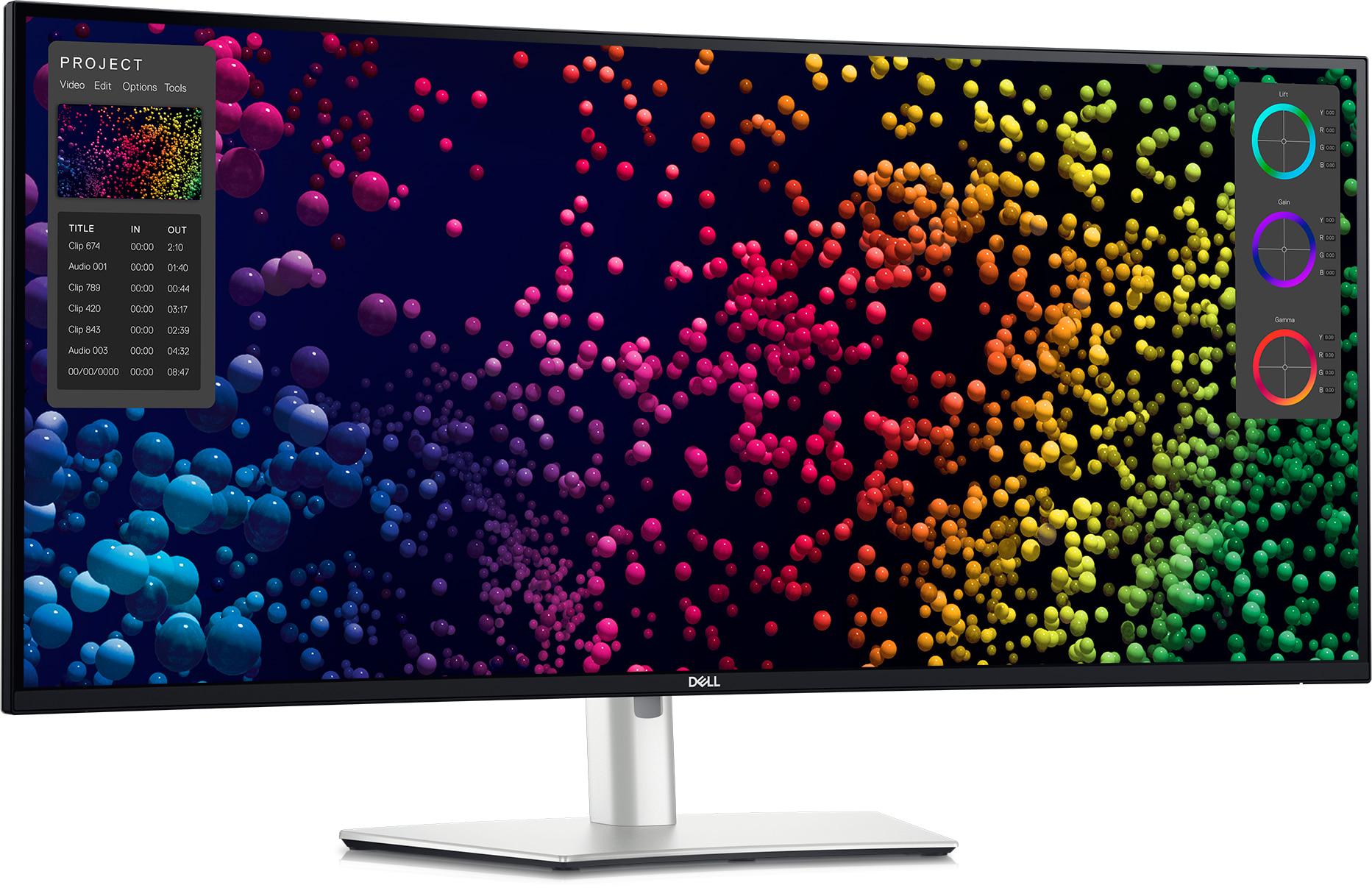
At a Glance
This model is best suited to power users replacing dual monitors with one high-resolution ultrawide. Key strengths: Expansive 40-inch 5K2K workspace; Sharp 120Hz IPS Black panel; Excellent Thunderbolt 4 hub and KVM.
Dell UltraSharp 40 Curved Thunderbolt Hub Monitor U4025QW Specifications
The Dell UltraSharp 40 Curved Thunderbolt Hub Monitor U4025QW is a 39.7 in monitor with 5120 x 2160 resolution, Curved IPS Black; anti-glare 3H coating display technology and 120 Hz refresh rate.
Display
| Screen Size | 39.7 in |
| Resolution | 5120 x 2160 |
| Panel Type | Curved IPS Black; anti-glare 3H coating |
| Aspect Ratio | 21:9 |
Motion
| Refresh Rate | 120 Hz |
| Response Time | 5 ms GtG Fast; 8 ms GtG Normal |
| Adaptive Sync | HDMI 2.1 VRR |
Image Quality
| Brightness | 450 nits typical; 600 nits HDR peak |
| Contrast Ratio | 2000:1 typical |
| Color Gamut | 100% sRGB; 100% BT.709; 99% DCI-P3; 99% Display P3 |
| Color Depth | 1.07 billion colors (8-bit + A-FRC) |
| HDR | VESA DisplayHDR 600 |
| Factory Calibration | Average Delta E <2 (DCI-P3, Display P3, sRGB, BT.709) |
Connectivity
| HDMI | 1 x HDMI 2.1 (5120 x 2160 at 120Hz, FRL, HDR, VRR) |
| DisplayPort | 1 x DisplayPort 1.4 (HDCP 2.3, DSC) |
| USB-C | 1 x Thunderbolt 4 upstream with up to 140 W EPR PD; 1 x Thunderbolt 4 downstream with 15 W for daisy chaining; 1 x USB-C 10Gbps data upstream; 2 x USB-C 10Gbps downstream with 15 W |
| USB Hub | 5 x USB-A 10Gbps downstream (one BC1.2 charging); 2 x USB-C 10Gbps downstream (15 W) |
| Other Ports | 2.5GbE RJ-45 Ethernet; 3.5 mm audio line-out; Network KVM and Auto KVM; internal MST |
Ergonomics
| Height Adjustment | 5.91 in (150 mm) |
Features
- Integrated speakers
- Ambient light sensor
- ComfortView Plus low-blue-light technology
- Picture-in-picture and picture-by-picture
- Network KVM and Auto KVM
- Internal multistream transport display partitioning
Dimensions & Weight
| Dimensions | 37.27 x 18.60–24.50 x 9.95 in (946.62 x 472.32–622.32 x 252.8 mm), W x H x D with stand |
| Weight | 26.94 lb (12.22 kg) with stand and cables; 18.41 lb (8.35 kg) panel only |
Warranty & Support
| Warranty | 3-year Advanced Exchange Service and Premium Panel Exchange |
Measured Performance
| Native resolution and refresh | 5,120 x 2,160 at 120Hz |
From independent lab testing. Results vary by picture mode and screen size.
Summary
The 39.7 in display has 5120 x 2160 resolution and a 120 Hz refresh rate. Its connections include 1 x Thunderbolt 4 upstream with up to 140 W EPR PD; 1 x Thunderbolt 4 downstream with 15 W for daisy chaining; 1 x USB-C 10Gbps data upstream; 2 x USB-C 10Gbps downstream with 15 W.
Should You Buy the Dell UltraSharp 40 Curved Thunderbolt Hub Monitor U4025QW?
The Dell UltraSharp 40 Curved Thunderbolt Hub Monitor U4025QW ranks #7 of 10 in our Best Monitors ranking, with a CORE score of 87/100. Its standout area is connectivity docking, where it ranks 2nd of 10.
Buy it if
- You want a monitor for power users replacing dual monitors with one high-resolution ultrawide.
- You want strong connectivity docking: it ranks 2nd of 10 on this measure.
Skip it if
- Workspace fit usability is your top priority. The HP Series 7 Pro 27-inch 4K Conferencing Monitor 727pm scores 94 there, against 85 for the Dell UltraSharp 40 Curved Thunderbolt Hub Monitor U4025QW.
How the Dell UltraSharp 40 Curved Thunderbolt Hub Monitor U4025QW Scored
CORE scores every model in this category on the factors below, listed from most to least important for monitors. The rank shows where the Dell UltraSharp 40 Curved Thunderbolt Hub Monitor U4025QW places among the 10 models in our Best Monitors ranking.
Technical Assessment
Performance
The 5120 × 2160 resolution keeps text sharp across a broad 40-inch canvas, and 120Hz makes everyday movement smoother. Testing consistently supports excellent color, viewing angles and connectivity while identifying slow motion response and unimpressive HDR local dimming.
Reliability and Ownership
Dell maintains a current US product and support route, and the model has broad professional coverage. Owner discussions describe both successful and problematic setups, but they are not a basis for a population failure rate.
Pros and Cons
Pros
- Expansive 40-inch 5K2K workspace
- Sharp 120Hz IPS Black panel
- Excellent Thunderbolt 4 hub and KVM
- Strong color accuracy and ergonomics
Cons
- Very expensive
- Slow pixel response for 120Hz
- HDR local dimming is weak
What Reviewers and Owners Say
- Testing found excellent color accuracy, useful 5K2K workspace, strong ergonomics and an unusually complete Thunderbolt/KVM hub; response time was slow for 120Hz.
Dell UltraSharp 40 Curved Thunderbolt Hub Monitor U4025QW Alternatives
Apple Studio Display XDR
Choose it for the best office productivity text clarity in this ranking: it scores 96 there, against 93 for the Dell UltraSharp 40 Curved Thunderbolt Hub Monitor U4025QW.
BenQ PD3226G
Choose it for stronger value long-term ownership: it scores 77 there, against 66 for the Dell UltraSharp 40 Curved Thunderbolt Hub Monitor U4025QW.
Also in Best Monitors: Dell UltraSharp 27 4K Thunderbolt Hub Monitor U2725QEDell UltraSharp 32 4K Thunderbolt Hub Monitor U3225QEBenQ RD280UGASUS ProArt Display 6K PA32QCVHP Series 7 Pro 27-inch 4K Conferencing Monitor 727pmHP Series 7 Pro 34-inch WQHD Conferencing Monitor 734pmBenQ PD3225U
How We Evaluate
Not rocket science, just focused research for real people. How we rank →
Last updated July 27, 2026.