
Dell UltraSharp 27 4K USB-C Hub Monitor U2723QE Review
Still an excellent mature USB-C office hub when discounted, but its 60Hz panel makes full-price purchases difficult to justify.
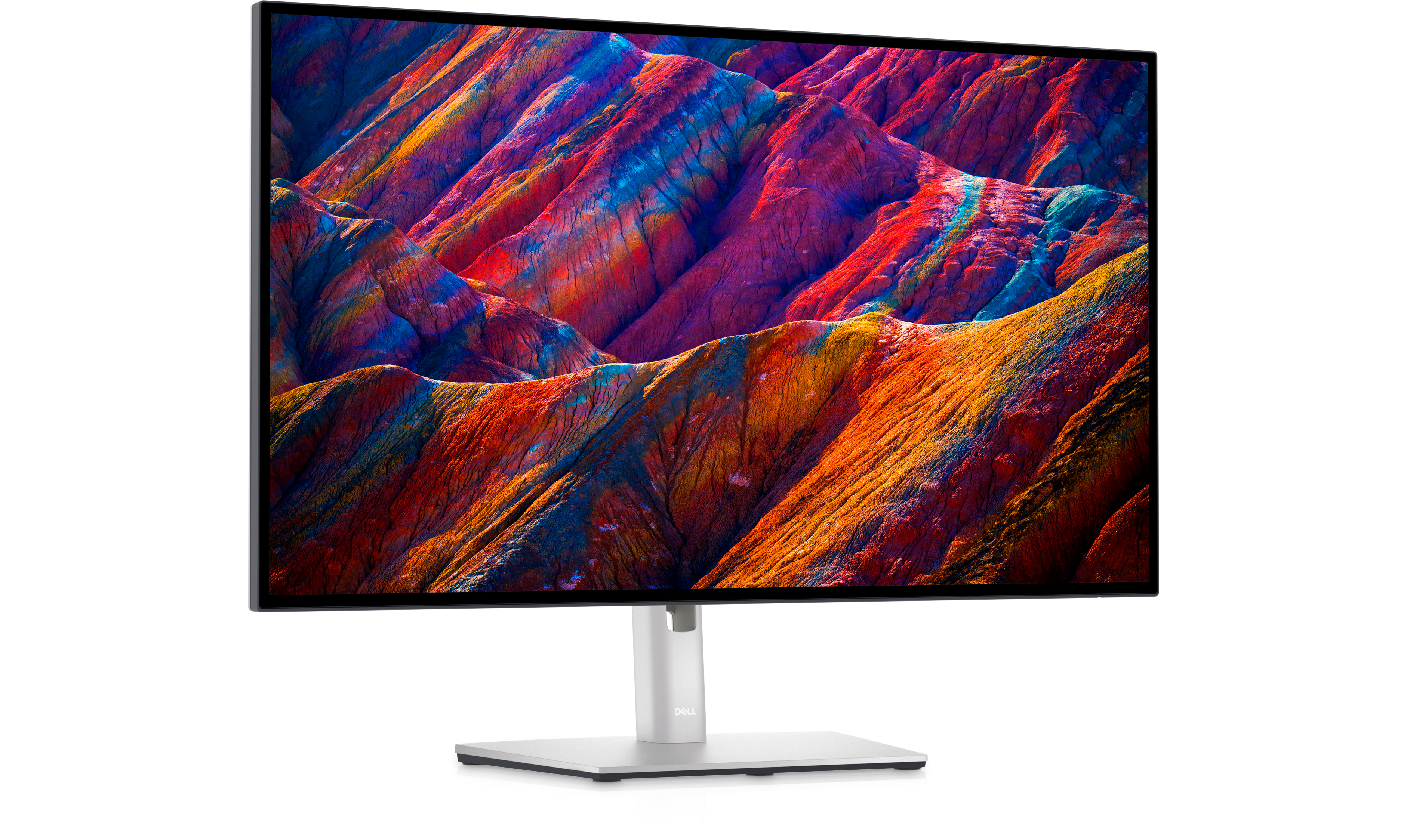
At a Glance
This model is best suited to buyers who find it substantially discounted. Key strengths: Mature and comprehensive USB-C hub; Sharp 27-inch 4K image; 90W charging, Ethernet, KVM and display output.
Dell UltraSharp 27 4K USB-C Hub Monitor U2723QE Specifications
The Dell UltraSharp 27 4K USB-C Hub Monitor U2723QE is a 27 in 3840 x 2160 monitor with IPS Black, anti-glare 3H hard coating, a 60 Hz refresh rate and USB-C connectivity.
Display
| Screen Size | 27 in |
| Resolution | 3840 x 2160 |
| Panel Type | IPS Black, anti-glare 3H hard coating |
| Aspect Ratio | 16:9 |
Motion
| Refresh Rate | 60 Hz |
| Response Time | 5 ms GtG (Fast); 8 ms GtG (Normal) |
Image Quality
| Brightness | 400 nits |
| Contrast Ratio | 2000:1 |
| Color Gamut | 100% Rec.709; 100% sRGB; 98% DCI-P3 |
| Color Depth | 1.07 billion colors |
Connectivity
| HDMI | 1 x HDMI (HDCP 2.2) |
| DisplayPort | 1 x DisplayPort 1.4 input; 1 x DisplayPort output |
| USB-C | 1 x USB-C 3.2 Gen 2 upstream with DP 1.4 Alt Mode (up to 90 W PD); 1 x USB-C 3.2 Gen 2 upstream data; 1 x USB-C 3.2 Gen 2 downstream (15 W) |
| USB Hub | 4 x USB 3.2 Gen 2 downstream; 1 x USB 3.2 Gen 2 downstream with Battery Charging 1.2; 1 x USB-C 3.2 Gen 2 downstream (15 W) |
| Other Ports | 1 x RJ-45 1GbE; audio line-out; DisplayPort output |
Ergonomics
| Height Adjustment | 5.9 in |
| Tilt / Swivel / Pivot | Tilt -5° to +21°; swivel ±45°; pivot rotation |
| VESA Mount | 100 x 100 mm |
Features
- USB-C docking hub
- Anti-theft lock slot
Power
| Power Consumption | 25.9 W on mode; 220 W maximum; 0.3 W standby; 0.2 W off |
Dimensions & Weight
| Dimensions | With stand (W x D x H): 24.1 x 7.3 x 15.2 in |
| Weight | With stand: 14.6 lb; without stand: 9.9 lb |
In the Box
- Power cable
- DisplayPort to DisplayPort cable (1.8 m)
- USB-A to USB-C cable
- USB-C to USB-C cable (1 m)
Warranty & Support
| Warranty | 3-year Advanced Exchange Service and Premium Panel Exchange |
| Support | Online monitor drivers, manuals and diagnostic resources through product support |
Summary
The 3840 x 2160 panel runs at 60 Hz and includes USB-C connectivity for compatible computers. Its specification includes a built-in USB hub and video inputs.
Should You Buy the Dell UltraSharp 27 4K USB-C Hub Monitor U2723QE?
The Dell UltraSharp 27 4K USB-C Hub Monitor U2723QE ranks #8 of 10 in our Best USB C Monitors ranking, with a CORE score of 89/100. It is strongest on reliability & support and value & ownership, where it ranks 1st of 10 on both.
Buy it if
- You want a USB c monitor for buyers who find it substantially discounted.
- You want a USB c monitor for office setups needing Ethernet, KVM and daisy chaining without 140W charging.
- You want strong reliability & support: it ranks 1st of 10 on this measure.
Skip it if
- Productivity & workspace fit is your top priority. The Dell UltraSharp 40 Curved Thunderbolt Hub Monitor U4025QW scores 98 there, against 87 for the Dell UltraSharp 27 4K USB-C Hub Monitor U2723QE.
How the Dell UltraSharp 27 4K USB-C Hub Monitor U2723QE Scored
CORE scores every model in this category on the factors below, listed from most to least important for USB c monitors. The rank shows where the Dell UltraSharp 27 4K USB-C Hub Monitor U2723QE places among the 10 models in our Best USB C Monitors ranking.
Technical Assessment
Performance
The 27-inch 4K panel remains sharp and color-capable, with better-than-basic IPS contrast. Its extensive hub is genuinely useful, though the 60Hz ceiling feels dated beside newer 120Hz office monitors.
Reliability and Ownership
This is one of the best-documented products in this ranking, with a mature support route and broad exact-model evidence. Connectivity behavior still depends on laptop, cable and monitor firmware.
Pros and Cons
Pros
- Mature and comprehensive USB-C hub
- Sharp 27-inch 4K image
- 90W charging, Ethernet, KVM and display output
- Excellent ergonomics
Cons
- Only 60Hz
- No Thunderbolt
- Superseded by the U2725QE
What Reviewers and Owners Say
- A sharp, highly ergonomic 4K office display with a versatile USB-C hub and strong IPS Black contrast for its generation.
- Independent testing supports its excellent office connectivity, image quality and productivity focus.
- Long-term comparative testing supports the U2723QE as a strong MacBook pairing with 90W PD, KVM, Ethernet and extensive USB connectivity.
Dell UltraSharp 27 4K USB-C Hub Monitor U2723QE Alternatives
Dell UltraSharp 27 4K Thunderbolt Hub Monitor U2725QE
Rated #1 in this ranking, with a CORE score of 93.
Dell UltraSharp 32 4K Thunderbolt Hub Monitor U3225QE
Rated #2 in this ranking, with a CORE score of 93.
Also in Best USB C Monitors: Dell UltraSharp 40 Curved Thunderbolt Hub Monitor U4025QWBenQ PD3226GHP Series 7 Pro 34-inch WQHD Conferencing Monitor 734pmDell UltraSharp 34 Curved Thunderbolt Hub Monitor U3425WEASUS ProArt Display 6K PA32QCVHP Series 7 Pro 27-inch 4K Conferencing Monitor 727pmLG UltraFine evo 40U990A-W
How We Evaluate
Not rocket science, just focused research for real people. How we rank →
Last updated July 28, 2026.